9
User Manual
Motor Connect
USING THE MOTOR
CONNECT
Once you have installed the Motor Connect and connected the power
supply, you can begin operation. Go through the SAFETY CHECKLIST
and ensure that all points are met before switching on the cradle bouncer
for the first time.
Motor Connect can be controlled manually by turning on the knobs
of the cradle bouncer or controlled using the Moonboon App. See
MOONBOON APP on page 11.
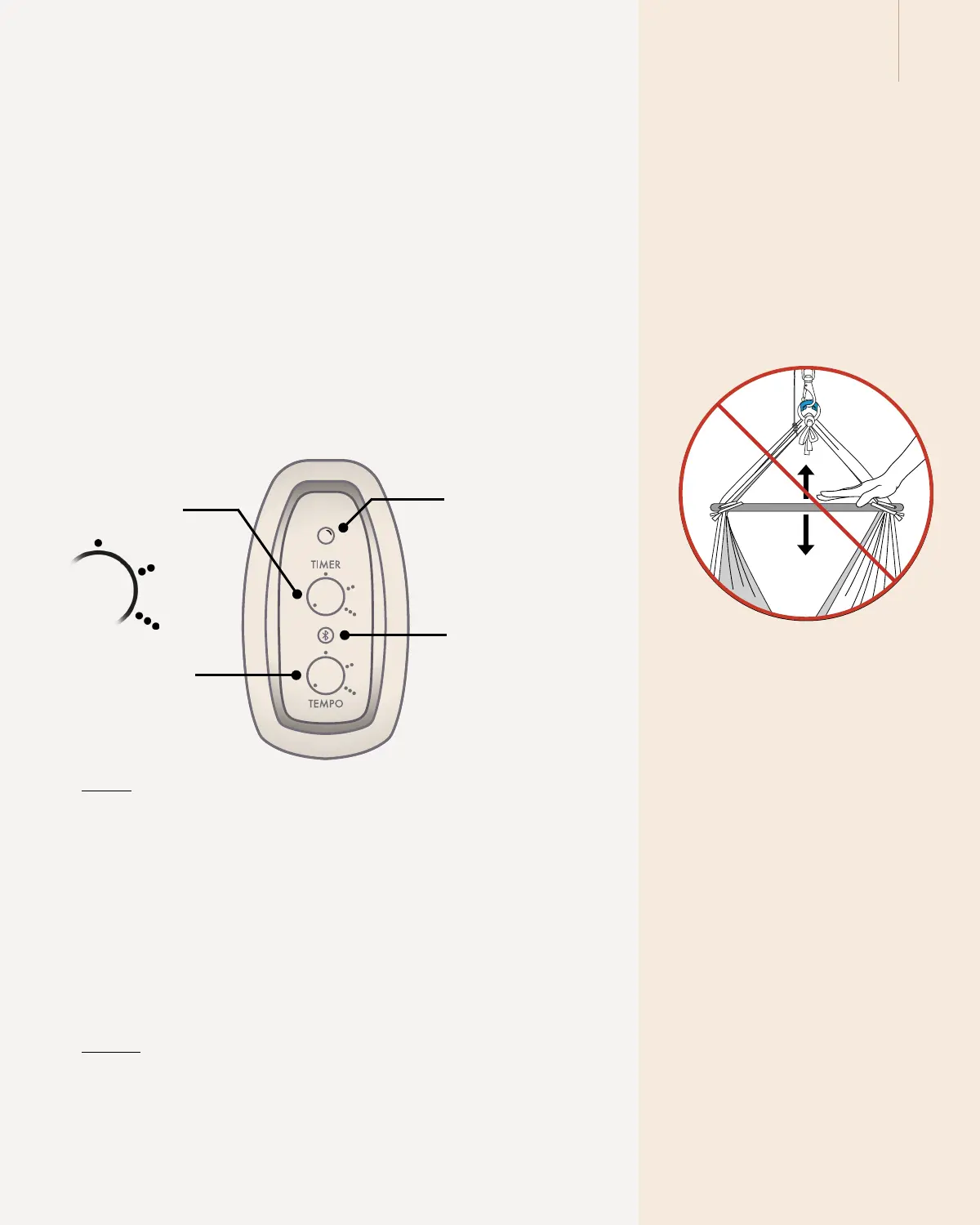
TIMER
The small dots indicate how long the cradle bouncer will operate. The
timer can be set for a duration of up to 2 hours or set to run indefinitely.
To set the timer for 1.5 hours, position the timer knob precisely between
the 1 hour and 2 hour marks. See the illustration for guidance.
The Motor Connect is equipped with a safety function that will automati-
cally stop the cradle bouncer after running for 12 consecutive hours.
TEMPO
The rocking speed is lowest when the pointer is turned to the left and
highest when it is pointing to the right.
1 hour
2 hours
no end time
Bluetooth button to
activate connection
to the app
LED status light
Tempo button
Timer button
Please note
You can switch off the motor at any
time by turning the knobs all the way
to the left.
Please note
Please note that the motor will not
work with too little weight in the baby
hammock or cradle. When used with
the baby hammock or the cradle, the
child must weigh at least 3 kg. When
used with the twin baby hammock,
the children must have a combined
total weight of at least 4 kg.
Please note
Do not manually bounce the baby
hammock or cradle while the Motor
Connect’s motor wire is attached. It
can damage the cradle bouncer.


 To Next Page