24
© 2017
Ma
k
a
T
e
c
hnologie
s
G
roup
. A
ll Righ
ts
Re
s
er
v
ed
.
Getting
Started
Operation
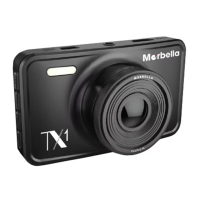
of your TX1 FHD
Digital
Roadcorder
TM
VIDEO/SYSTEM SETTNG
Access
the
following
settings
to
change
the
device’s
video recording quality. The
better the quality, the higher the capacity of the sd card used is higher.
Resolution
1
Press
OK to stop recording.
2. Press
once to enter into video setting
3
Press
on
Up
or
Down
button
to
navigate
to
the
function
that
shows
Resolution
4
Press
on
OK to enter showing 1920x1080
30P
or
1280x720
30P etc
5
Press
on
the
Up
or
Down
button
to
make
your
selection
6
Press
on
OK
to
confirm
your
entry and exit to setting
7
Press
on
button twice t
o
exit
Setting and back recording mode
8
Start
recording
by
pressing
OK
button
9
Stop
recording
by
pressing
OK
button
again
Loop
Recording
The
device
will
continue
to
record
by
erasing
the
previously
recorded
oldest
video. All
old
videos
will
be
replaced
with
the
new
ones.
It
is
recommended
to
reformat
a
memory
card
every
time
images
are
transferred
from
it
to
a
computer,
or
at
least
once
every 2 week
to
keep
data
and
the
structure
of
files
stored
on
it
clean,
helping
to
prevent
error
messages
and
missing
images.


 To Next Page