9
Using Your Health Fryer’s Pre-set Programs
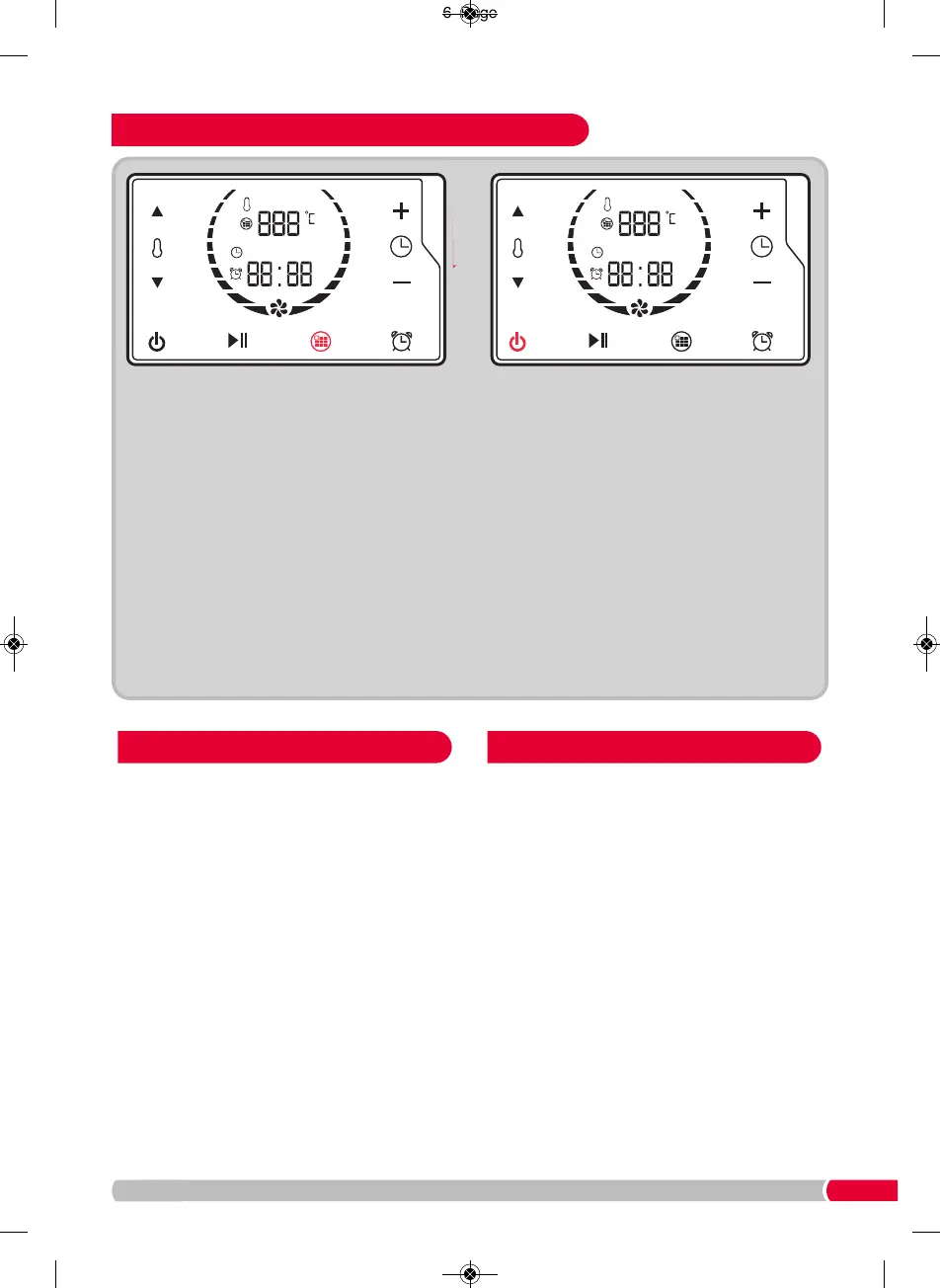
Press the Start / Pause Button
(E)
and the
Health Fryer will begin cooking your food.
Repeat Steps 1-7 of ‘Using Your Health Fryer
Manually’ on pages 7 & 8).
Press the Program Button
(G)
until you reach
the desired program.
When the time is up on the timer, the Health
Fryer will beep and automatically turn off.
If the food is not cooked to your desired
requirements, repeat Steps 7-10 of ‘Using
Your Health Fryer Manually’ on page 7.
Tip: Check your food at two minute intervals
to ensure food is not overcooked.
Either remove the entire basket (see Step2,
page 7), or carefully use plastic or wooden
utensils to remove your food.
• This function is activated by selecting Preset 1
(see ‘Using Your Health Fryer’ on pages 7 and 9).
• For most manual and Preset cooking options, use
this Pre-heat function to ensure the Cooking
Drawer is pre-heated. Failure to do this could
result in the food being undercooked.
• The Pre-heat lasts for 3 minutes (see ‘Cooking
Guide’ on page 11).
• This function is activated by selecting Preset 8
(see ‘Cooking Guide’ on page 11 for examples of
suitable foods to be defrosted).
• The Preset 8 is for 5 minutes, this can be
increased as required (see ‘Using Your Health
Fryer’s Pre-set Programs’ above).
• Ensure the food is fully defrosted as required
before use.
• NOTE: The food will continue to defrost due to
residual heat, so check 5-8 minutes after
removing from the Drawer / Frying Basket.
Pre-heat Function Defrost Function


 To Next Page