12
USING YOUR AIR FRYER PROGRAMS
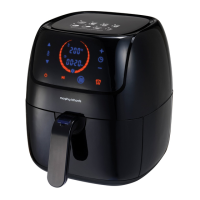
1. Press the Program Function Button (E) until you reach the
desired program. You can also adjust the default temperature
and time of each pre-set program by repeating the steps on
page 9.
2. Once the desired program is selected, press the Start/Pause
Button (F) and the selected program icon will flash and the Air
Fryer will begin cooking.
3. When the timer has elapsed, the Air Fryer will beep and
automatically turn off. You can switch off the Air Fryer at
anytime by pressing the On/Off button (A). If the food is not
cooked to your desired requirements, repeat the steps on
page 9.
Note: It is recommended to check your food halfway through the
cooking time to ensure food is cooked evenly.
Note: Either remove the entire Drawer, or carefully use plastic or
wooden utensils to turn and remove your food.
TIPS FOR YOUR AIR FRYER
• Take into account the food to be cooked before you select the
frying temperature. As a general rule, pre-cooked food needs a
higher cooking temperature than raw food.
• Cook food thoroughly. Remember that food may begin to turn
golden brown before it is cooked inside.
• Select your cooking utensils with care. Do not use utensils that
may melt. Do not use metal utensils as they may damage the
Drawer and Frying Rack coatings.
• Your Air Fryer has a maximum cooking capacity. This is
dependant on food type. As a guide do not fill the basket more
than half full.


 To Next Page