SECTION 2
12
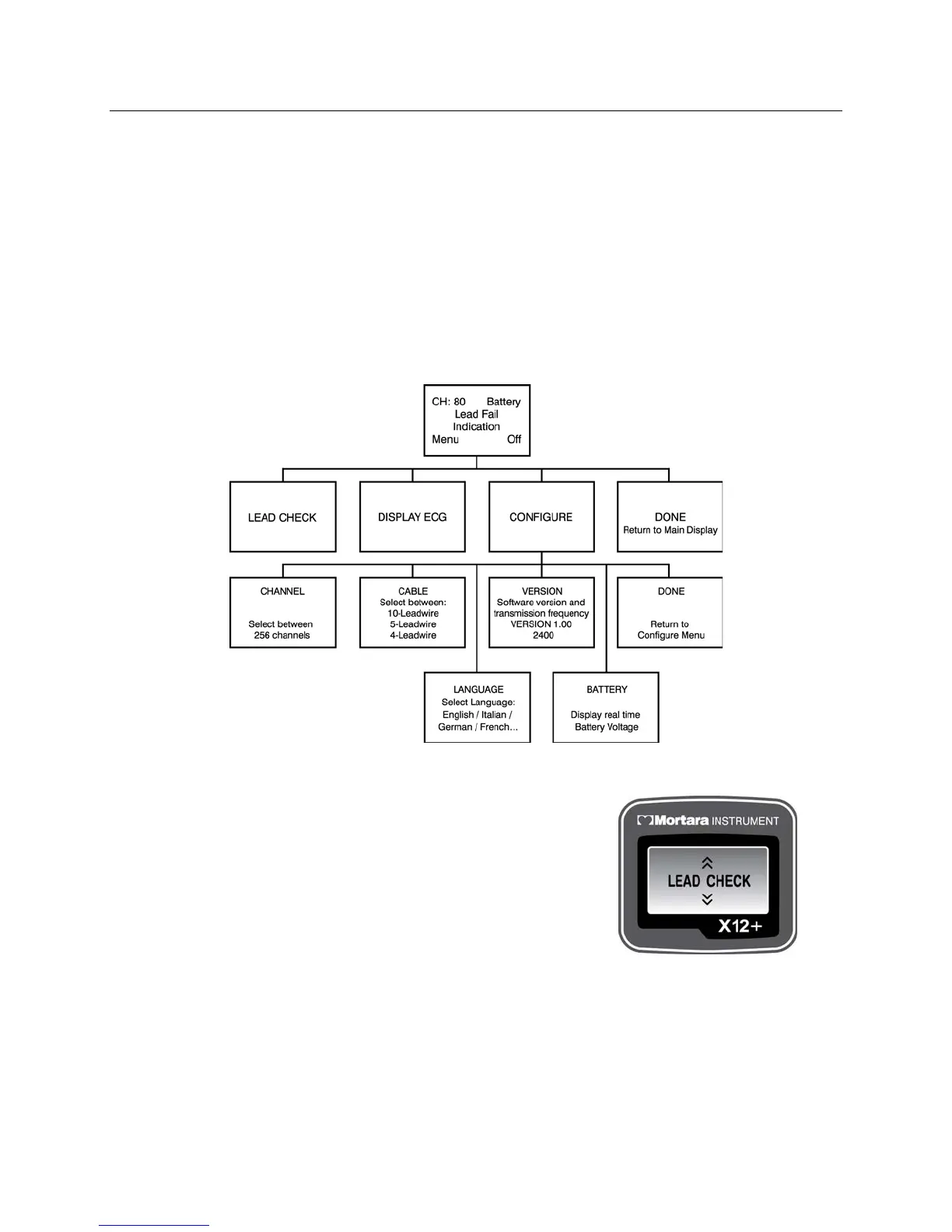
Top Level Menu Options
To select menu options, press and hold Up/Right for approximately three seconds. Use Up/Right and Down to
scroll and Enter to select. The top level menu includes:
LEAD CHECK
DISPLAY ECG
CONFIGURE
DONE
An operational flowchart of menu options depicts the flow of functionality using the three keys.
Lead Check
LEAD CHECK, DISPLAY ECG, and CONFIGURE are performed
prior to starting a new patient.
LEAD CHECK, DISPLAY ECG, and DONE are typically selected
prior to each new session.



 To Next Page