16
5. Finish registering. Enter the account name, number of
rooms and other information as desired.
Step 2: Turning on and preparing the camera
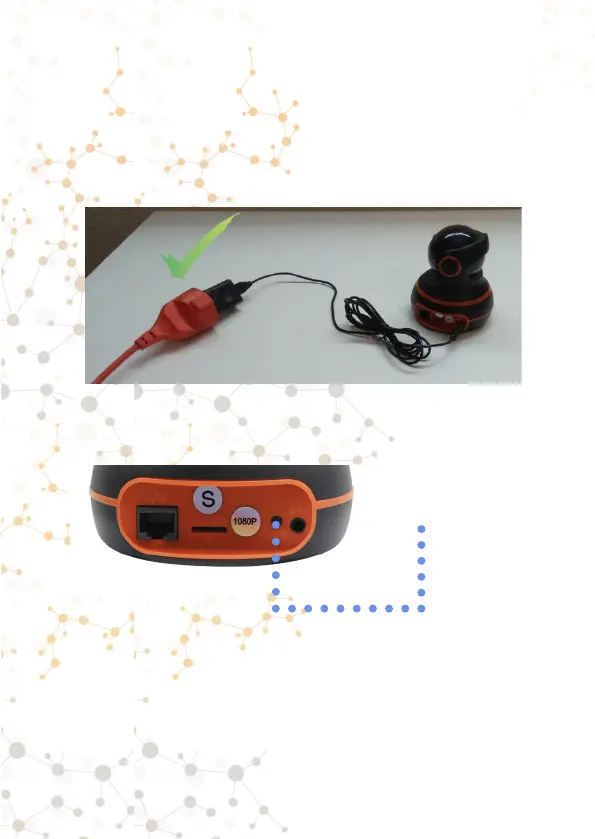
1. Connect power to the camera. Wait for the camera to load
(approximately 1 minute).
2. There is a «Reset» button at the back of the camera.
Hold this button for about 5-10 seconds. Y
ou will hear a
characteristic sound.
After a successful reset, you will hear a distinctive sound.
Single short sound - successful reset of the camera settings
(holding the Reset button for 5-10 seconds)



 To Next Page