17
Step 3: Connecting the camera to your Smart Life account.
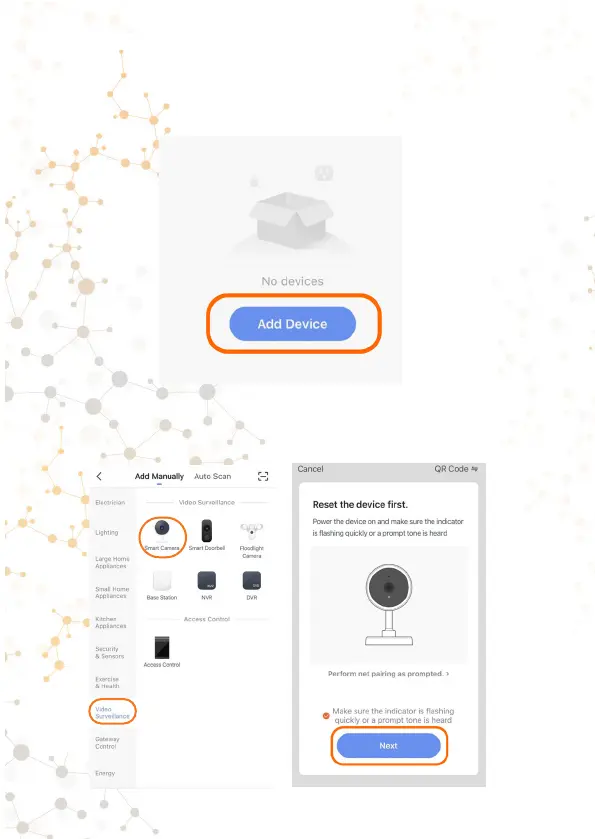
1.Go to the Smart Life app. Click «Add Device».
2. First select the «Video Surveillance» category. Then select
«Smart Camera» from the list.
3. A page with resetting the camera will open. We have
completed this point in the previous step. Click «next step».



 To Next Page