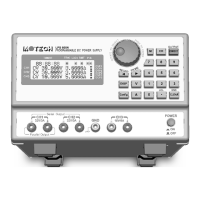
CONTENTS
1. GENERAL INFORMATION........................................................................................................... 1
1.1 Introduction ................................................................................................................................. 1
1.2 Safety Considerations ................................................................................................................ 1
1.3 Options ........................................................................................................................................ 3
1.4 Accessories ................................................................................................................................. 3
1.5 Output Isolation .......................................................................................................................... 3
1.6 Specifications .............................................................................................................................. 3
2. INSTALLATION ............................................................................................................................ 5
2.1 Introduction ................................................................................................................................. 5
2.2 Initial inspection .......................................................................................................................... 5
2.3 Location and cooling .................................................................................................................. 5
2.4 Input power requirements .......................................................................................................... 5
2.5 Line fuse ..................................................................................................................................... 5
3. GETTING STARTED ..................................................................................................................... 6
3.1 Front panel controls and output terminals............................................................................... 6
3.2 LCD display message ................................................................................................................ 8
REFER TO THE FIGURE B. ................................................................................................................... 8
3.3 Rear panel .................................................................................................................................. 9
4. OPERATION ............................................................................................................................... 10
4.1 Initial conditions ........................................................................................................................ 10
4.2 Control of output functions ...................................................................................................... 10
4.3 Enabling/Disabling the output .................................................................................................. 11
4.4 Overload protection of 5V or 3.3V output ............................................................................. 11
5. CALIBRATION ............................................................................................................................ 12
6. USER MAINTENANCE/SERVICE .............................................................................................. 15
6.1 Fuse Replacement ................................................................................................................... 15
6.2 In Case of Difficulties .............................................................................................................. 15
6.3 If the ERROR#2 shows on LCD ............................................................................................ 15
6.4 Using the RS-232-C Serial Interface ..................................................................................... 15


 To Next Page