Motion Computing LE-Series and LS-Series Tablet PCs User Guide 29
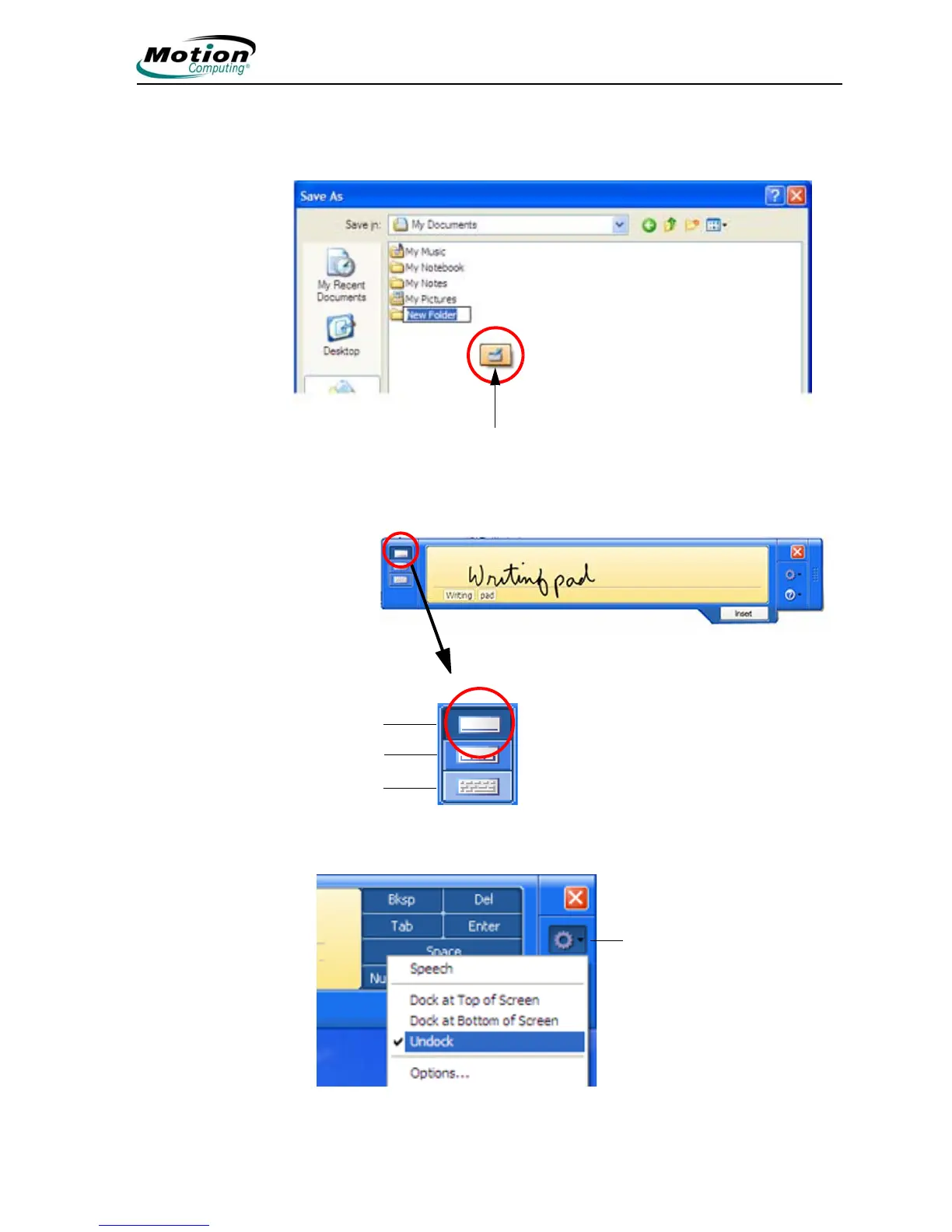
Using the TIP. The following example shows how the TIP icon appears in a “Save
As” window; you can tap the icon to open the TIP panel to use handwriting or the
on-screen keyboard to enter the name of the New Folder.
When you tap this icon, the writing pad opens. As you write, the recognition
software interprets the writing and displays a text equivalent below the line.
You can change from the writing pad to a
character pad or on-screen keyboard at
any time by tapping the appropriate icon
on the left side of the TIP panel. On the
right side of the TIP panel there are
icons for Tools and Options and for TIP
Help.
Tap the Tools and Options (small gear) icon to access the following selections:
Tap to open the TIP
Writing Pad
Character Pad
On-Screen
Keyboard
Tools and Options icon



 To Next Page