30 Motion Computing LE-Series and LS-Series Tablet PCs User Guide
• Speech - If this is the first time you selected Speech, a Speech Recognition
Enrollment window is shown. You must adjust the microphones (using the
Motion Dashboard) and adapt the speech recognition for your voice before
speech recognition is functional. This can take several minutes. After making
the adjustments, tapping Speech shows that Dictation and Command icons
have been added to the TIP panel. Tapping either Dictation or Command
opens a voice input window. For more information about Speech, refer to
“Motion Speak Anywhere Technology” on page 55.
• Dock at Top of Screen. Moves and locks the TIP at the top of the screen.
• Dock at Bottom of Screen. Moves and locks the TIP at the bottom of the
screen.
• Undock. Closes the TIP if shown; allows it to float undocked the next time it is
opened.
• Options. Opens the Options window, where you can change many of the finer
aspects of the pen and its usage in the TIP. There is also a link to the Help that
is specifically for the Tablet PC TIP.
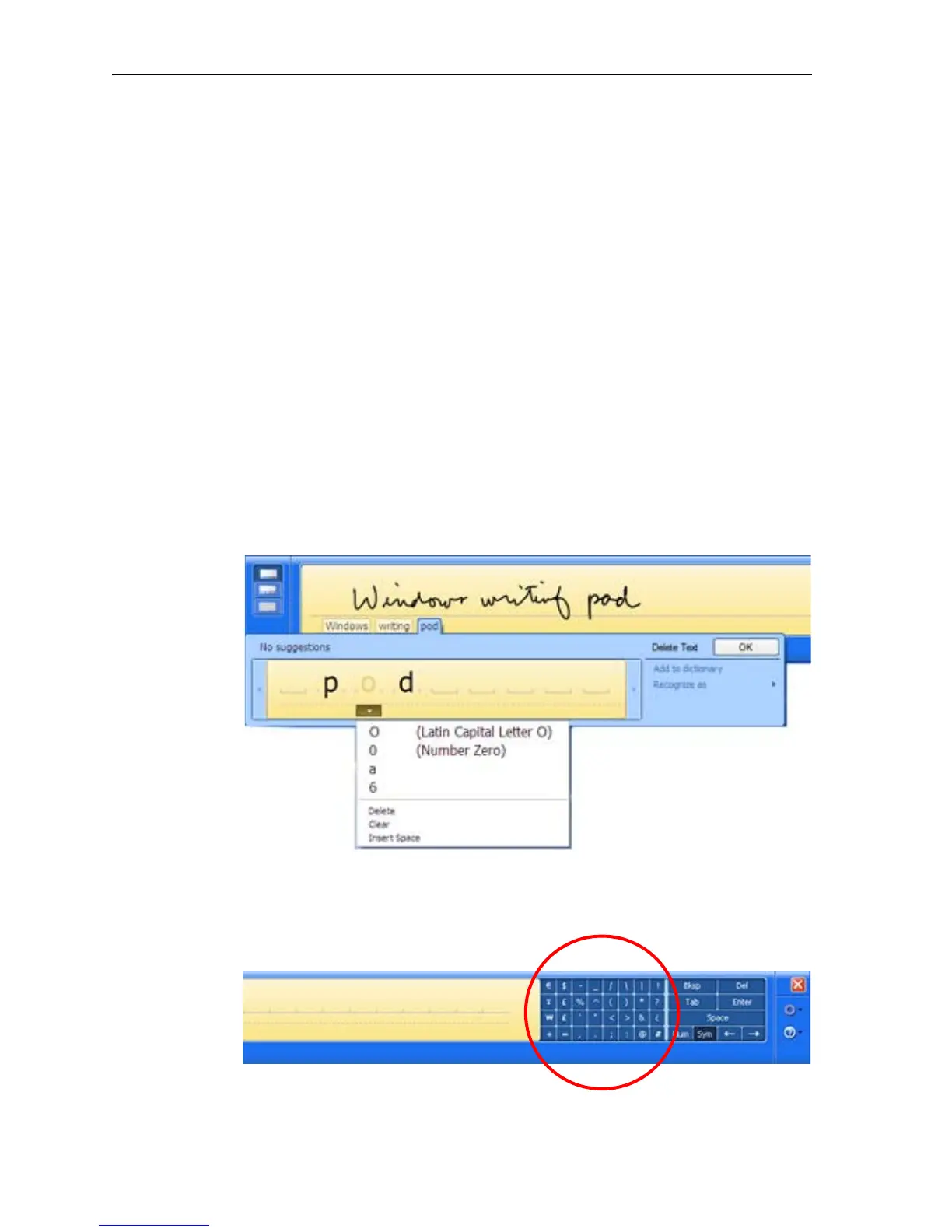
Using the writing pad. As you write, the software selects the best match for a word
from its dictionary of words and displays it on-screen. Tap on a word to select it.
In the following example, either handwrite directly over the incorrect character or tap
the character to open a list of alternatives (as shown here: O, 0, a, 6). You can
erase a word you have just written, by rapidly scratching back and forth over it.
The writing/character pad expands to show Numbers (Num) or Symbols (Sym)
toolbars, whose symbols are inserted immediately in the text entry area as you
select them. Then, when you begin to handwrite on the writing or character Pad, the
Num or Sym toolbar closes.



 To Next Page