EN
35
To set the default values: 1) access the advanced programming
function; 2) select the “dEf” parameter”; 3) activate the modication
mode (“0” on display”); 4) accept the modication (press “MENU”
and hold it down). A countdown should now appear: 49,48...,1
down to “don“. Release the button when nished.
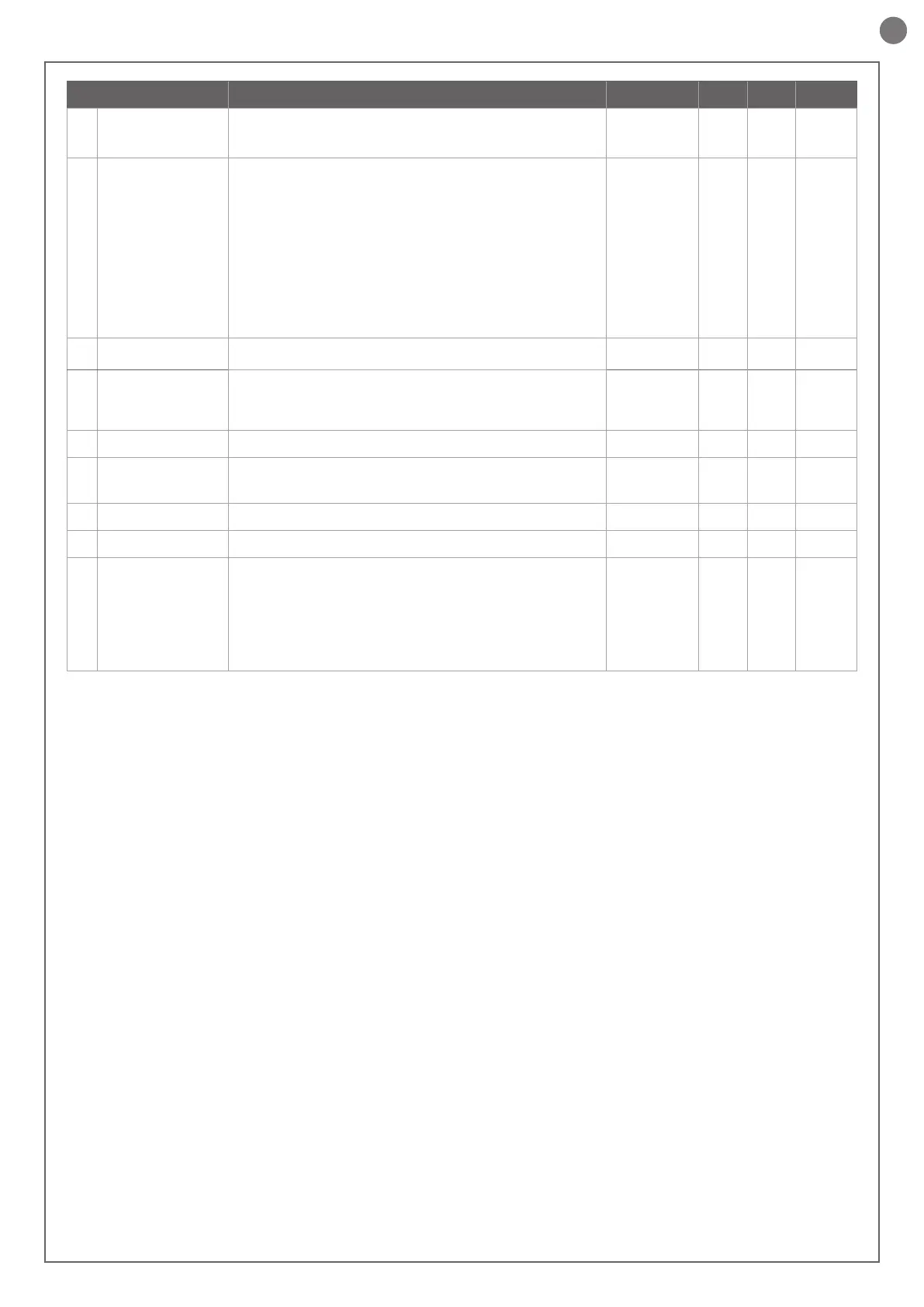
PARAMETERS DESCRIPTION DEFAULT MIN MAX UNIT
14
de.a.
Hold-to-run
0 = o
1 = on
0 0 1
15
IN.D.
0 = deactivated
1 = gate open light ON/OFF
2 = gate open light proportional
- Slow ashing with gate opening
- Quick ashing with gate closing
- Steady light if gate open
- 2 ashes + pause with gate stationary (position other than
closed)
3 = DO NOT USE
4 = DO NOT USE
5 = DO NOT USE
6 = DO NOT USE
0 0 2
16
se.r.
Service interval cycle threshold.
(0 = o)
10 0 200
x 1000
cycles
17
se.f.
Enabling of continuous ashing indicating
service required with se.r. ≠ 0 (only active with gate closed).
0 = o
1 = on
0 0 1
18
EL.T.
DO NOT USE
19
ST.P.
High-speed motor start-up.
0 = on
1 = o
0 0 1
20
EN.C.
DO NOT USE
21
NE.P.
DO NOT USE
22
DE.F.
0 = Restore of factory settings for sliding gate motor
SPRINT400
1 = DO NOT USE
2 = DO NOT USE
3 = DO NOT USE
4 = DO NOT USE
5 = DO NOT USE
0 0 0


 To Next Page