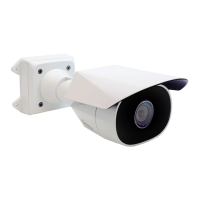
Sarix Enhanced 4 Bullet Camera Cameras Installation Manual
C6755M | 01/2024
4
Installation
Pre-DeploymentIn-BoxConfiguration
ThecameracomesequippedwithanRJ45connectorthatisaccessiblefromtheoutsideoftheboxfor
usersthatwanttoconfigurecamerasettingsbeforeinstallingthecamera.TheRJ45connectoris
accessiblethroughthesmallflaponthesideofthecameraboxforeasyconfigurationbeforeunpackingthe
camera.
1. Locateandopentheflaponthesideofthecamerapackaging.Lookforthe
Config
label:
2. ConnectanetworkcabletotheRJ45plugontheconfigurationcable.Thenetworkcablemust
providePoEpower,IEEE802.3afClass3,topowerthecameraduringconfiguration.
3. ConnecttothecamerausingtheCameraConfigurationTool,orthecamera'swebbrowserinterface
toconfigurethecamera'ssettings.Formoreinformationaboutconnectingtothecamera,see
AssigninganIPAddress
onpage14,and
AccessingtheLiveVideoStream
onpage14.
4. Onceyouhavefinishedmakingconfigurationchanges,unplugthenetworkcable.


 To Next Page
 Loading...