EasyManua.ls Logo

Motorola clp446 - User Manual

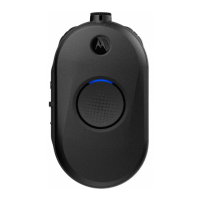
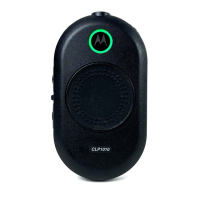
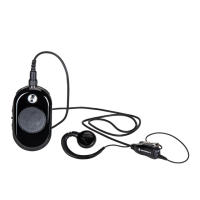
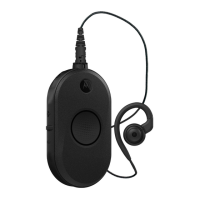
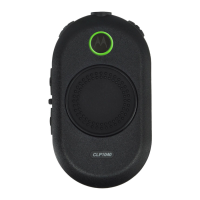
Motorola clp446
46 pages
Print Icon
To Next Page IconTo Next Page
Loading...
User Guide
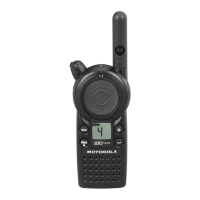
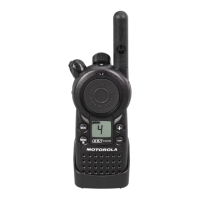
CLP Series Two-Way Radio
TM
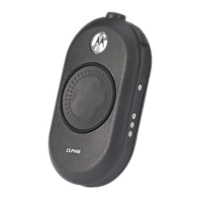
Model CLP446

Questions and Answers

  • A
    Alice JonesAug 13, 2025
    What to do if Motorola clp446 message is not transmitted or received?
    • L
      Laura HallAug 13, 2025
      If your Motorola Two-Way Radio message is not being transmitted or received, obstructions and operating indoors or in vehicles may be interfering. Try changing your location to improve transmission and reception.
  • C
    Caleb HutchinsonAug 17, 2025
    How to improve the talk range of my Motorola clp446?
    • J
      Jerry MurphyAug 17, 2025
      The talk range of your Motorola Two-Way Radio might be limited due to steel and/or concrete structures, heavy foliage, buildings, or vehicles decreasing the range. To improve transmission, ensure a clear line of sight. You may also need to change the location of the radio.
  • J
    Jessica DiazAug 20, 2025
    Why am I hearing other noises on my Motorola clp446 channel?
    • T
      Thomas HardinAug 20, 2025
      If you're hearing noises or conversations on your Motorola Two-Way Radio, it might be due to the Frequency or Interference Eliminator Code being in use. To resolve this, confirm the Interference Eliminator Code is properly set. You may need to change the frequencies or codes on all radios to ensure they match.
  • M
    mosleyjoanAug 25, 2025
    How to improve audio quality on Motorola clp446 Two-Way Radio?
    • S
      sandrastephensAug 25, 2025
      If your Motorola Two-Way Radio's audio quality isn't good, the radio settings might not be matching up correctly. Double-check the frequencies, codes, and bandwidths to ensure they are identical on all radios.
  • C
    Clifford ChanAug 28, 2025
    What to do if my Motorola clp446 message is scrambled?
    • N
      Nicholas GreerAug 28, 2025
      If your Motorola Two-Way Radio message is scrambled, the Scramble Code might be ON, and/or the setting doesn't match the other radios' settings. Use CPS (Customer Programming Software) to change these settings.
  • Z
    Zachary SchroederAug 31, 2025
    Why does my Motorola clp446 Two-Way Radio have no power?
    • B
      Brian PorterAug 31, 2025
      If your Motorola Two-Way Radio has no power, extreme operating temperatures may be affecting the battery life. Try to recharge or replace the Li-Ion battery.
  • B
    Brian MasseySep 4, 2025
    What to do if Motorola clp446 Two-Way Radio Drop-in Charger LED light does not blink?
    • L
      Lisa WilliamsSep 4, 2025
      If the Drop-in Charger LED light does not blink, check that the Motorola Two-Way Radio or battery is properly inserted. Also, check the battery and charger contacts to ensure they are clean and that the charging pin is inserted correctly.
  • B
    Brandon AndersonSep 8, 2025
    Why is my Motorola clp446 Two-Way Radio experiencing heavy static or interference?
    • C
      Charles ColeSep 8, 2025
      If your Motorola Two-Way Radio experiences heavy static or interference, it could be due to the radios being too close to each other (they should be at least five feet apart) or being too far apart with obstacles interfering with the transmission. Try adjusting the distance between the radios or removing any obstacles that may be blocking the signal.

Summary

Radio Overview and Controls

Radio Controls and Setup

Identifies radio controls and covers initial setup like battery installation.

Usage, Connectivity, and Features

Details accessory connection, operation, menu settings, and advanced functions.

Battery and Charger Features

Battery Removal and Charging

Instructions for removing the battery and charging it using various chargers.

Programming the Radio Through the CPS

Radio Cloning Procedures

Advanced Radio Configuration

Troubleshooting Common Issues

Power and Audio Issues

Addresses issues like no power, poor audio quality, and static.

Range and Transmission Issues

Solutions for limited talk range and message transmission problems.

Battery, Charger, and VOX Issues

Fixes for battery, charger, and VOX feature problems.

Use and Care Guidelines

Motorola clp446 Specifications

General IconGeneral
BrandMotorola
Modelclp446
CategoryTwo-Way Radio
LanguageEnglish

Related product manuals