EasyManua.ls Logo

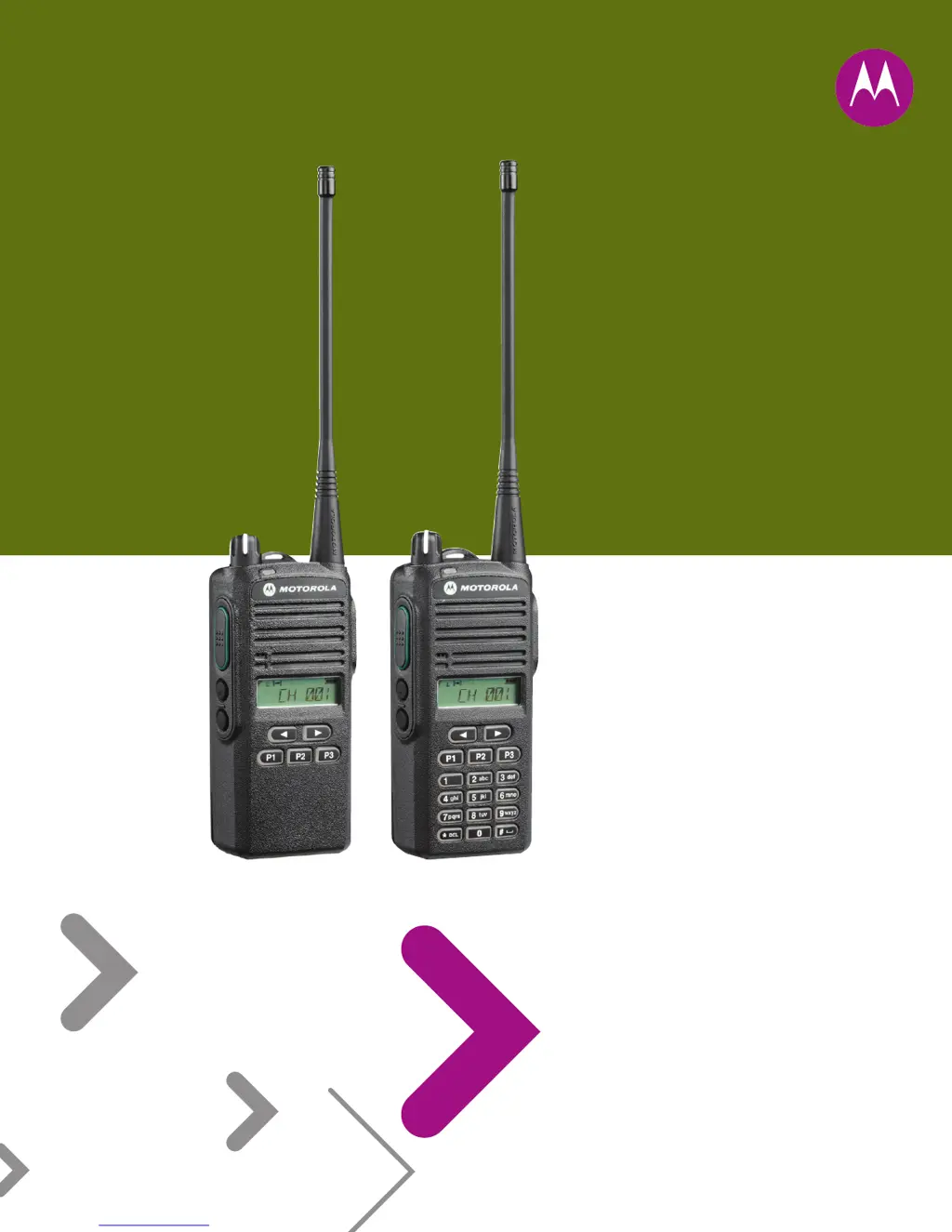
Motorola EP350 - User Manual

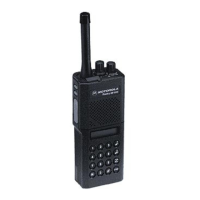
Motorola EP350
154 pages
Print Icon
To Next Page IconTo Next Page
Loading...
Portable Radios
Detailed Service Manual
EP350

Table of Contents

Other manuals for Motorola EP350

Questions and Answers

  • A
    Anne MedinaSep 10, 2025
    What does COMM ERR mean on Motorola Portable Radio?
    • S
      sandra54Sep 10, 2025
      If your Motorola Portable Radio displays a COMM ERR message, it indicates a Communication Error, meaning cloning between the source and destination radios failed. Check the connection between the source and destination radios and ensure you are following the correct cloning procedures.
  • K
    Kathryn HarveyAug 23, 2025
    What to check if there is no/low signaling (PL, DPL, MDC) on Motorola EP350?
    • J
      Jennifer RogersAug 23, 2025
      If there is no or low signaling (PL, DPL, MDC) on your Motorola Portable Radio, check the programming.
  • K
    Kevin CoffeyAug 25, 2025
    What to do if my Motorola Portable Radio displays FATALERR?
    • E
      Ernest GreenAug 25, 2025
      If your Motorola Portable Radio displays a FATALERR message, it indicates that the codeplug is corrupted. Try reprogramming the codeplug with the correct version and then retest the radio. If the message continues to appear, it may be necessary to replace the main board.
  • D
    Dylan ScottAug 27, 2025
    What to do if my Motorola EP350 displays PLLERROR?
    • A
      Amy PonceAug 27, 2025
      If your Motorola Portable Radio displays a PLLERROR message, it means the radio cannot receive or transmit on the programmed frequencies due to a PLL Unlock Error. Try reprogramming the codeplug with the correct version and retest the radio. If the message reoccurs, it may be necessary to replace the main board.
  • B
    bethjonesAug 27, 2025
    What to do if my Motorola Portable Radio displays SLFTFAIL?
    • J
      Jeffrey HowardAug 27, 2025
      If your Motorola Portable Radio displays a SLFTFAIL message, it means the radio failed to initialize during start-up. Retest the radio by turning it off and then on again. If the message continues, it may be necessary to replace the main board.
  • I
    Isabel WhiteAug 29, 2025
    What to do if my Motorola EP350 Portable Radio displays ERROR during cloning?
    • R
      robertsdavidAug 29, 2025
      If your Motorola Portable Radio displays an ERROR message during cloning, it indicates that cloning between the source and destination radios has failed. Check the connection between the source and destination radios and ensure you are following the correct cloning procedures.
  • M
    Michael JacksonSep 18, 2025
    How to improve bad microphone sensitivity on Motorola Portable Radio?
    • J
      jerry01Sep 18, 2025
      If you are experiencing bad microphone sensitivity on your Motorola Portable Radio, check deviation and compensation and realign if necessary.
  • A
    Angela RiveraSep 12, 2025
    Why is audio distorted or not loud enough on my Motorola EP350 Portable Radio?
    • B
      Brianna PalmerSep 12, 2025
      If the audio is distorted or not loud enough on your Motorola Portable Radio, a possible cause is that the synthesizer is not on frequency.
  • D
    David PearsonSep 8, 2025
    What does TYPE ERR mean on Motorola EP350?
    • C
      courtneybassSep 8, 2025
      If your Motorola Portable Radio displays a TYPE ERR message, it indicates a Mismatch Radio Type Error, meaning there are different source and destination radio models. Retest by connecting the same source and destination radio model.
  • M
    Melanie GriffinSep 5, 2025
    Why Motorola Portable Radio is dead and display does not turn on?
    • A
      adam62Sep 5, 2025
      If your Motorola Portable Radio is dead and the display does not turn on, it could be due to a dead battery. Replace it with a charged battery.

Summary

Safety Information

Product Safety and RF Energy Exposure Compliance

Information on product safety and compliance with RF energy exposure requirements.

Chapter 1 Maintenance

1.4 Safe Handling of CMOS and LDMOS

Precautions for handling CMOS/LDMOS devices to prevent damage from static or voltage.

1.5 General Repair Procedures and Techniques

Guidelines for performing general repairs, including parts replacement and techniques.

Chapter 2 Test Equipment, Service Aids, and Service Tools

2.1 Test Equipment

List of essential test equipment required for radio servicing.

Chapter 3 DC Power Distribution

3.1 DC Regulation and Distribution

Block diagram and description of DC power regulation and distribution.

Chapter 4 Controller Theory of Operation

4.1 RX Audio Circuit

Theory of operation for the receive audio circuit.

4.2 TX Audio Circuit

Theory of operation for the transmit audio circuit.

4.3 Microprocessor Circuitry

Theory of operation for the microprocessor and associated EEPROM.

Chapter 5 UHF2 Theory of Operation

5.2 UHF2 Receiver

Detailed theory of operation for the UHF2 receiver.

5.2.1 Receiver Front End

Explanation of the UHF2 receiver front end circuitry.

5.3 UHF2 Transmitter

Detailed theory of operation for the UHF2 transmitter.

5.4 UHF2 Frequency Generation Circuitry

Theory of operation for UHF2 frequency generation.

Chapter 6 UHF2 Troubleshooting Tables

6.1 Troubleshooting Table for Receiver (UHF2)

Table for diagnosing receiver issues in UHF2 radios.

6.2 Troubleshooting Table for Synthesizer (UHF2)

Table for diagnosing synthesizer issues in UHF2 radios.

6.3 Troubleshooting Table for Transmitter (UHF2)

Table for diagnosing transmitter issues in UHF2 radios.

6.4 Troubleshooting Table for Board and IC Signals (UHF2)

Table for diagnosing board and IC signal issues in UHF2 radios.

Chapter 7 UHF2 Schematic Diagrams, Overlays, and Parts Lists

7.3 Circuit Board;Schematic Diagram and Parts List (UHF2: 435-480 MHz)

Detailed schematics and parts for UHF2 circuit boards.

7.3.1 Parts List

Comprehensive list of electronic components for UHF2.

Chapter 8 VHF Theory of Operation

8.2 VHF Receiver

Detailed theory of operation for the VHF receiver.

8.2.1 Receiver Front End

Explanation of the VHF receiver front end circuitry.

8.3 VHF Transmitter

Detailed theory of operation for the VHF transmitter.

8.4 VHF Frequency Generation Circuitry

Theory of operation for VHF frequency generation.

Chapter 9 VHF Troubleshooting Tables

9.1 Troubleshooting Table for Receiver (VHF)

Table for diagnosing receiver issues in VHF radios.

9.2 Troubleshooting Table for Synthesizer (VHF)

Table for diagnosing synthesizer issues in VHF radios.

9.3 Troubleshooting Table for Transmitter (VHF)

Table for diagnosing transmitter issues in VHF radios.

9.4 Troubleshooting Table for Board and IC Signals (VHF)

Table for diagnosing board and IC signal issues in VHF radios.

Chapter 10 VHF Schematic Diagrams, Overlays, and Parts Lists

10.3 Circuit Board;Schematic Diagram and Parts List (VHF: 136-174 MHz)

Detailed schematics and parts for VHF circuit boards.

10.3.1 Parts List

Comprehensive list of electronic components for VHF.

Chapter 11 UHF1 Theory of Operation

11.2 UHF1 Receiver

Detailed theory of operation for the UHF1 receiver.

11.2.1 Receiver Front End

Explanation of the UHF1 receiver front end circuitry.

11.3 UHF1 Transmitter

Detailed theory of operation for the UHF1 transmitter.

11.4 UHF1 Frequency Generation Circuitry

Theory of operation for UHF1 frequency generation.

Chapter 12 UHF1 Troubleshooting Tables

12.1 Troubleshooting Table for Receiver (UHF1)

Table for diagnosing receiver issues in UHF1 radios.

12.2 Troubleshooting Table for Synthesizer (UHF1)

Table for diagnosing synthesizer issues in UHF1 radios.

12.3 Troubleshooting Table for Transmitter (UHF1)

Table for diagnosing transmitter issues in UHF1 radios.

Chapter 13 UHF1 Schematic Diagrams, Overlays, and Parts Lists

Appendix A Warranty, Service Support, and Replacement Parts

Motorola EP350 Specifications

General IconGeneral
Channel Capacity16 channels
IP RatingIP54
Drop Resistance1.2 meters
Frequency RangeVHF: 136-174 MHz, UHF: 403-470 MHz
Battery LifeUp to 11 hours
Power Supply7.5 V (Nominal)
WaterproofSplashproof
Dimensions127.6 x 62 x 42 mm (with standard battery)

Related product manuals