EasyManua.ls Logo

Motorola IMPRES - User Manual

Motorola IMPRES
108 pages
Print Icon
To Next Page IconTo Next Page
Loading...
IMPRES
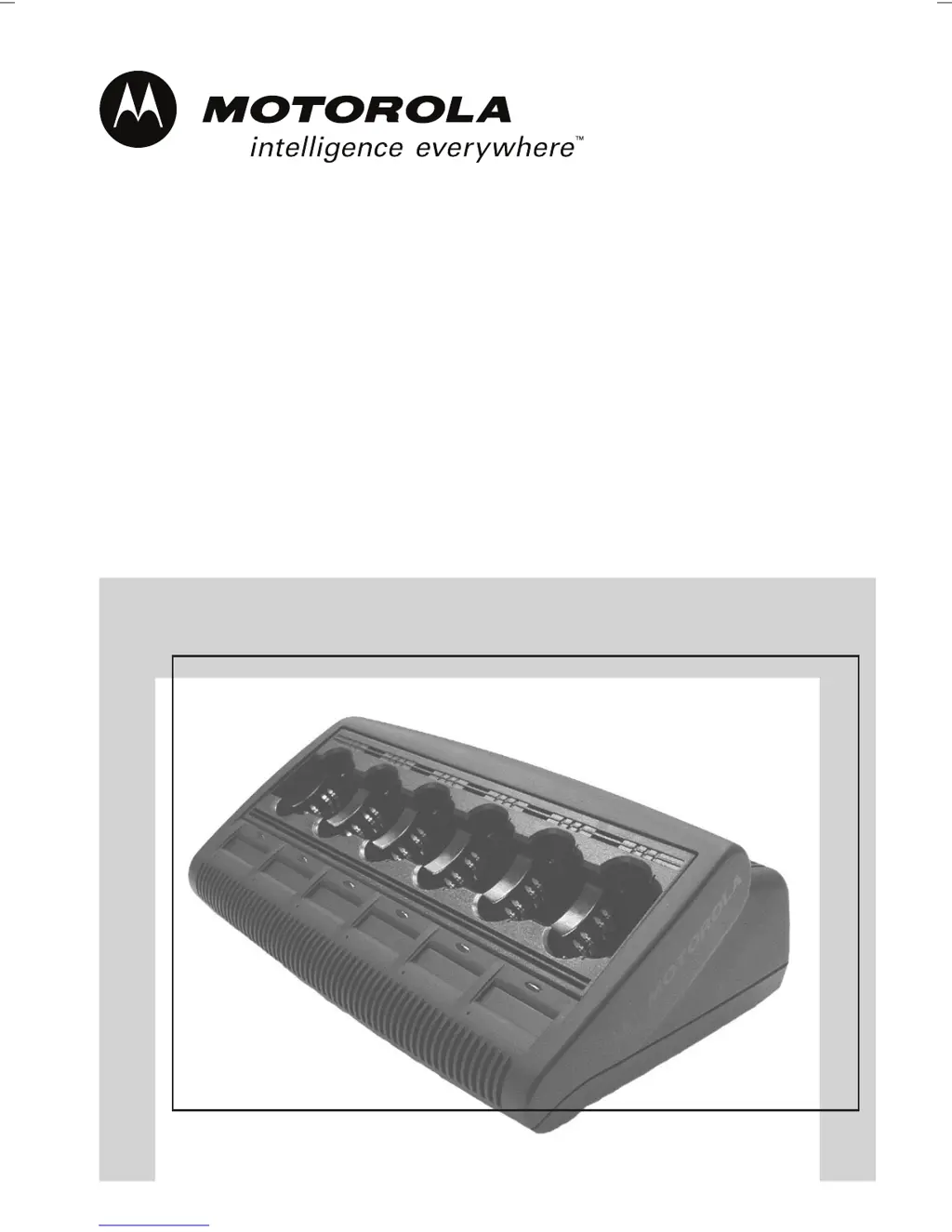
Adaptive Multi-Unit Charger
Chargeur autoadaptable multiple
Carregador auto adaptável múltiplo
Cargador autoadaptable múltiple

Table of Contents

Other manuals for Motorola IMPRES

Questions and Answers

  • K
    Kevin RodriguezJul 30, 2025
    How to troubleshoot Motorola IMPRES Battery Charger with no indication?
    • E
      Eric OneillJul 30, 2025
      If your Motorola Battery Charger shows no charger indication, first, ensure the radio with the battery or the battery alone is correctly inserted. Also, verify that the power cord is securely plugged into both the charger and a working AC outlet.
  • D
    David WalshAug 3, 2025
    What to do if Motorola Battery Charger has blinking red light?
    • R
      Renee RobertsAug 3, 2025
      If your Motorola Battery Charger blinks red, it could be due to a few reasons. First, remove and reinsert the battery into the charger to ensure proper contact. Verify that you are using a Motorola-authorized battery. Clean the gold metal charging contacts on both the battery and the charger with a clean, dry cloth. If the issue persists, the battery may not be chargeable and needs replacement.
  • J
    Joshua DoyleAug 7, 2025
    What to do if my Motorola IMPRES Battery Charger shows a flashing red indication?
    • H
      hannah33Aug 7, 2025
      If your Motorola Battery Charger shows a flashing red light, it could be due to a few reasons. First, ensure proper contact by removing and reinserting the battery into the charger. Also, verify that you are using a Motorola-authorized battery (listed in Tables 5 through 10). If the issue persists, disconnect the power, and clean the gold metal charging contacts on both the battery and the charger with a clean, dry cloth. If the battery is not chargeable, consider replacing it.
  • B
    Benjamin HansenAug 11, 2025
    How to troubleshoot Motorola Battery Charger with no charger indication?
    • J
      johnwhiteheadAug 11, 2025
      If your Motorola Battery Charger isn't showing any indication, it could be due to a contact issue or a power problem. Ensure the radio with battery, or the battery alone, is correctly inserted. Also, check that the power cord is securely plugged into both the charger and a working AC outlet. Replacing the fuses may also help.
  • J
    Jillian ClarkAug 15, 2025
    What to do if Motorola IMPRES has flashing red indication?
    • T
      tiffanycohenAug 15, 2025
      If the Motorola Battery Charger shows a flashing red light, it could be due to a few reasons. First, ensure proper contact by removing and reinserting the battery into the charger. Also, verify that you are using a Motorola authorized battery, as listed in Table 1. If the issue persists, disconnect the power from the charger and clean the gold metal charging contacts on both the battery and the charger with a clean, dry cloth. Another possibility is that the battery is unchargeable, in which case you should replace it.
  • A
    Amber RogersAug 20, 2025
    How to fix Motorola IMPRES with no charger indication?
    • J
      Jesse MaysAug 20, 2025
      If your Motorola Battery Charger shows no indication of charging, there are a couple of things to check. First, ensure that the radio with the battery, or the battery alone, is correctly inserted into the charger. Second, verify that the power cord is securely plugged into both the charger and a working AC outlet, and that the outlet has power.
  • S
    Sharon WallsAug 25, 2025
    Why is my Motorola IMPRES Battery Charger flashing yellow?
    • J
      Julie JohnstonAug 25, 2025
      A flashing yellow light on your Motorola Battery Charger indicates that the battery temperature might be below 5°C (41°F) or above 40°C (104°F), or the battery voltage may be lower than the predetermined threshold level required for rapid charging. When the temperature or voltage returns to the appropriate range, the battery will automatically begin charging.

Summary

Important Safety Instructions

Battery and Accessory Safety

Charge only Motorola-authorized batteries and use recommended accessories to prevent injury.

Damaged Charger Operation

Do not operate a damaged charger; seek qualified service for repairs.

Operational Safety Guidelines

Operating Instructions

Charging Procedure

Step-by-step guide for inserting batteries and initiating the charging process.

Battery Management

Initialization and Reconditioning

Procedures for initializing and automatically reconditioning IMPRES batteries.

Troubleshooting Guide

Service and Support

Motorola Authorized Batteries

IMPRES Feature; Benefit Description

Motorola IMPRES Specifications

General IconGeneral
TechnologyIMPRES
Compatible Battery TypesIMPRES Batteries
Input Voltage100-240V AC
Charging TechnologyIMPRES
LED IndicatorsYes
ChemistryLithium-Ion, Nickel Metal Hydride

Related product manuals