EasyManua.ls Logo

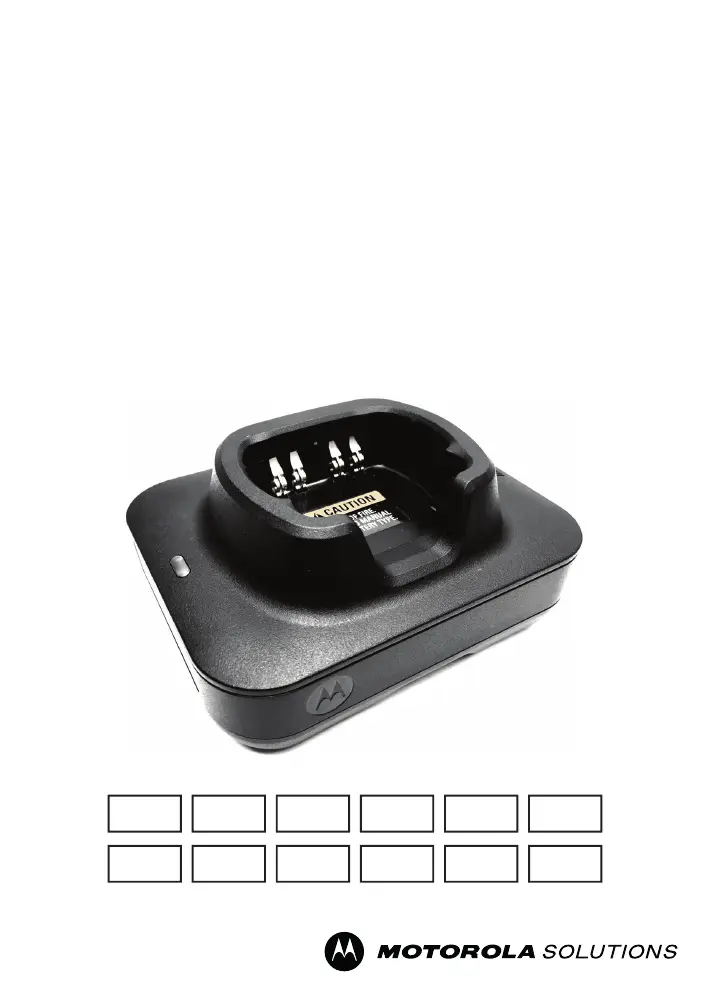
Motorola IMPRES NNTN9178 - User Manual

Motorola IMPRES NNTN9178
184 pages
Print Icon
To Next Page IconTo Next Page
Loading...
en-US
de-DE fr-FR
it-IT ru- RU
fr-CA es-LA pt-BR zh-CN ko-KR
nl-NL uk-UA
IMPRES
TM
ADAPTIVE SINGLE UNIT
CHARGER
NNTN8845/NNTN9178
USER GUIDE
en-US es-LA zn-CNfr-CA pt-BR
de-DE it-IT
ko-KR
ru-RU uk-UAfr-FR nl-NL
MN002406A01.book Page 0 Monday, December 23, 2019 9:36 AM

Table of Contents

Questions and Answers

  • P
    Patricia WashingtonAug 7, 2025
    What to do if Motorola Battery Charger has blinking red indication?
    • J
      Joyce MorrisAug 7, 2025
      If your Motorola Battery Charger shows a blinking red light, try these steps: First, take the battery out and put it back in. Second, ensure you are using a Motorola Solutions-authorized battery. Other batteries might not charge properly. Third, disconnect the power, and clean the gold metal charging contacts on both the battery and the charger with a dry cloth. Finally, try replacing the battery.
  • L
    Lisa GriffithAug 21, 2025
    How to fix Motorola Battery Charger with no charger indication?
    • D
      denise32Aug 22, 2025
      If your Motorola Battery Charger is not showing any indication, ensure the radio with the battery, or the battery alone, is correctly inserted. Also, check that the power cord is securely plugged into both the charger and a working AC outlet.

Summary

Important Safety Instructions

Operational Safety Guidelines

Operating Instructions

Charging Procedure

Charger Back View

IMPRES 2 and IMPRES Batteries and Chargers

Features and Benefits

Highlights the advantages and key features of the IMPRES system.

IMPRES 2 or IMPRES Battery Initialization

IMPRES 2 or IMPRES Pocket-to-Pocket

Explains data transfer and charge resumption between chargers.

Automatic IMPRES 2 or IMPRES Calibration;Reconditioning

Details the charger's automatic battery health assessment.

Manually Initiating Calibration; Reconditioning

IMPRES 2 or IMPRES End-of-Service-Life LED Indication

Describes LED indicators for batteries nearing end of life.

Manually Terminating Calibration; Reconditioning

Reconditioning Switch

Location and function of the reconditioning feature switch.

Troubleshooting

Motorola Solutions Authorized APX NEXT Batteries

IMPRES Feature; Benefit Description

Motorola IMPRES NNTN9178 Specifications

General IconGeneral
CompatibilityMotorola IMPRES batteries
Input Voltage100-240V AC
IMPRESYes
Charging MethodIMPRES
ChemistryLi-Ion
Charging TechnologyIMPRES

Related product manuals