13
ENGLISH
Using the Baby Monitor
3. Using the Baby Monitor
3.1 Setting up
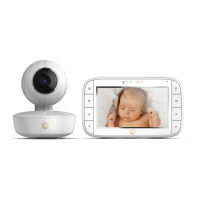
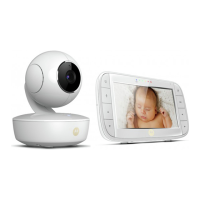
• Place the Baby Unit in a convenient location (e.g. on a table) and point
the camera lens towards the area you want to monitor.
• Adjust the angle of the Baby Unit’s camera by moving it up, down, left
and right until you are satisfied with the image shown on the Parent Unit.
NOTE
Do not place the Baby Unit within the baby’s reach! If there is interference
with the picture or sound, try moving the units to dierent locations, and
ensure they are not close to other electrical equipment.
3.2 Pan and Tilt
The camera can be remotely controlled from the Parent Unit when in
a camera viewing mode.
1. Press the
+
UP button or
-
DOWN button to tilt up or down.
2. Press the
<
LEFT button or
>
RIGHT button to pan left or right.
3.3 Night Vision Mode
The Baby Unit has 6 high-intensity infrared LEDs for picking up clear
images in the dark. When the built-in photo sensor on the front of the
unit detects a low level of ambient light, the LEDs will automatically
activate and the screen on the Parent Unit will display in black and
white. The
icon will be displayed at the top of the screen.
3.4 Talk Mode
Press and hold the
T
TALK button on the Parent Unit to talk to
your baby through the Baby Unit’s loudspeaker. The
T
icon will be
displayed at the top of the LCD screen.
3.5 Video ON/OFF
Press
V
VIDEO ON/OFF button to turn the LCD screen on or off,
whilst still leaving the audio monitor on.



 To Next Page
 Loading...