Page 18
M-550 Digital Game Camera
Page 3
M-550 Digital Game Camera
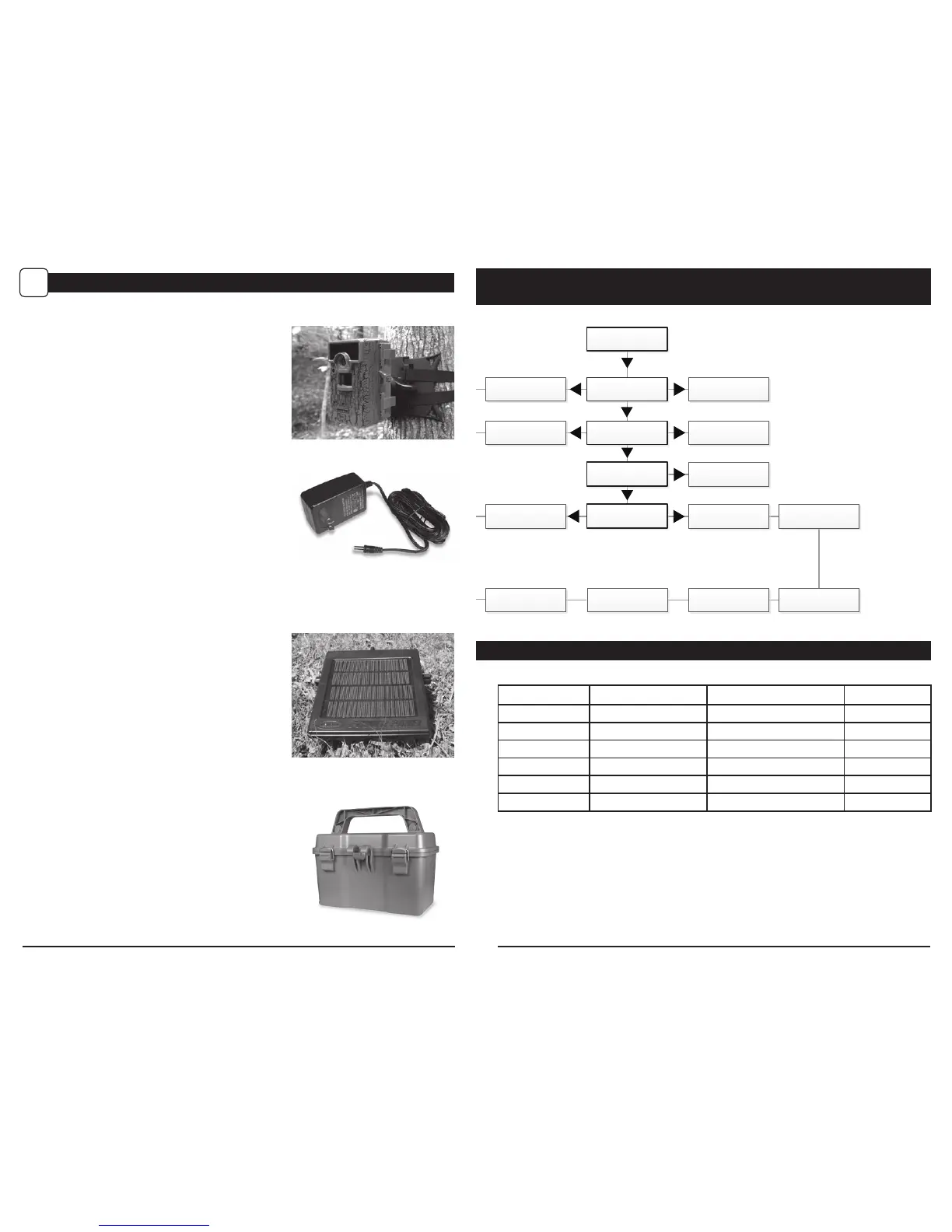
Using a Tree Mount
The camera can also be mounted directly to a
tree using a mounting bracket that attaches
directly to a tree or pole. Strap the tree mount
to the tree and secure, then attach the camera
to the tree mount using the tree mount socket
located on the back of the camera.
Using the Moultrie Camera Power Panel
Place near the tree where the camera is mounted.
Place for best exposure to sun. To attach to a
tripod secure the power panel to the tripod
angled upward for best exposure. Plug the power
panel to the Power Panel Plug. This will extend the
life of your camera in the field.
Note: Leave internal batteries in the camera
during use. The Camera Power Panel needs
4 hours of sunlight to fully power the camera.
Using the Moultrie Battery Box
Extend the eld life of your Moultrie camera with a
long-lasting, rechargeable external power source.
Place near the tree where the camera is mounted.
Plug the Battery Box to the Power Panel Plug.
This will extend the life of your camera in the field.
MOULTRIE ACCESSORIES (Sold Separately)
IX
Using the Moultrie AC Adapter
Keep your Moultrie camera running in the eld with
the constant power of an AC adapter. Plug into a
standard 110-240VAC 50-60Hz electrical outlet and
then connect to the External Power Port on your
Moultrie camera.
Note: Leave internal batteries in the camera during
use. In the event of power loss to the outlet into which
the AC adapter is plugged, the internal batteries will
keep your camera running.
Motion Detect Time Lapse
RESET OPTIONS?: DO NOT RESET TIME LAPSE INTERVAL: 10 SECONDS
DETECTION DELAY: 10 SECONDS TIME LAPSE PROGAMS/DAY: 2 PROGRAM
MULTI-SHOT: 1 (OFF) T.L. PROGRAM #1 START TIME: 6 AM
PHOTO OR VIDEO: PHOTO T.L. PROGRAM #1 STOP TIME: 9 AM
T.L. PROGRAM #2 START TIME: 4 PM
T.L. PROGRAM #2 STOP TIME: 7 PM
MENU MAP
GENERAL SETTINGS
MAIN SCREEN




 To Next Page