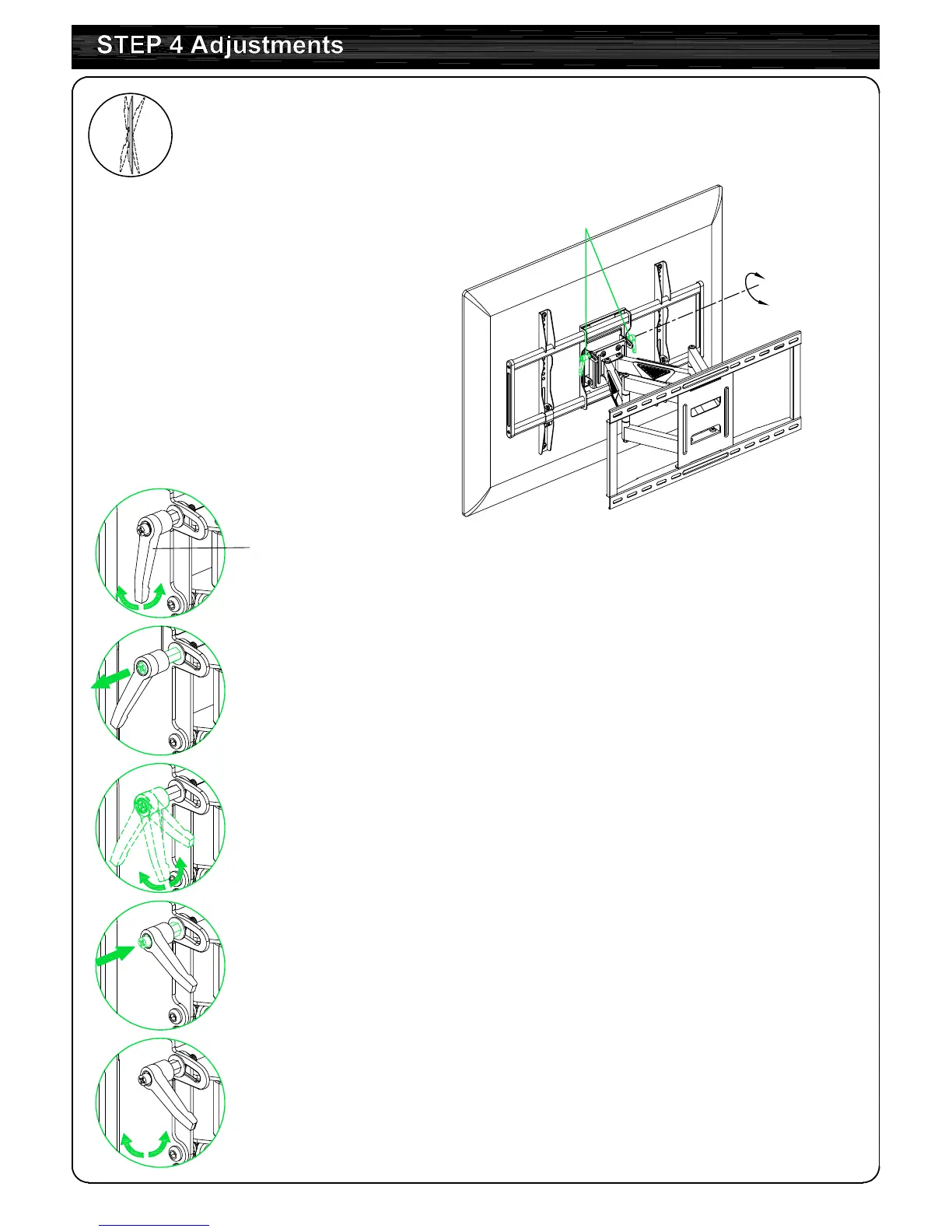
Handle
②
Pull out and hold the handle.
③
Turn the handle in the opposite direction.
④
Push and release the handle.
⑤
Turn handle again to tighten or loosen.
①
Turn handle (loosen or tighten)
until stopped by mount.
To tighten or loosen the handle
4-1 Tilting angle adjustment (+5°/-15°)
:
Loosen handle, adjust TV to your desired position,
then tighten handle.



 To Next Page