Need help?
Do you have a question about the Mova L600 and is the answer not in the manual?
Lists prohibited uses and conditions for safe operation, including age limits and environmental factors.
Details precautions for the battery and charging dock, emphasizing official accessories and avoiding modifications.
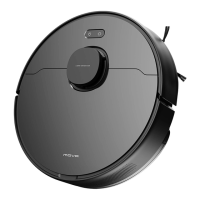
Lists and illustrates the components included with the robot vacuum, such as the charging dock and cleaning tool.
Identifies and describes the robot's buttons, status indicators, and their functions during operation and charging.
Details the various sensors on the robot, including LDS laser, cliff, and collision sensors, crucial for navigation.
Illustrates and labels the dust bin, mopping module, and charging dock, detailing their respective components.
Guides users through removing protective films, installing the side brush, placing the charging dock, and initial charging.
Instructions for downloading the app, adding the robot, and connecting it via Wi-Fi, including troubleshooting tips.
Explains how to turn the robot on/off, start cleaning, and describes the cleaning pattern and low battery behavior.
Details the available cleaning modes (Quiet, Standard, Strong, Turbo) and how to pause or enter sleep mode.
Explains the Do Not Disturb mode, its function, and how to manage its hours via the app.
Describes how to activate Spot Clean mode and set up scheduled cleaning times through the mobile app.
Mentions additional app features like room cleaning, zone cleaning, and virtual walls for advanced control.
Provides a step-by-step guide on how to attach the mopping module, fill the water tank, and use the mopping feature.
Step-by-step instructions for removing, cleaning, and drying the dust bin and its filter to maintain performance.
Details how to clean the mopping module, remove and clean the mop pad, and handle water tank maintenance.
Instructions for cleaning the main brush, side brushes, and the robot's wheels, including removing tangled hair.
Guides on cleaning the robot's sensors (LDS, cliff) and charging contacts to ensure proper function.
Explains how to restart a frozen robot and provides advice on battery care for long-term performance.
Addresses problems related to the robot not turning on, charging, returning to dock, or malfunctioning.
Solves issues like poor cleaning, strange noises, and Wi-Fi connection problems.
Covers troubleshooting for mopping module water flow, resuming cleaning after charging, and returning to dock after movement.
Lists the technical specifications for the robot model (RLS4) and the charging dock (RCSO).
Provides information on Waste Electrical and Electronic Equipment (WEEE) disposal and recycling guidelines.
Details the product's warranty period, coverage exclusions, and conditions for claims.
Outlines the required documentation and procedures for obtaining warranty service for the product.
 General
| Brand | Mova |
|---|---|
| Model | L600 |
| Category | Vacuum Cleaner |
| Language | English |

 To Next Page