System Configuration: Date / Time
Actual date (dd / mm / yy), Actual time (hh / mm).
Date and Time will be stored for approx. 5 years with controller switched OFF.
System Configuration: Device name
Controller name, shows up in MCSmart and displayed in login screen (max 27 characters).
System Configuration: Number of groups
Select the number of groups (1..15) for co-injection molding or co-extrusion the system can be divided in
groups with separate input signals/production settings.
System Configuration: Group configuration
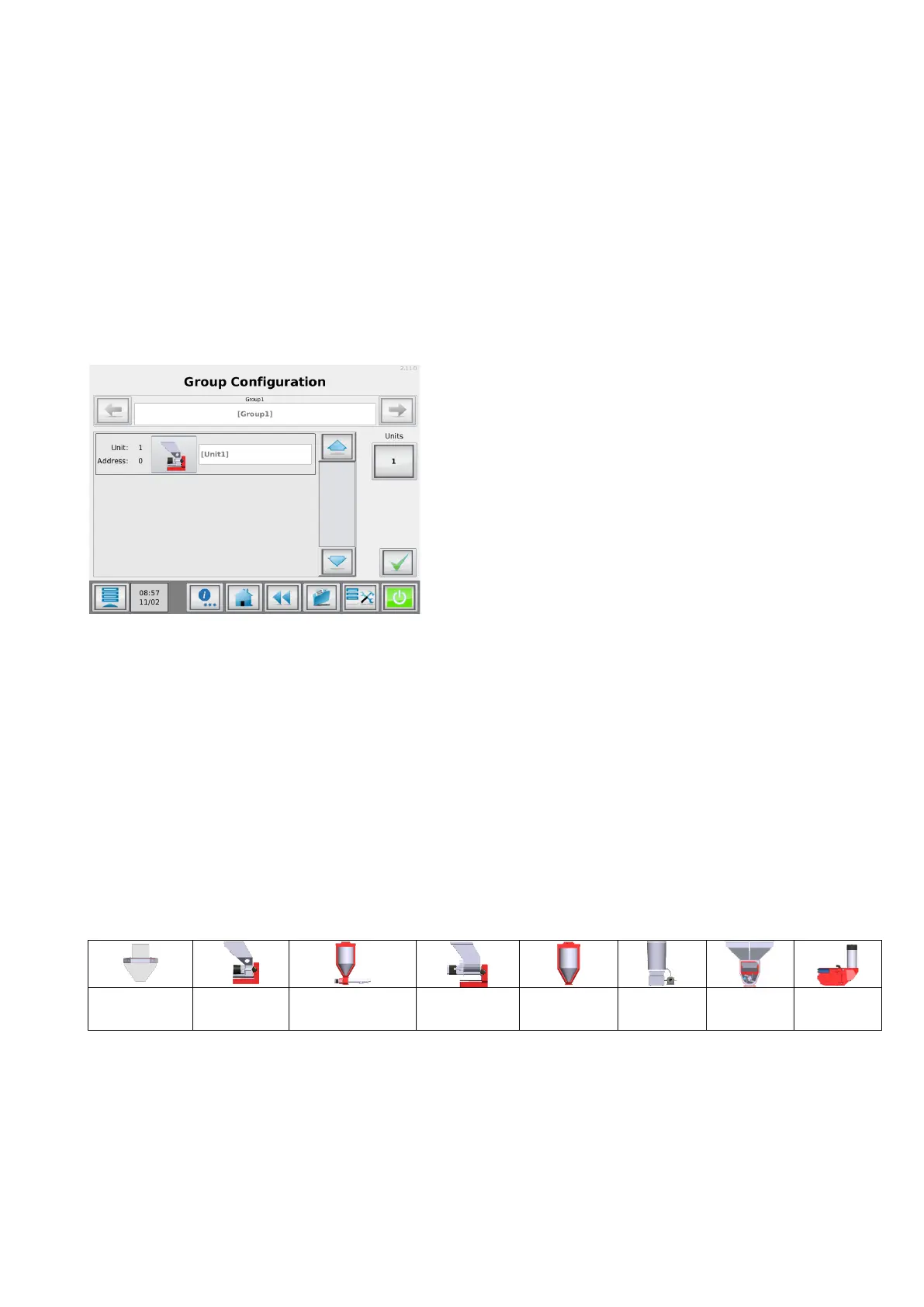
Displays the group configuration menu, within this menu the number and type of used dosing devices can be
configured.
Group configuration
Group Configuration: Group selection
Displays/select the group to be configured.
Group Configuration: Name
Group name, for example: “EXTR A” (max 8 characters).
Group Configuration: Units
Set the number of measuring/dosing devices within the current group. A maximum of 15 components can be
configured in total.
Group Configuration: Unit type
Unit type selection button, by using this button a wizard will start to configure the right dosing unit type the
corresponding position.
* MCWeight can only be selected when production mode equals EXT.
** MCWeight, MCHybrid and MCNumera can only be assigned to the first position in a group.
Group Configuration: Unit name
Unit name, for example: UNIT 1 (max 8 characters).
System Configuration: Recipe enabled
Enable/Disable the recipe functionality.


 To Next Page