Recipe function
With the MCTC it is possible to store the current production settings into a recipe. All production settings of
all components will be stored within this recipe. An easy recall of the production settings is possible by
loading a previous stored recipe.
In case of a multi group configuration, one recipe includes all components and all groups.
The Recipe function has to be enabled in the System Configuration screen.
3.8.1 Material functions
The MCTC defines 4 different material types or component functions, each function represents another
behavior in how the material dosing quantity is calculated/dosed. Add is only available in combination with
Regrind.
“Main material” or “Natural”
Amount additive material related to the amount of Virgin material
Grinded end product containing the right mix of Virgin and Additives
Amount additive material related to the Shotweight, Batch or total EXT capacity
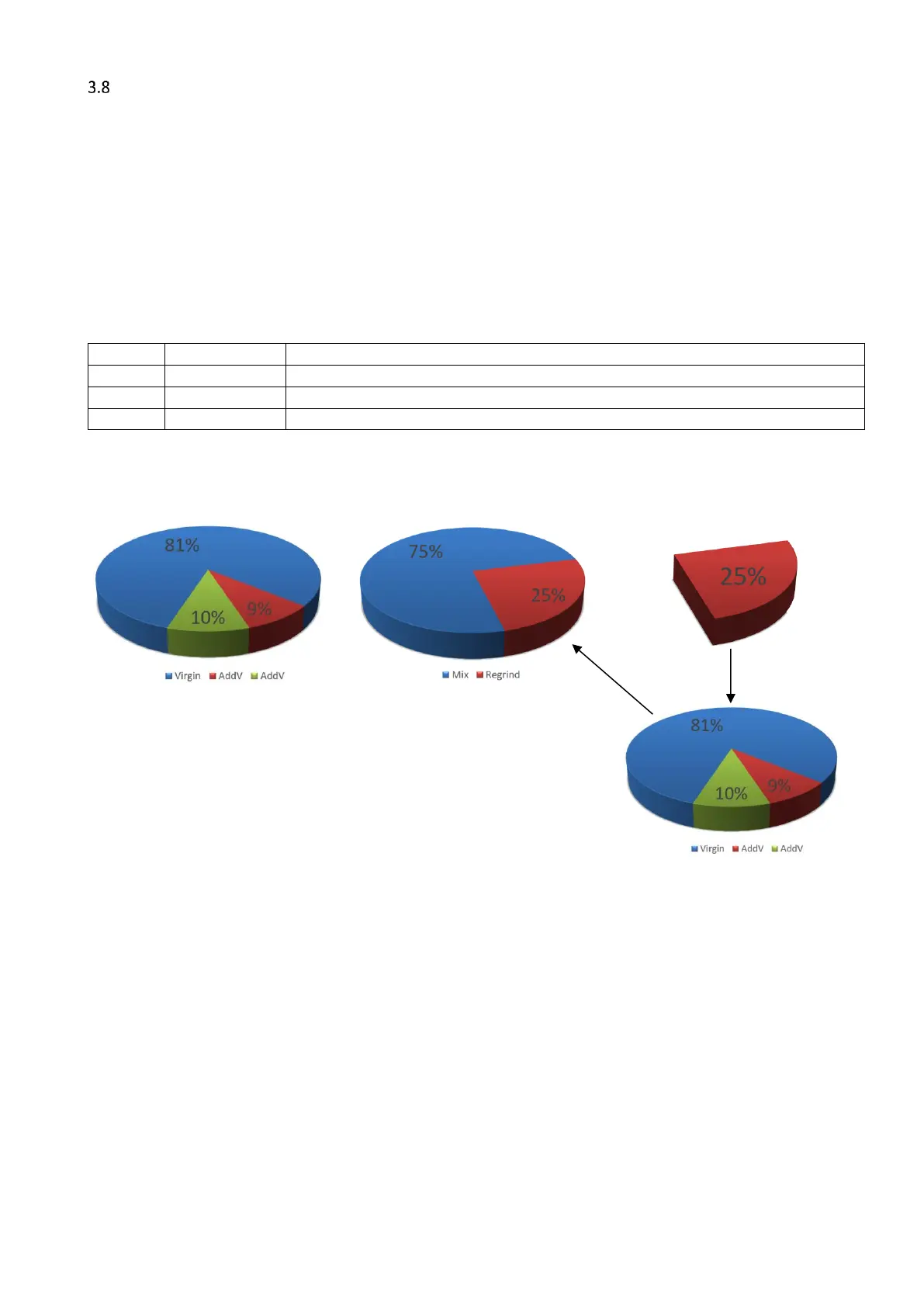
Regrind is defined as “Grinded end product containing the right mix ratio of the required materials”. Other
additives will be recalculated depending on the amount of Regrind added to the product mix. In the recipe
editor the entered percentage of Regrind is not part of the 100% product mix.
Required product mix Mix – Regrind ratio
“Add” or Additive will be added to the product mix as specified in the recipe. The amount of material is
based on the full shotweight, extruder throughput or batch and will not be changed / reduced by the amount
of Regrind added.
3.8.2 Calculations
The amount of dosed material is calculated with the following formulas:
𝑉 = 𝐵𝐴𝑇𝐶𝐻 − 𝑅𝑒𝑔𝑟𝑖𝑛𝑑 − 𝐴𝑑𝑑 − 𝐴𝑑𝑑𝑉
𝐴𝑑𝑑𝑉 =
(
𝐵𝐴𝑇𝐶𝐻 − 𝑅
)
∗ 𝐴𝑑𝑑𝑉%
BATCH can also be read as shotweight or kg/h



 To Next Page