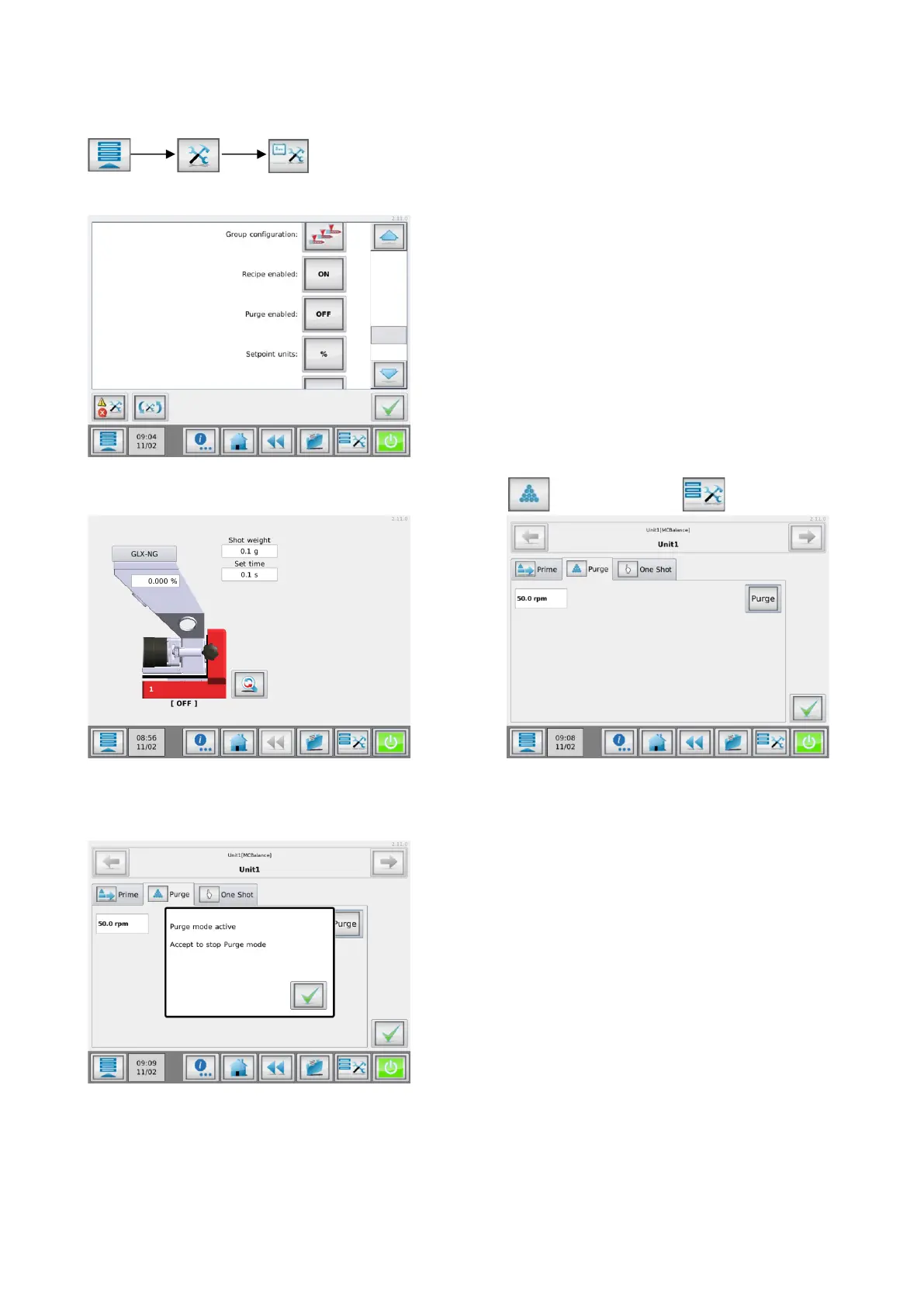
3.10.1 Configure the purge functionality
By default, the purge function is not available. It needs to be enabled in the system configuration menu (only
accessible by Supervisor).
Navigate to the purge enabled, and set to “ON”.
Now the purge function can be accessed via the “Purge” tab in the Tools menu .
To activate the purge mode, press the purge button. A “Purge mode active” pop-up will appear. When the
“OK” button is pressed, purging is stopped and the display goes back to the home screen.


 To Next Page