Active events
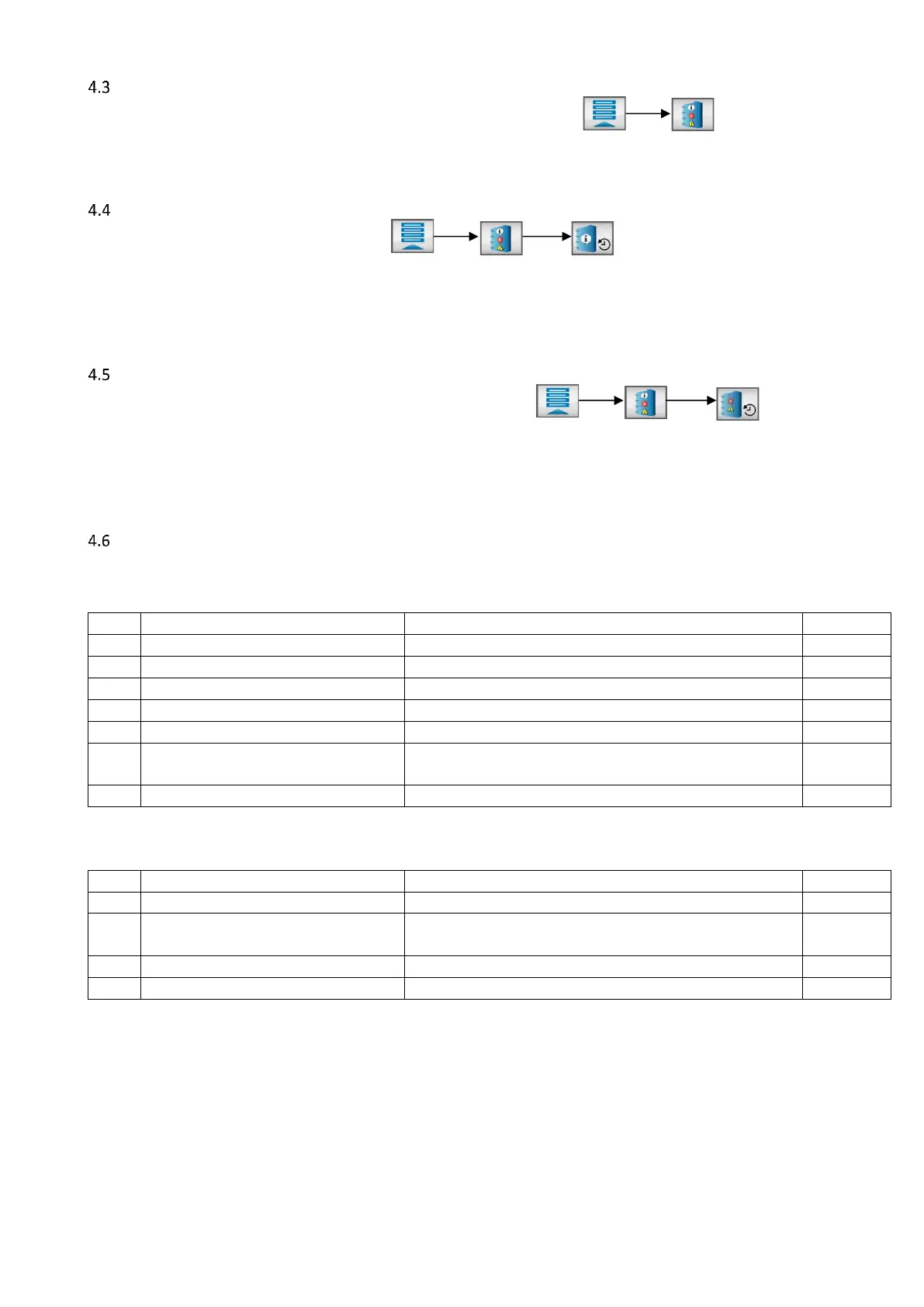
A list of all active events can be displayed by opening the event screen:
An event is active as long the root cause of the event has not been solved. A message pop up of an active
event will return every 60 seconds.
Operator events
Operator events can be shown by pressing:
All (production) settings changed by the operator are recorded and can be reviewed in this list. A maximum
of 50 events will be displayed in this list. More events are stored at the controller and can be downloaded by
using MCSmart PC application or the USB function.
Tooling login or higher required for recalling this list.
Alarm history
The warning/alarm event history list can be opened by pressing:
A list with warning/alarms that occurred will appear. A maximum of 50 events will be displayed. More events
are stored at the controller and can be downloaded by using MCSmart PC application or the USB function
(csv file). The alarm history can be cleared using the reset button, only when logged in as supervisor.
Tooling login or higher required for recalling this list.
Events
4.6.1 System events
These events apply to the whole system.


 To Next Page