7.3.1 Production
The regrind percentage setting can be calculated as follows:
(Sprue weight / shot weight) * 100 = Regrind percentage.
Injection molding - open loop regrind - gravimetric mode
Production settings:
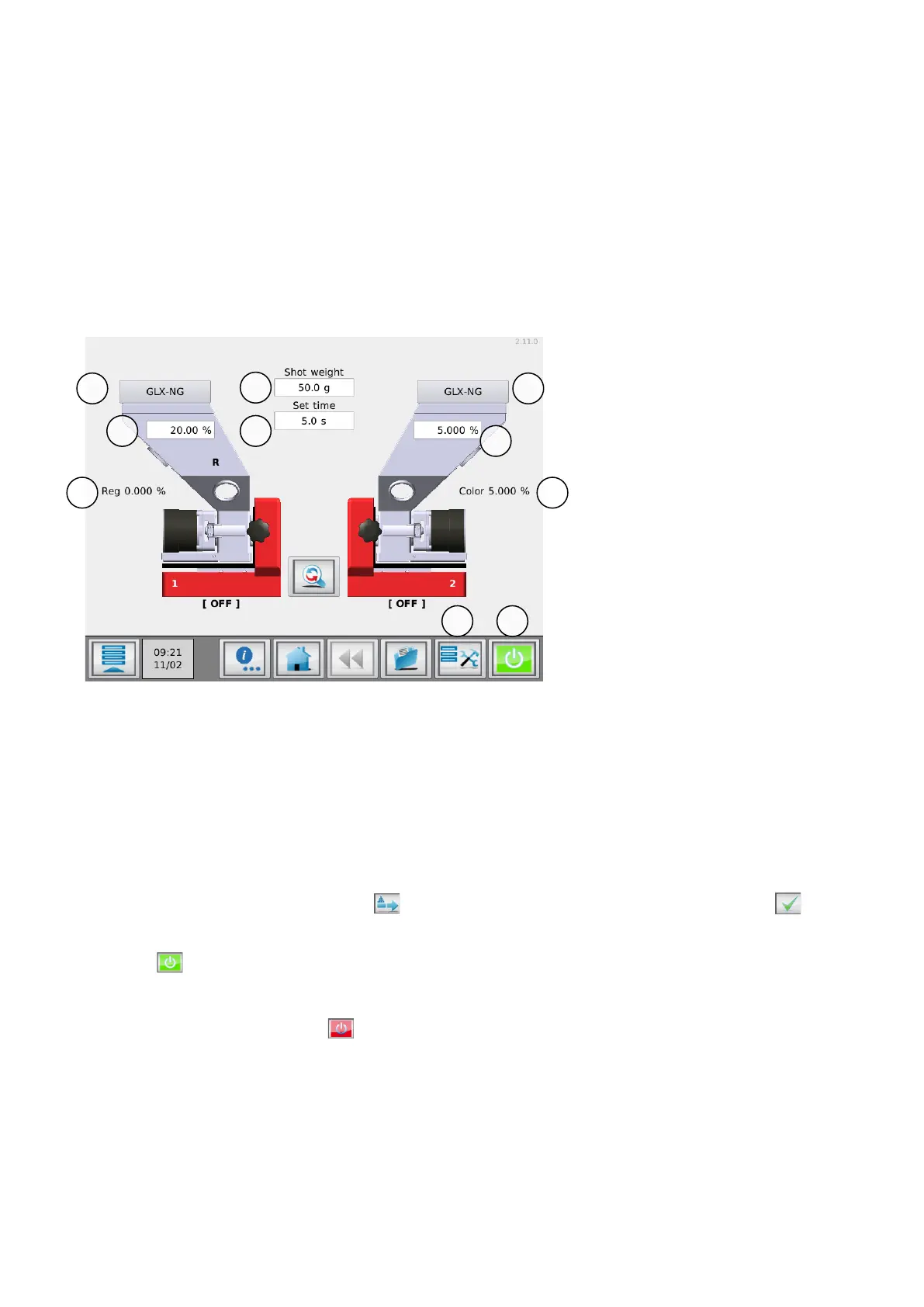
The following parameters can be seen in the production screen, depending on operation or settings:
The production data can be entered by touching the corresponding field
1. Material: Movacolor pre-programmed material (dosing tool/granule type), or USER defined material is
displayed (not available when recipe function is activated).
2. Nominal regrind amount (%)
3. Recalculated regrind amount (%)
4. Shot weight (gr.)
5. Dosing set time (sec.) Dosing set time only visible in Timer mode, otherwise relay time will be displayed
6. Nominal color amount (%)
7. Recalculated color amount (%), reduced by regrind amount
8. Prime. Filling the dosing cylinder before start.
The prime menu appears by pressing . Settings (speed/time) can be changed. Press confirm to
start priming.
9. Production (Motor On/Off)
Press to start dosing. The motor on/off switch will turn from green to red when dosing is started.
The start LED blinks when the unit is waiting for an input signal. If the unit is dosing the Start LED lights
continuously.
For stopping production press again. The motor on/off switch will turn to green again.
Please note that it is possible that the first dosing(s) are not sufficient, because of the cylinder filling with material. It takes some time to stabilize.


 To Next Page