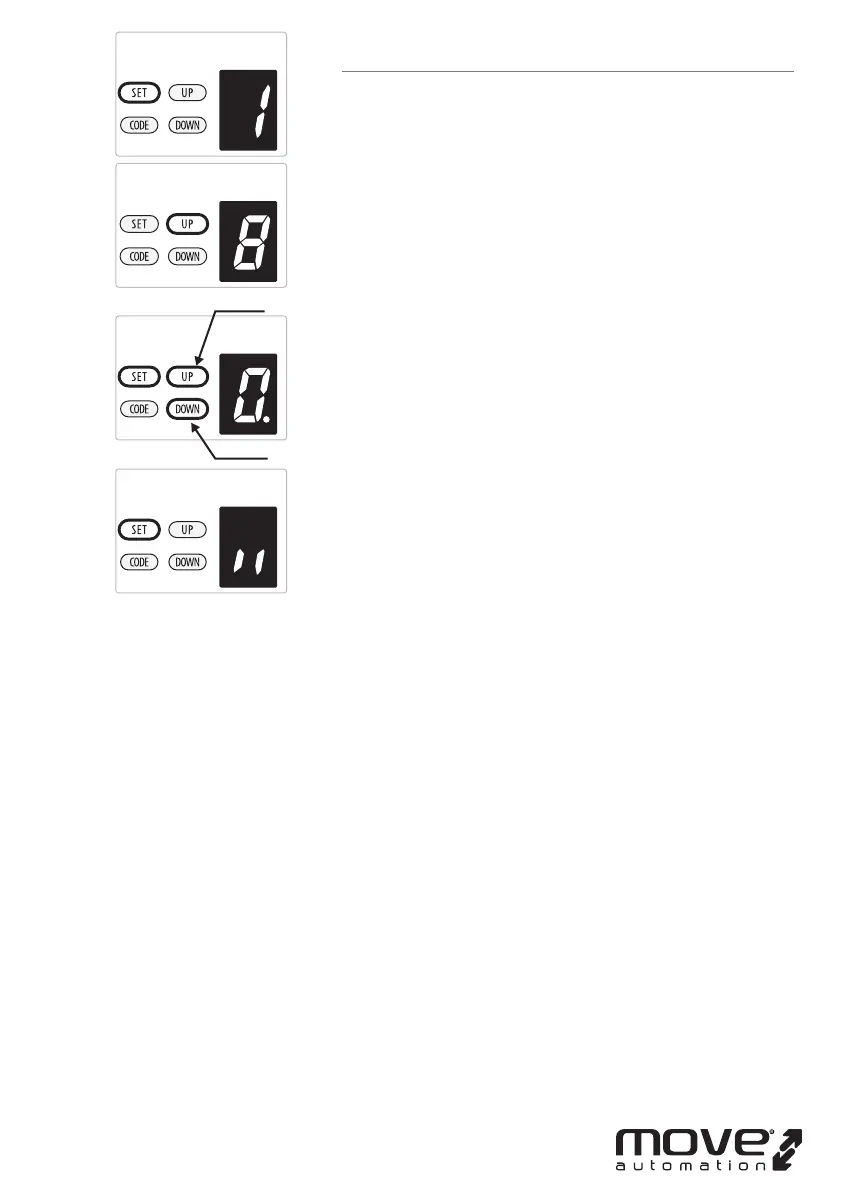
8. PARTIAL OPEN/HEIGHT SETTING
a) Press and hold SET Button until “
1” appears on the display,
next press the UP button until “
8” appears on the display to
enter this function setting then release the button.
b) Press the SET button again. The unit is now in
partial-open/height adjustment mode. And then you will
see a gure “
0” with ash dot appears on the display.
c) Press UP / DOWN button once to select if you want to open
the partial open function or set the partial open height.
(0~9). Press UP button to increase , or DOWN button to
decrease.
Figure “
0” means close the partial open function.
Figure “1~9”means set the partial open position of the whole
travel. One tenth to Nine tenth of the whole travel etc...
d) Press SET button to conrm the set and it will back to
standby status automatically and display “ll”.
NOTE:
1. The partial open/height is set on “
0” as standard in factory.
2. If you open the partial open/height function, the buttons’
recognition function will be disabled.
3. Other details please refer to the Instruction manual of the
remote carefully.
4. If you enabled the partial open function then disabled this
function later, please notice that only the coded button you
leaned in the beginning can control the opener now.
-15D-
increase
decrease



 To Next Page