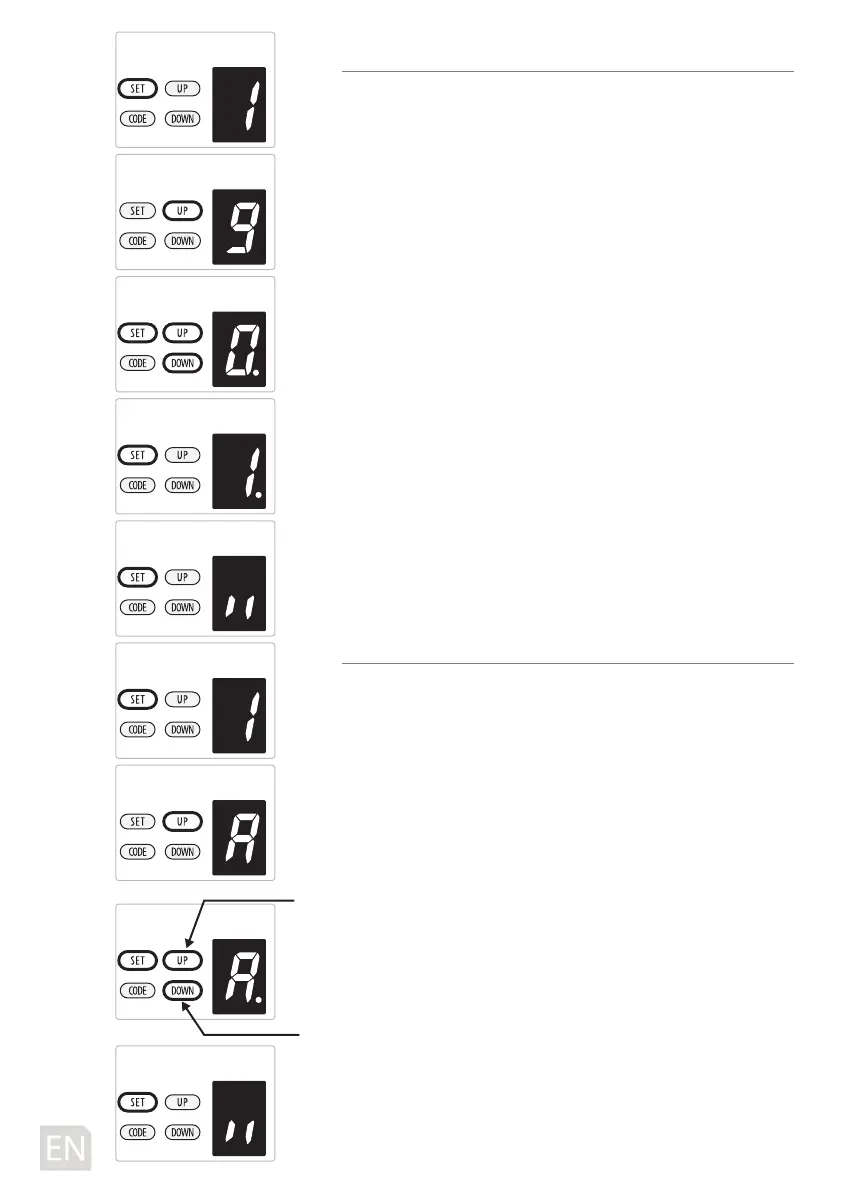
9. TRANSMITTER BUTTONS RECOGNITION FUNCTION SETTING
a) Press and hold SET button to enter this function setting
until “9” appears on the display then release the button.
b) Press the SET button again. The unit is now in buttons
recognition function adjustment mode. And then you will
see a gure “1” with ash dot appears on the display.
c) Press UP / DOWN button once to select if you want all the 4
buttons can control the only one opener, or only the
separate coded button can control the opener.
Figure “0” means the buttons recognition function is closed.
It means if you coded 1 button with 1 opener, then all the 4
buttons on the remote can control the opener. It’s suit for the
users who only have 1 automation door at home.
Figure “1” means the buttons recognition function is open. If
you coded rst button with rst opener, then the rst button
will be the only button on the remote can control the
opener. It’s suit for the users who have more than 1 automa-
tion doors/gates at home.
d) Press SET button to conrm the set and it will back to
standby status automatically and display “ll”.
NOTE:
1. The buttons recognition is set on “1” as standard in factory.
2. After you changed the buttons un-recognition into recog-
nition, please notice that only the coded button can control
the opener.
A. CODES MEMORY QUANTITY SETTING
a) Press and hold SET Button until “1” appears on the display,
next press the UP button until “A” appears on the display to
enter this function setting then release the button.
b) Press the SET button again, the unit is now in remote
quantity adjustment mode. And then you will see a gure “A”
again, but with ash dot appears on the display.
c) Press UP / DOWN button once to set the remote quantity. (A
or 1~9).
d) Figure “A”means the maximal quantity 50pcs. Press
UP/DOWN button once to increase or decrease quantity.
The remote quantity is set on 5pcs*N, N=1~9. (The quantity
is the multiple of 5)
e) Press SET button to conrm the set and it will back to
standby status automatically and display “ll”.
NOTE: The remote quantity is set on “A” as standard in
factory.
-16D-
Button recognition funcion is closed
Button recognition funcion is open
increase quantity
decrease quantity



 To Next Page