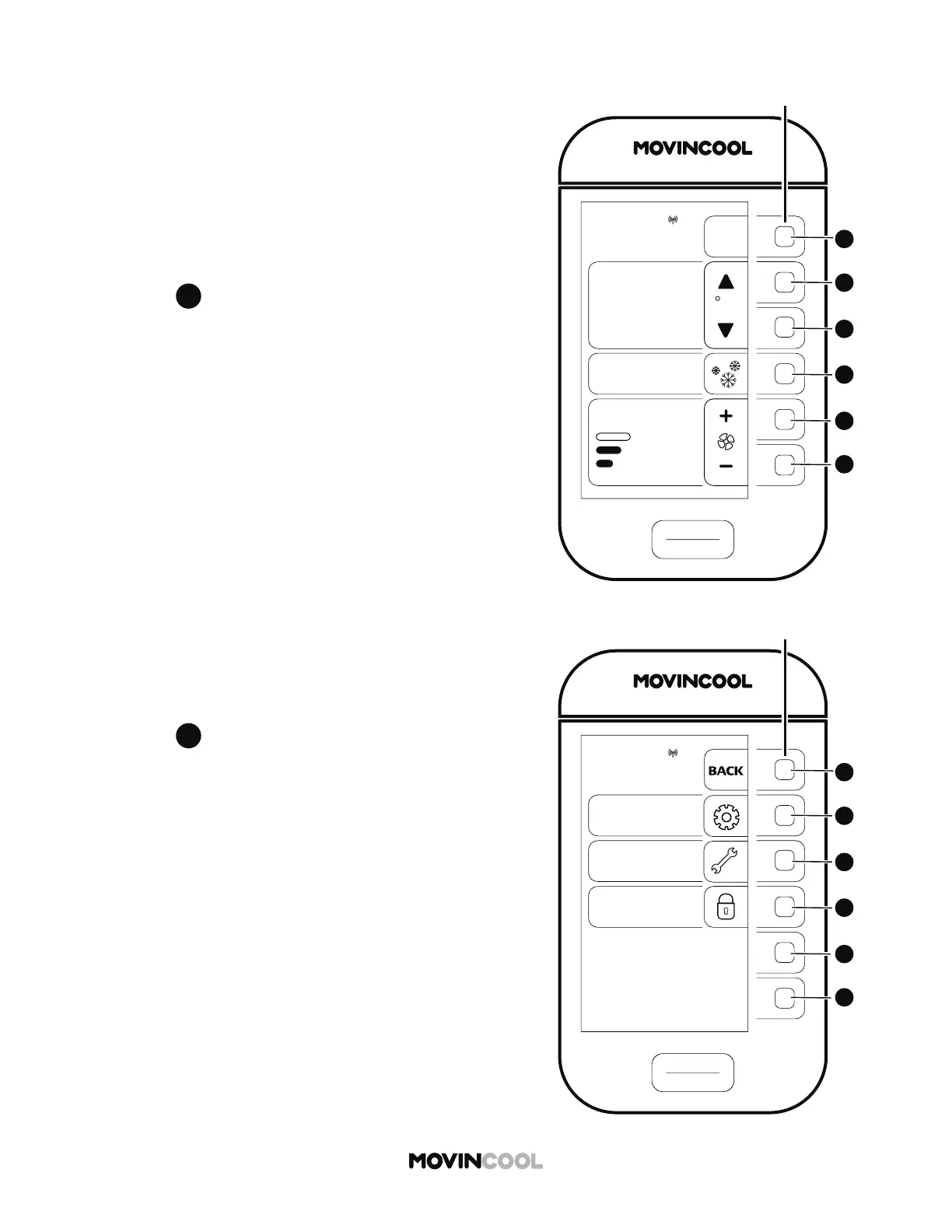
START
STOP
A
B
C
D
E
F
CLIMATE PRO
Multi-function buons
COOL
75
MODE
SET TEMP
MENU
MON 12:00 PM
F
86
ROOM
TEMP
AUTO
FAN SPEED
MENU
SETTING
SERVICES
KEY LOCK
MON
12:00 PM
START
STOP
A
B
C
D
E
F
CLIMATE PRO
Multi-function buons
52
FAN MODE
The fan mode determines whether the fan continues to
run or stop when the room temperature reaches the set
temperature. The default se ing is ON.
ON : Fan constantly runs whether the unit is operating
in COOL mode or not.
AUTO: Fan only runs when the unit is operating in COOL
mode.
1. Press
A
on the HOME screen.
2. Press
B
to select SETTING on the MENU screen.









 To Next Page