EasyManua.ls Logo

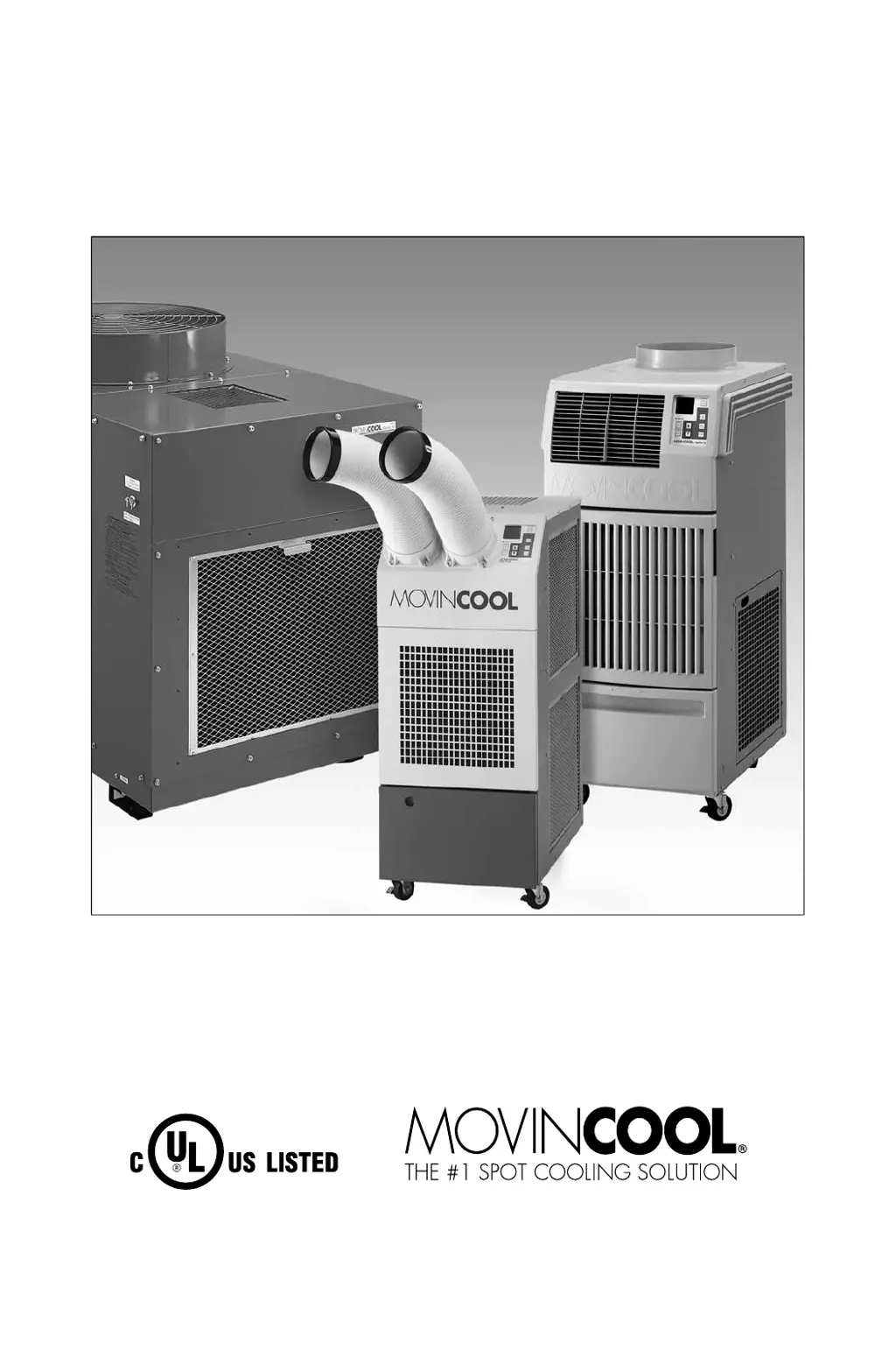
Movincool Classic Plus 14 - User Manual

Movincool Classic Plus 14
35 pages
Print Icon
To Next Page IconTo Next Page
Loading...
OPERATION MANUAL
CLASSIC PLUS 14 and CLASSIC PLUS 26
SERIAL NUMBER FROM JANUARY 2009 (0109) TO JUNE 2011 (0611)
READ THIS MANUAL CAREFULLY FOR INSTRUCTIONS ON CORRECT
INSTALLATION AND USAGE, AND READ ALL SAFEGUARDS
SECCIÓN EN ESPAÑOL
SECTION EN FRANÇAIS
AVAILABLE AT WWW.MOVINCOOL.COM

Other manuals for Movincool Classic Plus 14

Questions and Answers

  • T
    Tyler RomeroAug 17, 2025
    How to fix insufficient cooling in my Movincool Classic Plus 14 Air Conditioner?
    • J
      Joanne JohnsonAug 18, 2025
      If your Movincool Air Conditioner isn't cooling enough, try these steps: * Clean any clogs from the spine fins. * Make sure the set point temperature is not higher than the room temperature. * Consider replacing the room temperature thermistor if it's defective. * Inspect and repair any leaks in the refrigerant system. * Identify and remove any restrictions within the refrigerant system. * Check whether the compressor is running.
  • J
    Joanna LeeAug 20, 2025
    How to improve insufficient air flow in Movincool Classic Plus 14 Air Conditioner?
    • C
      Corey LucasAug 20, 2025
      To improve insufficient air flow in your Movincool Air Conditioner: * Clean any clogs from the spine fins, evaporator, or condenser. * Set the fan mode switch to 'High'. * Replace the fan motor if it's defective.
  • J
    Jacob StrongAug 22, 2025
    Why is my Movincool Classic Plus 14 Air Conditioner not cooling enough?
    • S
      Sarah DavisAug 22, 2025
      If your Movincool Air Conditioner isn't cooling effectively, check these potential causes: * **Dirty or blocked air filters:** Clean the air filters to ensure proper airflow. * **Blocked air inlet/outlet:** Clear any obstructions from the air inlet and outlet. * **Improper temperature setting:** Adjust the temperature to your desired setting.
  • S
    spearspaulaAug 25, 2025
    What to do if Movincool Classic Plus 14 Air Conditioner is not cooling enough?
    • C
      charlessantosAug 26, 2025
      If your Movincool Air Conditioner isn't cooling sufficiently, there are a few things you can check: * Make sure the air filters aren't dirty or blocked and clean them if necessary. * Ensure that the air inlet and outlet are free from obstructions. Clean them if blocked. * Verify that the temperature is set correctly and adjust it if needed.
  • R
    Richard TurnerAug 27, 2025
    What to do if my Movincool Classic Plus 14 does not operate at all?
    • K
      Kristine SteinAug 28, 2025
      If your Movincool Air Conditioner isn't turning on, you can try the following: * Check for power at the receptacle, terminal board, and relay board. * Inspect all wire connections. * Check the drain tank switch, relay board fuse, relay board, and control board for any defects.
  • T
    thomas56Aug 30, 2025
    Why is the compressor not operating in my Movincool Air Conditioner?
    • A
      Amber DeleonAug 30, 2025
      If the compressor in your Movincool Air Conditioner isn't working, here are some things to check: 1. Ensure the set point temperature is lower than the room temperature; adjust if needed. 2. Make sure the unit is in Cool Mode, not Fan Only Mode; activate Cool Mode if necessary. 3. Verify that the jumpers on the Control Board (J104) and Relay Board (J8) are correctly installed. 4. Consider replacing the condensate pump (optional), compressor capacitor, overload relay, thermistor, compressor motor, relay board, or control board if any are defective. 5. Also, check the wiring connections.
  • R
    Regina JacksonSep 1, 2025
    What to do if Movincool Classic Plus 14 Air Conditioner operates, but stops after a few minutes?
    • K
      Kenneth RobertsSep 1, 2025
      If your Movincool Air Conditioner runs but stops after a few minutes, consider these possibilities: * The compressor motor, overload relay, or fan motor may be defective and need replacement. * The drain tank may be full and needs draining. * The Fan Mode Switch might need to be set to 'Operate'.
  • B
    Brian DavidsonSep 4, 2025
    What to do if my Movincool Classic Plus 14 starts, but stops immediately?
    • S
      Shelby NewtonSep 4, 2025
      If your Movincool Air Conditioner starts then immediately stops, the following parts may be defective: * Overload relay * Fan motor * Compressor motor * Relay board Consider replacing them.
  • G
    Gina SmallSep 6, 2025
    How to fix abnormal noise or shaking in Movincool Air Conditioner?
    • B
      Brandon SmithSep 6, 2025
      To address abnormal noise or shaking in your Movincool Air Conditioner: * Tighten any loose compressor mounting nuts. * Replace any deformed or worn rubber grommets on the compressor mounting bolt. * Remove any internal interference with other components. * Repair or replace any damaged or out-of-balance fan and scroll.
  • R
    Richard Hernandez DVMSep 9, 2025
    Why is my Movincool Classic Plus 14 Air Conditioner leaking water?
    • D
      Daisy BarnesSep 9, 2025
      If your Movincool Air Conditioner is leaking water, it could be due to a few reasons: * The drain tank might not be installed; install it. * The drain tank could be cracked; replace it. * The drain pan hole might be blocked; clear the obstruction.

Summary

Foreword

Definition of Terms

Defines the meaning of WARNING, CAUTION, and Note symbols used in the manual.

General Warnings and Cautions

Electrical Safety and Power Cord Guidelines

Covers safe electrical work, outlet requirements, extension cord use, power cord handling, and liquid contact risks.

Unit Placement and Usage Precautions

Details on proper installation site, weight bearing, and avoiding movement or toppling.

Inventory and Assembly

Unit Inventory Checklist

Lists the items included in the MovinCool unit package for unpacking verification.

Inventory and Assembly (cont.)

Assembly Instructions

Guides on securing the unit on a flat surface and attaching air outlet ducts using screws.

Installation

Choosing an Installation Site

Provides precautions for selecting a safe and appropriate location for the unit's installation.

Installation (cont.)

Moving the Unit

Instructions on how to safely move the unit and lock its casters in the desired position.

Installation (cont.)

Plugging in the Unit

Details on checking the power cord and plug condition, and requirements for the electrical outlet.

Installation (cont.)

Warning Signal Connection

Explains how to connect external warning devices to the unit's output terminals.

Installation (cont.)

Fire Alarm Control Panel Connection

Details on connecting the unit to a fire alarm control panel via input signal terminals.

Installation (cont.)

LCDI Power Cord Instructions

Provides crucial safety information and testing procedures for the LCDI power cord.

Unit Features

Control Panel and Display Features

Details the digital control panel and the information displayed on the LCD screen.

Operational and Safety Features

Highlights fan speeds, temperature control, safety functions like fire alarm and auto restart, and timer.

Operation

Control Panel Overview

Introduces the basic controls located on the unit's control panel for operation.

Operation (cont.)

Control Panel Buttons and Indicators

Explains the functions of buttons like SET CLOCK, SET PROG, RUN/STOP, and the TANK FULL LED.

Operation (cont.)

LCD Indicators Explained

Details the various indicators on the LCD display, such as day, time, temperature, and program status.

Operation (cont.)

LCD Indicators Explained (cont.)

Continues the explanation of LCD indicators for STOP, CLOCK status, FAN speed, COOL mode, and LOCKED status.

Operation (cont.)

Setting the Clock

Step-by-step guide to setting the unit's internal clock for accurate timekeeping and programming.

Operating in COOL Mode

Instructions on how to activate and control the unit's cooling function and fan speed.

Operation (cont.)

Operating in FAN ONLY Mode

Explains how to use the unit solely for air circulation without cooling.

Switching to COOL Mode

Procedure for transitioning the unit from FAN ONLY mode to the COOL operating mode.

Operation (cont.)

Setting a Program

Detailed steps for programming start/stop times, fan speed, and temperature settings.

Operation (cont.)

Viewing and Deleting Programs

Instructions on how to review existing programs and remove them from the unit's memory.

Running and Stopping Programs

Guides on activating and deactivating scheduled operating programs.

Operation (cont.)

Operating Modes and Controls

Describes COOL and FAN ONLY modes, temperature control, and DIP switch functions for fan and temperature display.

Operation (cont.)

Self-Diagnostic Codes

Lists diagnostic codes displayed on the LCD for troubleshooting unit malfunctions.

Operation (cont.)

Emptying the Drain Tank

Step-by-step instructions for removing and emptying the condensate drain tank.

Operation (cont.)

Condensate Pump Kit (Classic Plus 14)

Explains the function and operation of the optional condensate pump kit for continuous drainage.

Operation (cont.)

Condensate Pump Kit (Classic Plus 26)

Details the optional condensate pump kit for continuous operation and drainage on the Classic Plus 26.

Daily Inspection and Maintenance

Drain Tank and Air Filter Maintenance

Covers emptying the drain tank, cleaning air filters, and methods for filter removal and cleaning.

Daily Inspection and Maintenance (cont.)

In-Season and Off-Season Maintenance

Provides guidelines for checking the unit during operation seasons and preparing it for storage.

Troubleshooting

Unit Does Not Operate

Lists common causes and remedies for the unit failing to start or operate.

Insufficient Cooling

Addresses issues related to poor cooling performance, including causes and solutions.

Technical Specifications

Rating Conditions and General Specs

Covers rating conditions and general specifications like power, frequency, and voltage.

Cooling, Blower, and Compressor Specs

Details cooling capability, fan air volume, and compressor type and output.

Technical Specifications (cont.)

Safety Devices and Operating Conditions

Covers safety features and the environmental operating conditions for the units.

Dimensions, Weight, and Control Devices

Details the physical size, weight, and control system components of the units.

Limited Warranty

Warranty Coverage and Exclusions

Outlines what is covered by the MovinCool warranty and common exclusions.

Warranty Limitations and Disclaimers

States the limitations of the warranty and disclaims other implied warranties.

Movincool Classic Plus 14 Specifications

General IconGeneral
Cooling Capacity14, 000 BTU/h
Power Supply115V, 60Hz
RefrigerantR-410A
Power Consumption1.5 kW
Operating Temperature Range60°F to 95°F

Related product manuals