16
OPERATION
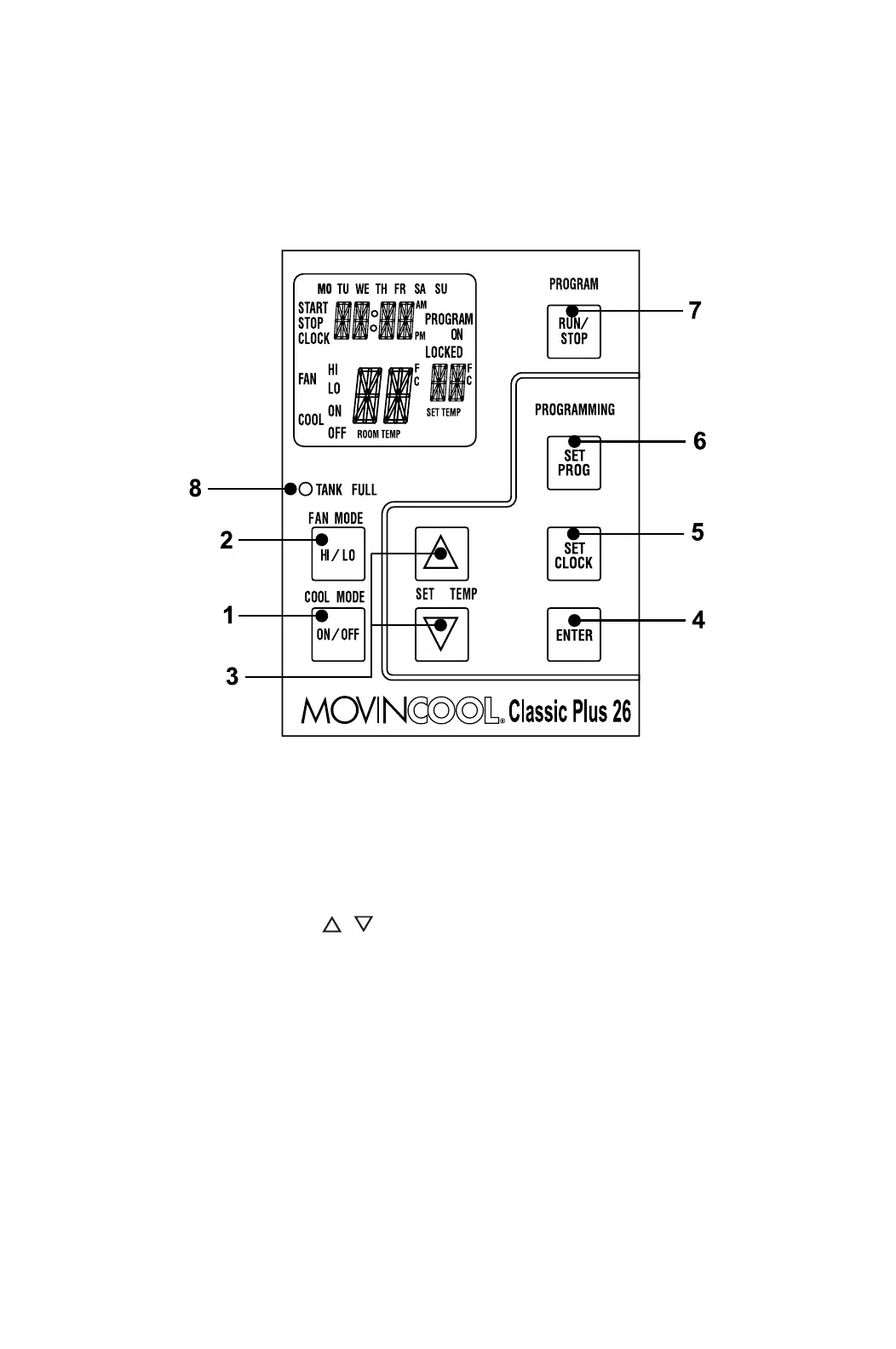
Control Panel
Before operating the unit, it is important to familiarize yourself with the basic
controls located on the control panel.
1. COOL Mode Button Activates/deactivates the COOL mode/
turns the unit off.
2. FAN Mode Button Activates/deactivates the high, low, and off
fan speed.
3. SET TEMP Buttons ( / )
Temperature scale illuminates to indicate
the current LED temperatures being
displayed are either in °C or °F; also
displays the clock when programming.
4. ENTER Button Press to select set value.









 To Next Page