EasyManua.ls Logo

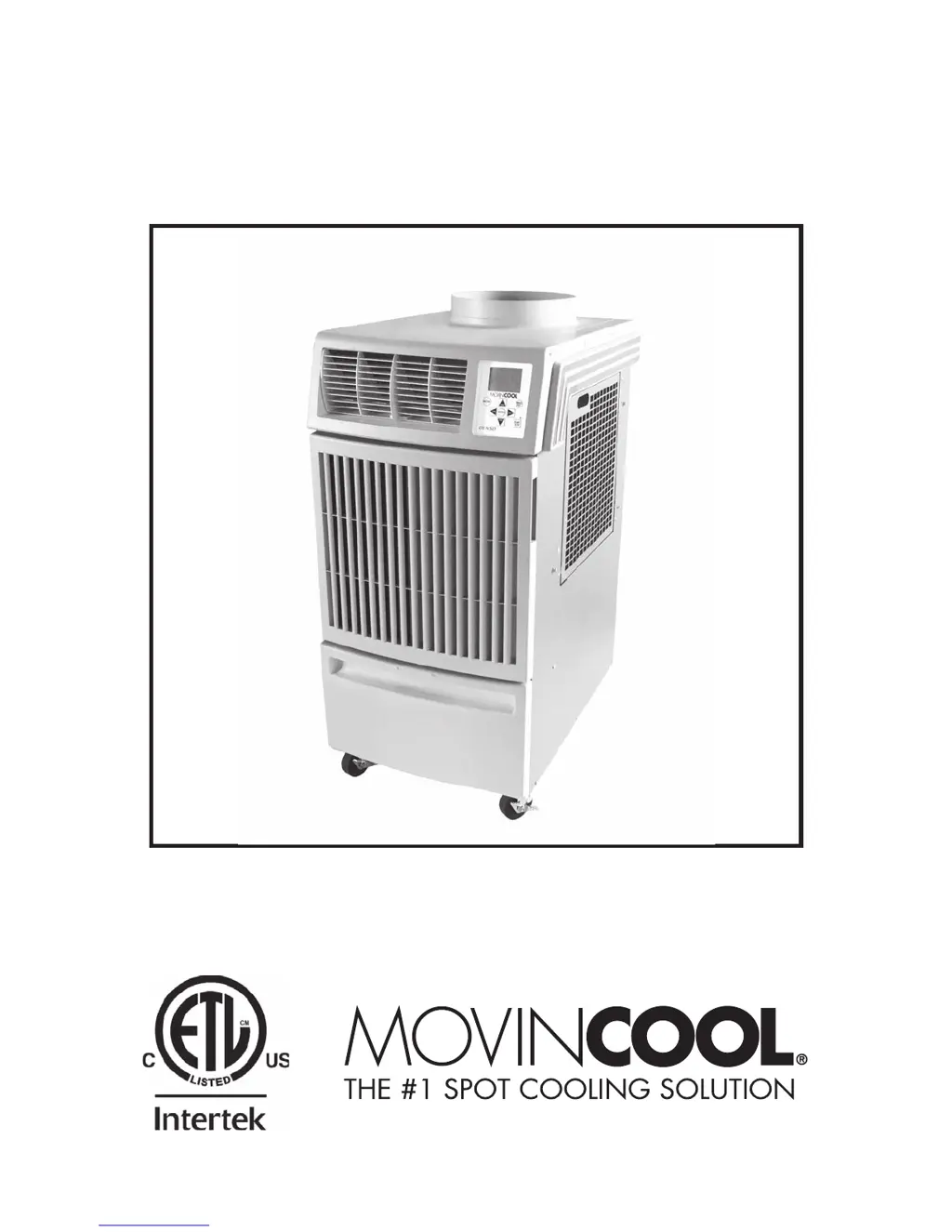
Movincool CLIMATE PRO 12 - User Manual

Movincool CLIMATE PRO 12
50 pages
Print Icon
To Next Page IconTo Next Page
Loading...
OPERATION MANUAL
CLIMATE PRO 12
Unit Serial Number Range: 0915XXXXH12 to Present
(From September 2015 to Present)
READ THIS MANUAL CAREFULLY FOR INSTRUCTIONS ON CORRECT
INSTALLATION AND USAGE, AND READ ALL SAFEGUARDS
SECCIÓN EN ESPAÑOL
SECTION EN FRANÇAIS
AVAILABLE AT WWW.MOVINCOOL.COM

Questions and Answers

  • M
    Manuel StanleyAug 12, 2025
    How to unlock the control panel on a Movincool Air Conditioner?
    • D
      Douglas KnoxAug 12, 2025
      If your Movincool Air Conditioner isn't starting, and you suspect the buttons on the control panel are locked, press and hold the MENU/ESC button for 5 seconds to unlock them.
  • P
    Patrick GarciaAug 16, 2025
    How to troubleshoot a Movincool Air Conditioner that does not turn on?
    • J
      Jimmy JohnsonAug 16, 2025
      If your Movincool Air Conditioner isn't starting, first check the power supply and connections. Also, ensure the circuit breaker is on. If a ground fault protective breaker is tripped, reset it. Check and reset the power cord if it's tripped, or replace it if damaged. Inspect the fuse on the relay board; if it's blown, check the power supply for shorts before replacing it. If alarm device 1 or 2 is activated, check their connections and correct the condition causing the alarm, then press and hold FAN+ and -FAN buttons for 5 seconds to reset. Lastly, if the drain tank is full, empty it, replace it in the unit, and press the START/STOP button.
  • N
    Noah BradfordAug 20, 2025
    What to do if Movincool Air Conditioner does not turn on and high pressure protection is activated?
    • L
      Lindsay WallAug 20, 2025
      If your Movincool Air Conditioner isn't starting, and high pressure protection is activated, try these steps: * Clean the air filters. * Make sure there's 24 inches (610 mm) of free space in front of the unit's air inlets. * Check the temperature and humidity to see if they are suitable for the unit. * Ensure nothing is blocking the airflow. * Press and hold FAN+ and -FAN buttons for 5 seconds to reset.
  • L
    Lindsey MoralesAug 23, 2025
    What to do if Movincool Air Conditioner does not turn on due to condensate pump error?
    • C
      cynthia46Aug 23, 2025
      If your Movincool Air Conditioner isn't starting, and you have an optional condensate pump, check the drain line for any kinks, blockages, or incorrect routing. Correct any issues found. Then, press and hold FAN+ and -FAN buttons for 5 seconds to reset.
  • V
    velazquezsandraAug 27, 2025
    Why Movincool Air Conditioner LCD shows normal, but unit doesn't start?
    • R
      Randall HamiltonAug 27, 2025
      If your Movincool Air Conditioner's LCD is on, but the unit isn't starting, it might be because the room temperature has reached the set point. Try adjusting the set point temperature.
  • A
    Ariel FosterAug 30, 2025
    What to do if Movincool Air Conditioner is controlled by an external thermostat?
    • J
      Jennifer MartinezAug 31, 2025
      If your Movincool Air Conditioner is not starting, and the status is changed to control by an external thermostat, operate the unit using the external thermostat.
  • D
    Douglas SmithSep 4, 2025
    Why does the air volume change during COOL mode on my Movincool CLIMATE PRO 12 Air Conditioner?
    • B
      brookstonyaSep 4, 2025
      The air volume might change during COOL mode operation of your Movincool Air Conditioner because the room temperature is lower than 68 °F (20 °C) or greater than 72°F (22 °C). This feature prevents the evaporator from freezing.
  • G
    George SandersSep 7, 2025
    Why Movincool CLIMATE PRO 12 has no low fan speed during HEAT mode?
    • Y
      yolanda92Sep 7, 2025
      If you're not getting low fan speed during HEAT mode operation on your Movincool Air Conditioner, it's because the room temperature is higher than 68 °F (20 °C). This feature prevents high pressure protection activation.

Summary

Serial Number Location and Identification

Nameplate Label Information

Details the information on the unit's nameplate label and its location.

Foreword

Definition of Terms

Explains safety terms like WARNING, CAUTION, and NOTE used in the manual.

General Warnings & Cautions

Inventory

Installation

Site Selection and Unit Movement

Guidelines for choosing a location and safely moving the unit.

Setup, Configuration, and Power Connection

Covers unit setup, configurations, plugging in, and LCDI cord checks.

External Thermostat Connection

Millivolt and 24 VAC Thermostat Setup

Instructions for connecting millivolt and 24VAC external thermostats.

External Warning Device Connection

External Alarm Device Connection

Features

Key Unit Features Overview

Highlights main functionalities: control panel, fan speeds, LCD display, and programming.

Operation

Operation Modes and Controls

Details operating modes, control panel, LCD indicators, and clock setting.

Mode-Specific Operations

Instructions for Cool, Heat, and Fan Only modes, including settings.

Menu, Lock, and Advanced Settings

Covers menu navigation, key lock, fan mode, brightness, temp scale, and external thermostat.

Program Operation and Management

Guide to setting, viewing, clearing, and starting/stopping programmed schedules.

Self-Diagnostic Codes

Emptying the Drain Tank

Condensate Pump Kit Operation

Daily Maintenance

Air Filter Maintenance

Instructions for removing and cleaning the unit's air filters to maintain performance.

Seasonal Maintenance

In-Season and Off-Season Procedures

Covers regular maintenance during use and preparation for storage.

Troubleshooting

Technical Specifications

Warranty Statement

Movincool CLIMATE PRO 12 Specifications

General IconGeneral
BrandMovincool
ModelCLIMATE PRO 12
CategoryAir Conditioner
LanguageEnglish

Related product manuals