33
OPERATION (cont.)
Program Operation and Schedule (cont.)
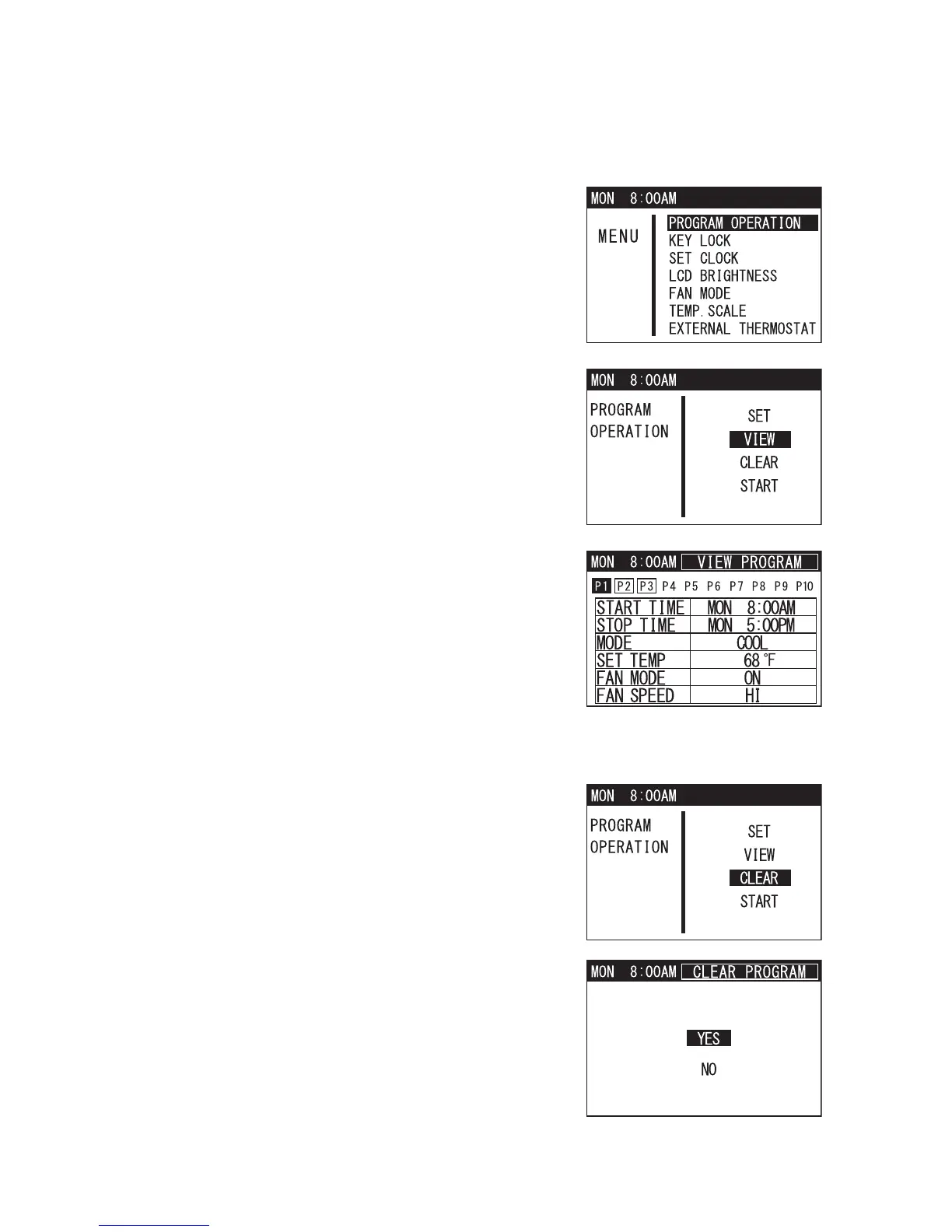
Viewing Program
1. Press MENU/ESC button to go to MENU.
Note: If no button is pressed for 1 minute, LCD
displays the previous mode.
2. Use TEMP+ or -TEMP button to select
PROGRAM OPERATION and press ENTER
button to confirm.
3. Select VIEW under program operation feature
and press ENTER button to confirm.
4. Use FAN+ or -FAN button to scroll through the
set program slots and view its content.
Clearing All Programs Slots
This feature clears the program in all the slots and
each program slot content returns to the default value.
1. Select CLEAR under program operation feature
and press ENTER button to confirm.
2. LCD displays a confirmation screen. Use
TEMP+ or -TEMP button to select YES and
press ENTER button to confirm.










 To Next Page