EasyManua.ls Logo

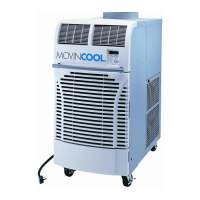
Movincool OFFICE PRO 12 - User Manual

Movincool OFFICE PRO 12
30 pages
Print Icon
To Next Page IconTo Next Page
Loading...
OPERATION MANUAL
OFFICE PRO 12 / OFFICE PRO 18 / OFFICE PRO 24
SERIAL NUMBER FROM APRIL 2007 (0407) TO DECEMBER 2007 (1207)
READ THIS MANUAL CAREFULLY FOR INSTRUCTIONS ON CORRECT
INSTALLATION AND USAGE AND READ ALL SAFEGUARDS
SECCIÓN EN ESPAÑOL
SECTION EN FRANÇAIS
AVAILABLE AT WWW.MOVINCOOL.COM

Other manuals for Movincool OFFICE PRO 12

Questions and Answers

  • S
    Stacy RobertsAug 1, 2025
    What to do if my Movincool Air Conditioner does not operate?
    • D
      Donna MorenoAug 1, 2025
      If your Movincool Air Conditioner isn't turning on, check if the ground fault breaker has tripped and reset it if needed. Also, check if the drain tank is full (the FULL TANK LED will be flashing) and empty it.
  • J
    joshuajohnsonAug 7, 2025
    Why is my Movincool Air Conditioner not cooling properly?
    • L
      Laura StokesAug 8, 2025
      If your Movincool Air Conditioner isn't cooling effectively, start by checking the air filters to ensure they are clean. Next, verify that neither the air inlet nor the outlet is obstructed. Lastly, make sure the temperature is set to your desired level.
  • B
    Brenda NixonAug 13, 2025
    What to do if Movincool OFFICE PRO 12 displays 'OPEN RT' or 'SHRT RT'?
    • M
      Melissa AdamsAug 13, 2025
      If the Movincool Air Conditioner displays “OPEN RT” or “SHRT RT”, the cool mode operation will be off. To resume normal operation, the room thermistor must be fixed.
  • K
    Kristin MasseyAug 19, 2025
    What does it mean when Movincool OFFICE PRO 12 displays 'OPEN FT' or 'SHRT FT'?
    • D
      Drew SalasAug 19, 2025
      When the display shows “OPEN FT” or “SHRT FT”, the cool mode operation will be off. Normal display and cool mode operation will resume after the freeze thermistor is fixed.
  • S
    smithjerryAug 26, 2025
    What to do if Movincool Air Conditioner drain tank is full?
    • J
      Jesse HernandezAug 27, 2025
      If the LCD displays “TANK FL” and the FULL TANK LED flashes, it means the drain tank is full. Emptying the drain tank and pushing the “ON/OFF” button will return the unit to normal operation.

Summary

General Warnings and Cautions

Installation

Choosing an Installation Site

Provides precautions and guidelines for selecting an appropriate installation location.

Plugging in the Unit

Details on checking and connecting the power cord to the appropriate electrical outlet.

Operation

Control Panel Overview

Explains the functions of buttons and indicators on the unit's control panel.

LCD Indicators

Details the meaning of various symbols and readouts displayed on the LCD screen.

Operating in COOL Mode

Instructions for using the unit's cooling function and adjusting settings.

Operating in FAN ONLY Mode

Guidance on operating the unit solely for air circulation without cooling.

Self-Diagnostic Codes

Guide to interpreting diagnostic codes displayed by the unit for troubleshooting.

Daily Inspection & Maintenance

Troubleshooting

Movincool OFFICE PRO 12 Specifications

General IconGeneral
Power Supply115V/60Hz
RefrigerantR-410A
Running Amps10.5 A
Voltage115V
Frequency60 Hz
Cooling Capacity12, 000 BTU/h
Power Consumption1.2 kW
Noise Level52 dBA
Operating Temperature Range64°F to 95°F

Related product manuals