EasyManua.ls Logo

Movincool Office Pro 24 - User Manual

Movincool Office Pro 24
32 pages
Print Icon
To Next Page IconTo Next Page
Loading...
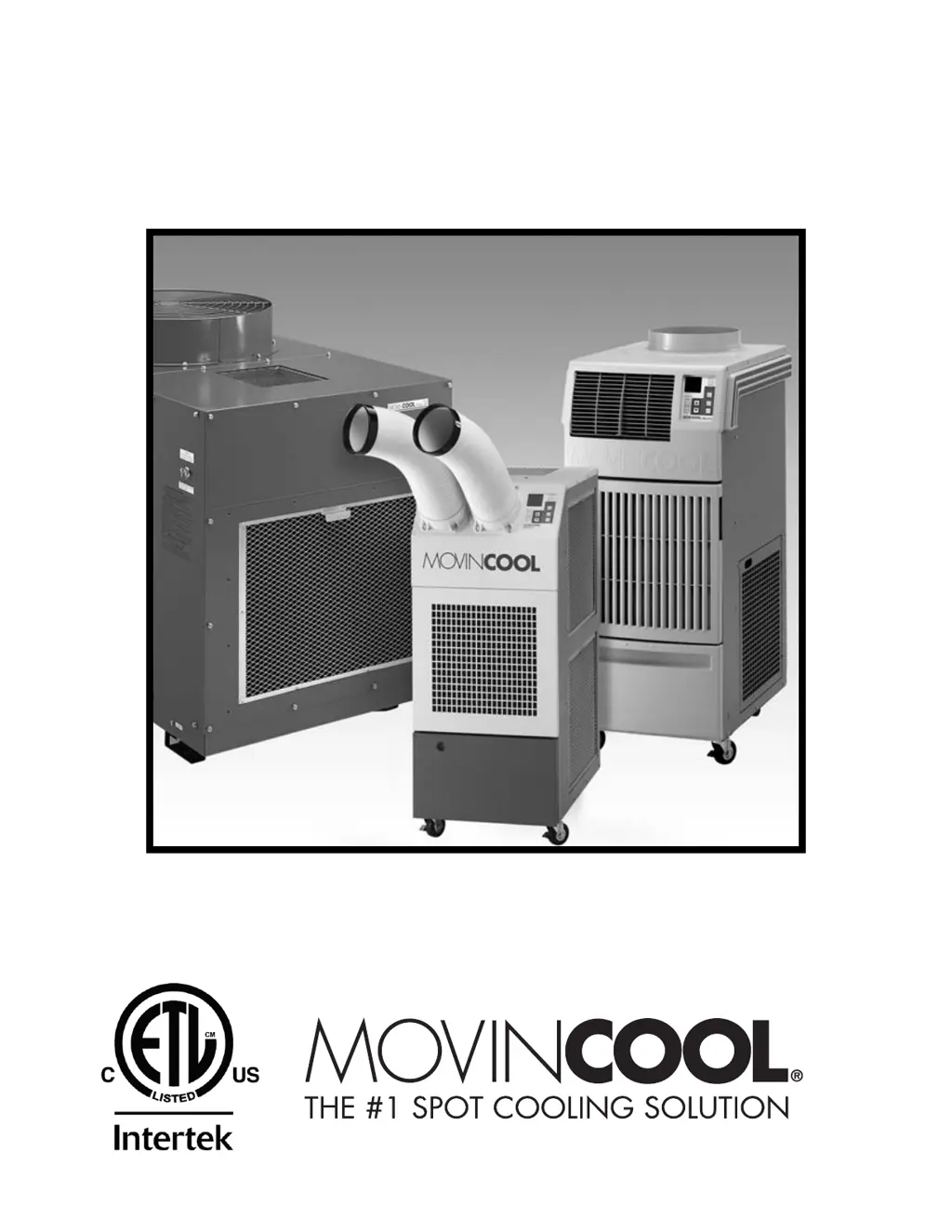
OPERATION MANUAL
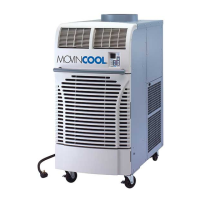
OFFICE PRO 12 / OFFICE PRO 18 / OFFICE PRO 24
Unit Serial Number Range: 0711XXXX### to Present
(From July 2011 to Present)
READ THIS MANUAL CAREFULLY FOR INSTRUCTIONS ON CORRECT
INSTALLATION AND USAGE, AND READ ALL SAFEGUARDS
SECCIÓN EN ESPAÑOL
SECTION EN FRANÇAIS
AVAILABLE AT WWW.MOVINCOOL.COM

Other manuals for Movincool Office Pro 24

Questions and Answers

  • J
    john30Aug 18, 2025
    What to do if my Movincool Office Pro 24 Air Conditioner unit does not operate?
    • C
      Christine Norris DVMAug 18, 2025
      If your Movincool Air Conditioner unit isn't working, there are several potential causes. First, check if the ground fault breaker or LCDI power cord has tripped and reset it. Also, if the 'TANK FULL' LED is flashing, empty the drain tank. Finally, if the high pressure switch has activated 10 times in 24 hours, try the following: clean the air filter, ensure nothing is blocking the air inlet and outlet, verify the environmental conditions are within the unit's operating range, and reset the controller by pressing the FAN HI/LO and COOL ON/OFF buttons simultaneously for 5 seconds.
  • D
    Dr. Rebecca RobertsonAug 20, 2025
    Why is my Movincool Office Pro 24 Air Conditioner not cooling enough?
    • D
      Donald BrownAug 20, 2025
      There are several reasons why your Movincool Air Conditioner might not be providing sufficient cooling. Check if the air filters are dirty or blocked and clean them. Ensure that the air inlet and outlet are not obstructed. Also, verify that the temperature setting is appropriately adjusted.
  • C
    Christopher ClarkAug 22, 2025
    Why is my Movincool Office Pro 24 Air Conditioner not cooling properly?
    • L
      Lindsay BuckleyAug 23, 2025
      If your Movincool Air Conditioner isn't cooling effectively, start by checking the air filters to ensure they are clean. Next, verify that neither the air inlet nor the outlet is obstructed. Lastly, make sure the temperature is set to your desired level.
  • R
    Robert BestAug 26, 2025
    Why Movincool Office Pro 24 Air Conditioner does not operate at all?
    • S
      Sarah RoseAug 26, 2025
      If your Movincool Air Conditioner isn't operating, there could be several reasons: * A power failure might be the cause, in which case you should repair the power supply. * There may be a ground fault or a defective ground fault breaker, requiring you to repair the ground fault section. * The LCDI power cord might have tripped; try resetting the power cord. * A blown fuse could also be the culprit. In this case, repair the shorting section and replace the fuse on the relay board.
  • R
    Richard JohnsonAug 28, 2025
    How to troubleshoot insufficient cooling in Movincool Office Pro 24?
    • T
      tguerraAug 28, 2025
      If your Movincool Air Conditioner isn't cooling sufficiently, consider these potential causes: * Check the power supply, as there might be a power source failure. * Ensure the installation site provides adequate operating temperature and unobstructed airflow. * Inspect the air filter for clogs, as a clogged filter can reduce cooling efficiency.
  • T
    thompsonjonSep 2, 2025
    What causes activation of high pressure switch in Movincool Air Conditioner?
    • K
      kari93Sep 2, 2025
      If the high-pressure switch in your Movincool Air Conditioner activates, it means the high-pressure switch connected to J104 has activated (=J104 input turns to open) 3 times in 24 hours. To address this: 1. Find the cause of the high pressure. 2. Check these: * Ambient air temperature (65 °F (18.3 °C), 50 %RH?95 °F (35 °C), 60 %RH) * Air filter (if dirty, wash it) * Condenser fan motor (if not working, replace it) * Defect of high-pressure switch (if the switch is open when the unit is off, replace the switch). 3. Reset the system by pressing the ON/OFF and HI/LO buttons on the control box simultaneously for 5 seconds.
  • S
    sarah94Sep 4, 2025
    Why is my Movincool Office Pro 24 overflowing?
    • K
      Kimberly HowardSep 4, 2025
      If your Movincool Air Conditioner is overflowing, consider these potential issues: * Check for cracks in the drain pan and repair them if found. * Inspect the drain hose for clogs and replace it if necessary. * Address reversed airflow from the drain hole by inserting a trap on the discharge drain hose. * Clean the air filter if reversed airflow from the drain hole is due to excessive negative pressure inside the unit.
  • C
    Cody EwingSep 6, 2025
    What to do if Movincool Air Conditioner shows defect of room thermistor?
    • E
      Emma HarringtonSep 7, 2025
      If there's a defect (short or open) in the room thermistor of your Movincool Air Conditioner, where the room thermistor (connecting to J101) becomes short or open, try the following: 1. Disconnect and reconnect the room thermistor. 2. If that doesn’t work, replace the room thermistor.
  • T
    todd03Sep 9, 2025
    How to troubleshoot defect of freeze protection thermistor in Movincool Office Pro 24?
    • J
      John CunninghamSep 9, 2025
      If your Movincool Air Conditioner has a defect (short or open) in the freeze protection thermistor, where the freeze protection thermistor (connecting to J102) becomes short or open, follow these steps: 1. Disconnect and reconnect the freeze protection thermistor. 2. If the issue persists, replace the freeze protection thermistor.
  • E
    Edward HowellSep 12, 2025
    What to do if Movincool Office Pro 24 Air Conditioner drain tank is full?
    • B
      Brittany OrrSep 12, 2025
      If the drain tank of your Movincool Air Conditioner is full (LCD indicates “TANK”), follow these steps: 1. Drain away the water. 2. Press the ON/OFF button.

Summary

GENERAL WARNINGS & CAUTIONS

INSTALLATION

Choosing an Installation Site

Guidelines for selecting a suitable location, considering safety and operational requirements.

Plugging in the Unit

Steps for correctly connecting the unit to the power supply, including cord checks.

LCDI Power Cord Instruction

Guidance on the function and proper use of the LCDI power cord for safety.

FEATURES

OPERATION

Control Panel

Explanation of the control panel layout, buttons, and indicators for unit operation.

Operating Modes

Description of the different operational modes, COOL and FAN ONLY, and their functions.

Self-Diagnostic Codes

Explanation of error codes displayed by the unit for troubleshooting.

DAILY INSPECTION & MAINTENANCE

TROUBLESHOOTING

TECHNICAL SPECIFICATIONS

Movincool Office Pro 24 Specifications

General IconGeneral
Cooling Capacity24, 000 BTU/h
Power Supply208-230V, 60Hz
Air Flow500 CFM
RefrigerantR-410A
Weight245 lbs
Noise Level62 dB(A)
Running Amps13.5 A
Operating Temperature Range64-95°F
Dimensions (H x W x D)49 x 21 x 30 in

Related product manuals