NPort IA5150/5250 Series User’s Manual Web Console Configuration
5-2
Opening Your Browser
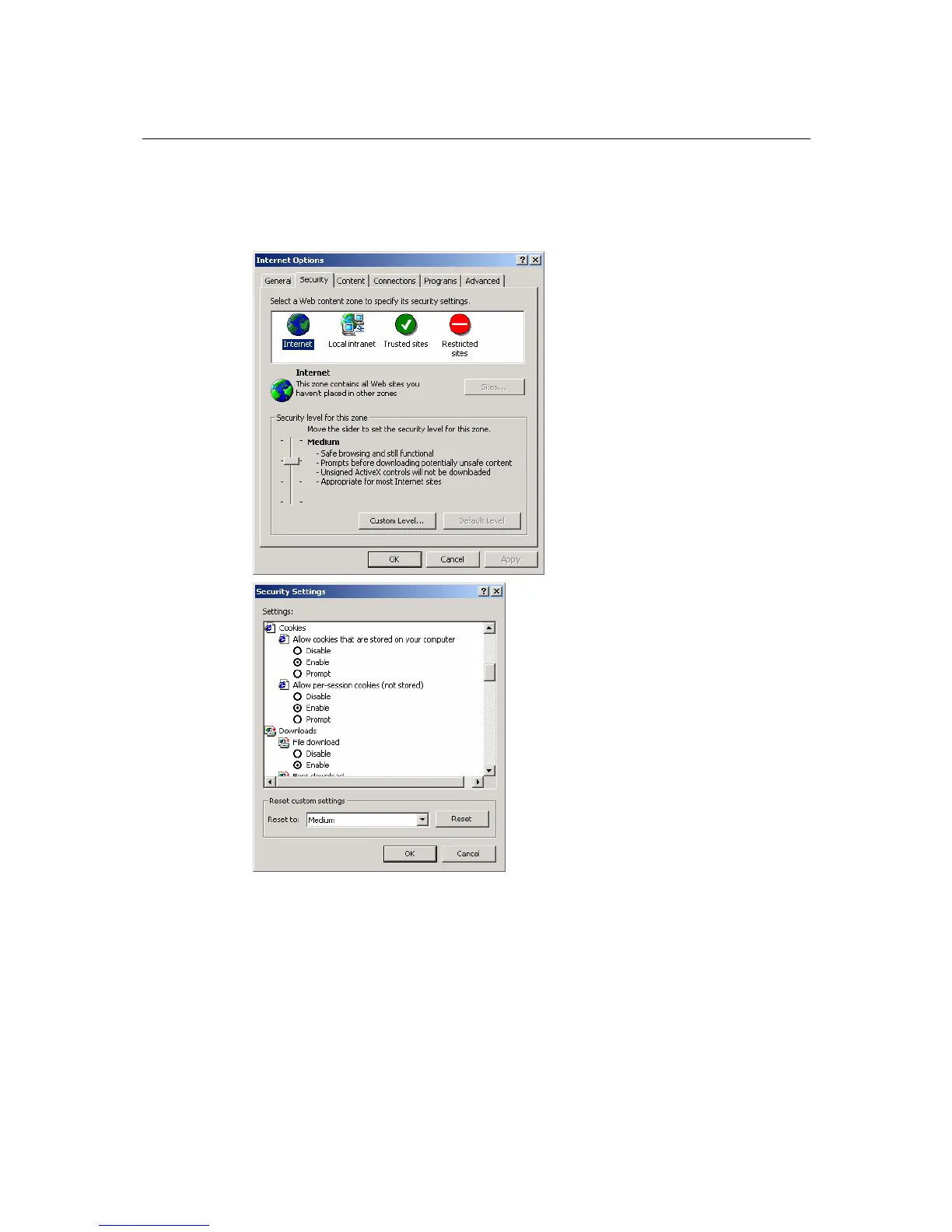
1. Open your browser with the cookie function enabled. (To enable your browser for cookies,
right click on your desktop Internet Explorer icon, select Properties, click on the Security tab,
and then select the three Enable options as shown in the figure below.)
2. Type 192.168.127.254 in the Address input box (use the correct IP address if different
from the default), and then press Enter.
3. Input the password if prompted. The password will be transmitted with MD5 encryption over
the Ethernet.
Note that you will not be prompted to enter the password if the NPort IA5150/5250 is not
currently password protected.


 To Next Page
 Loading...


