12
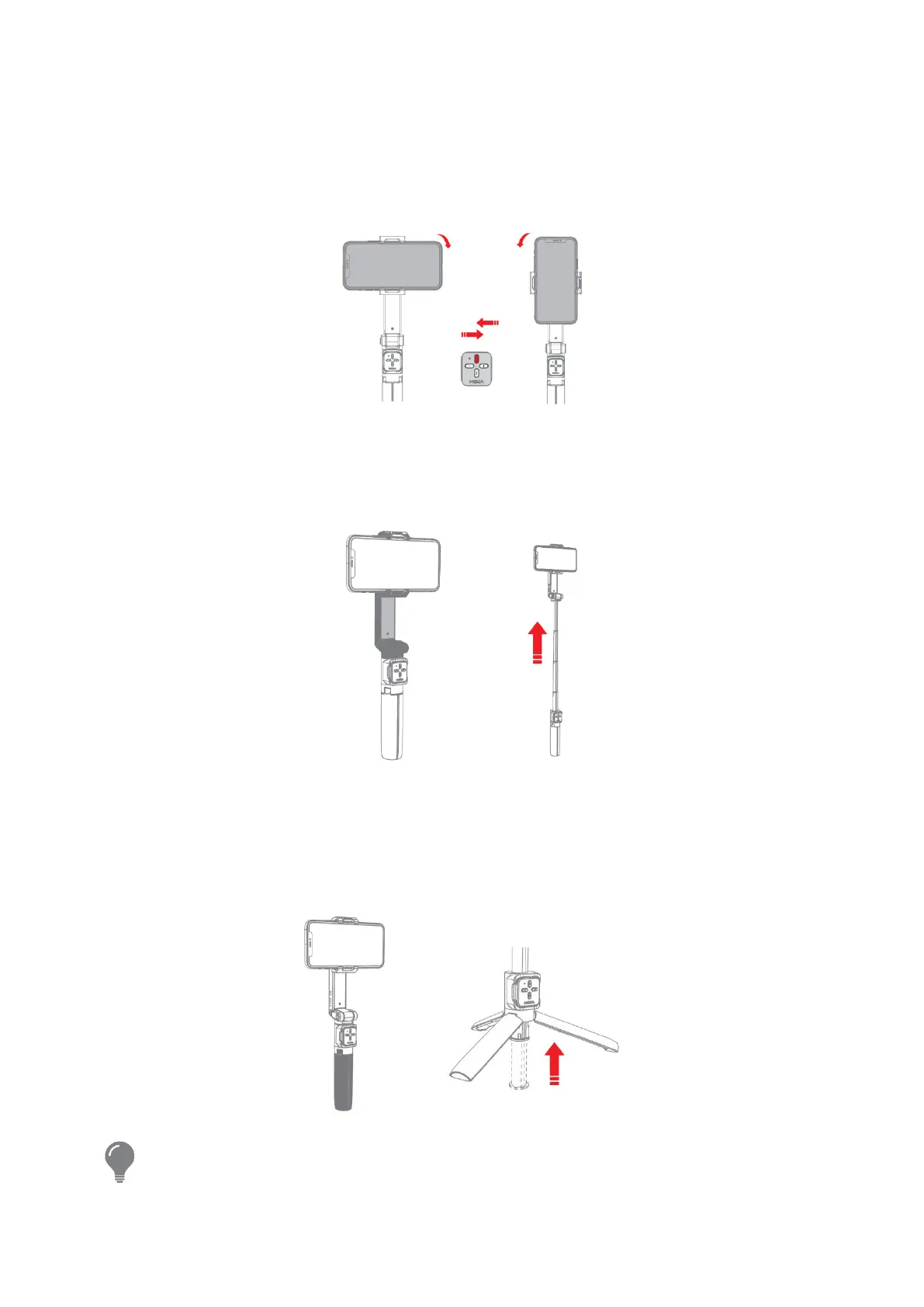
Horizontal / Vertical Mode
When the gimbal is powered on, click the M button (top button) to switch between
horizontal and vertical shooting.
Telescopic Rod
To extend the telescopic rod, pull upwards on the gray part as shown as below.
Tripod
To open the tripod, push up on the telescopic rod, and place the tripod on a leveled
surface.
Adjust the tilt axis angle manually according to the need, if the folding part is loose,
please tighten the knob.


 To Next Page