14
Bluetooth Connection
MOZA Genie App connection
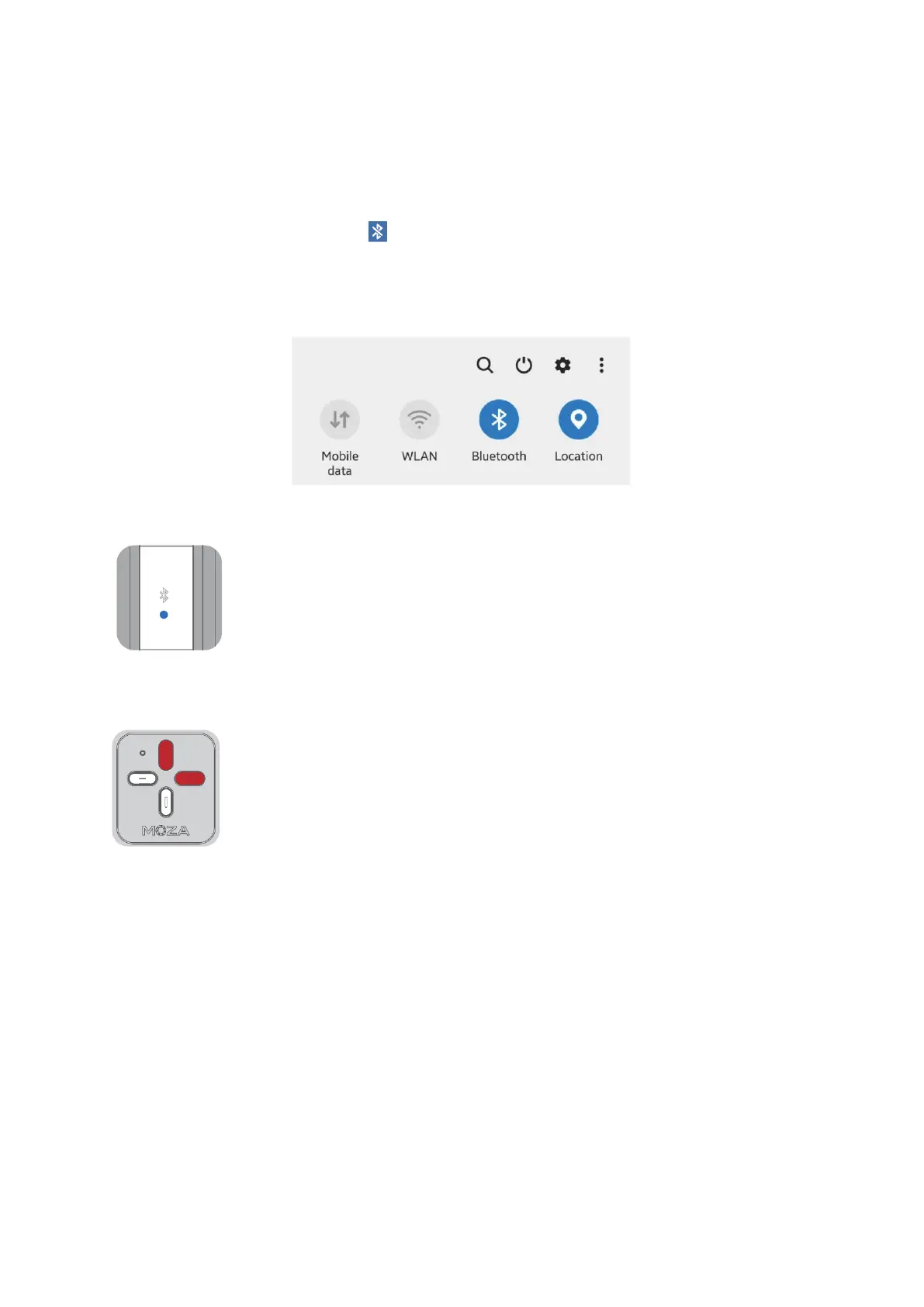
Turn on Location and Bluetooth on your mobile phone, launch the MOZA Genie App,
click the flashing Bluetooth icon on the App interface, after searching for the NANO
SE signal, click the corresponding Bluetooth icon of Hi-Nano-SE-12BB4004XXXX in the
device list to connect to the device. After the connection is successful, the NANO SE
Bluetooth light will remain on.
Connecting the phone for native camera control
Turn on Location and Bluetooth on your mobile phone, and select
Bluetooth settings menu. Search for NANO SE Bluetooth signal, click Hi-
Nano-SE-12BB4004XXXX Bluetooth device and pair it (no password is
required). After the connection is complete, the NANO SE Bluetooth
light will remain on. Now you can control the native camera with the
remote controller.
Bluetooth reset
When NANO SE cannot be found or if the connection fails, press and
hold the mode button (top button), and quickly triple-click the + button
(Right button) to reset NANO SE Bluetooth. After resetting, click the
flashing Bluetooth icon on the MOZA Genie App interface to search for
the device, then reconnect to NANO SE.


 To Next Page