13
Sleeping Mode
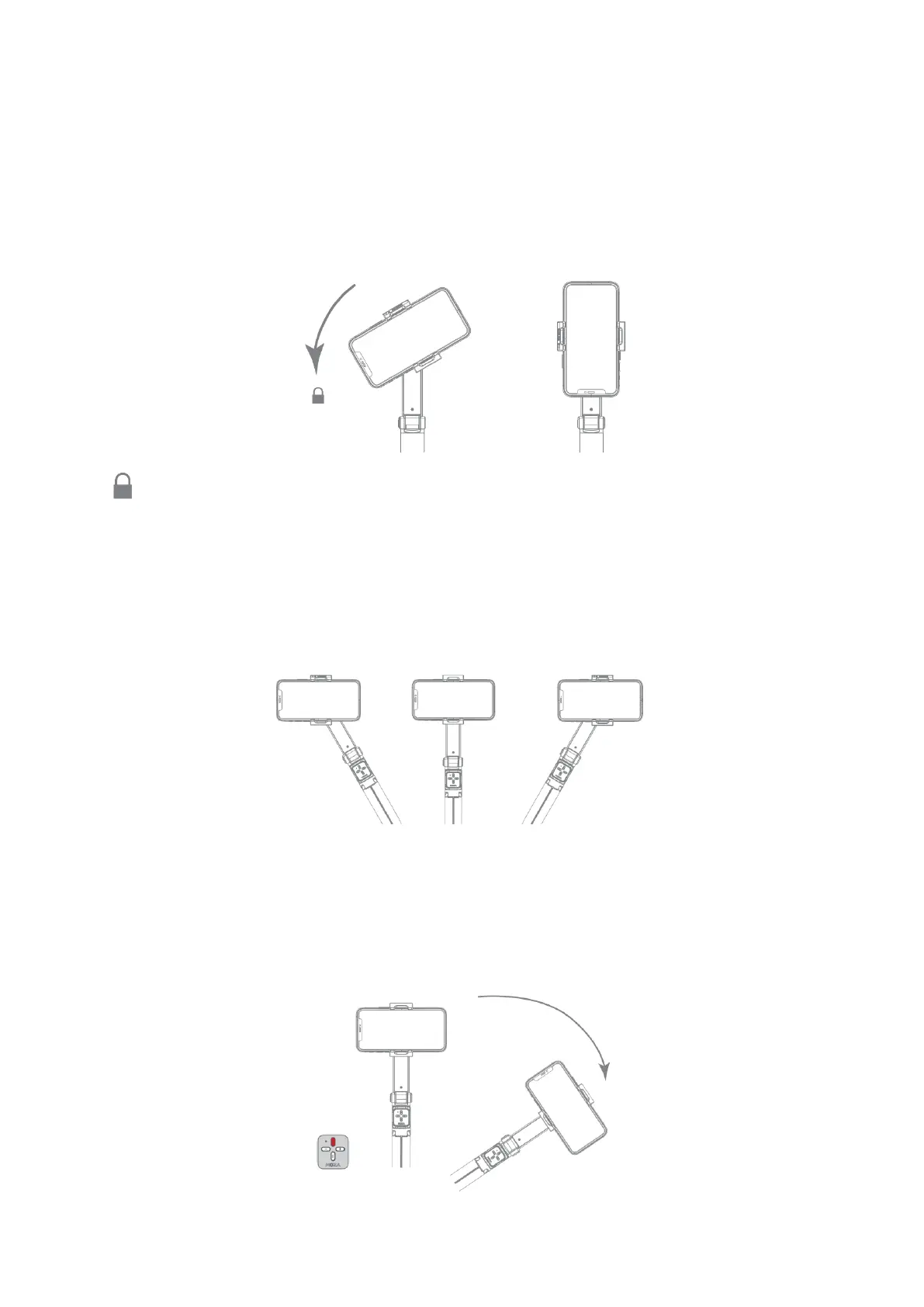
When NANO SE is powered on, manually turn the roll axis counterclockwise toward the
built-in motor lock, NANO SE will automatically enter to sleep mode. Manually rotate the
roll axis clockwise to unlock, and then press the power button for 0.5s to wake up NANO
SE.
The icon indicates that the roll axis is turned into the built-in motor lock.
Working Mode
Lock Mode
After NANO SE is powered on, it defaults to Lock Mode, and the phone will remain level
within the range of the motor's movement and will not follow the handle rotation.
Follow mode
To switch NANO SE from Lock Mode to Follow Mode, double-click the M button (Top
button). In Follow Mode the phone will follow the handle rotations. Double-click the M
button again to exit Follow Mode.


 To Next Page