11
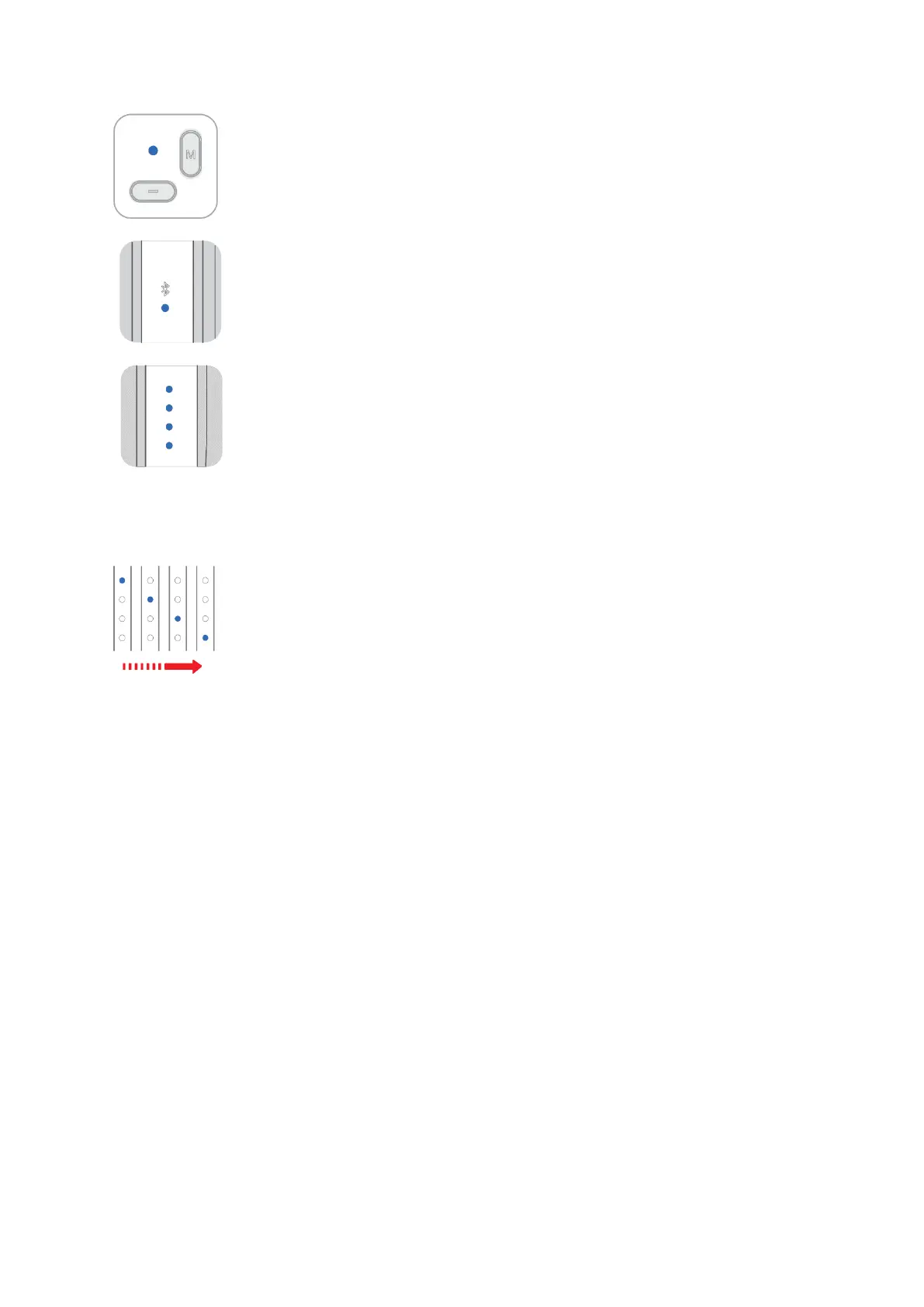
Remote Controller Indicator
The indicator will be illuminated when any button is pressed
Flashing: Pairing
Bluetooth Light
Off: Bluetooth is disconnected
Solid: Bluetooth connection is success
Power Indicator
3 grids solid light: 50%-70% battery level
4 grids solid light:75%-100% battery level
2 grids solid light: 25%-50% battery level
1 grid solid light: 0%-25% battery level
Light flashes from bottom to top: charging, solid 4 grids light when fully
charged
Upgrade Mode
Light flashes from top to bottom: NANO SE is in firmware upgrade mode
Note:
If the upgrade fails, NANO SE will remain in the upgrade mode, and the
power indicator will flash alternately from bottom to top. Please restart
MOZA Genie App and NANO SE. NANO SE will automatically enter the
upgrade mode after restarting. Please re-upgrade the firmware after
MOZA Genie App and NANO SE Bluetooth are connected.
Charging Port
NANO SE uses a universal USB-type C charging port, the recommended charging
specification is 5V/1A, you need to use your own charger. NANO SE can use mobile
phone chargers or a power bank to charge. The battery will automatically stop charging
when fully charged, disconnect the charger when fully charged.
Angle Adjustment
If the folding part is loose, please tighten the knob.


 To Next Page