English
29
English
28
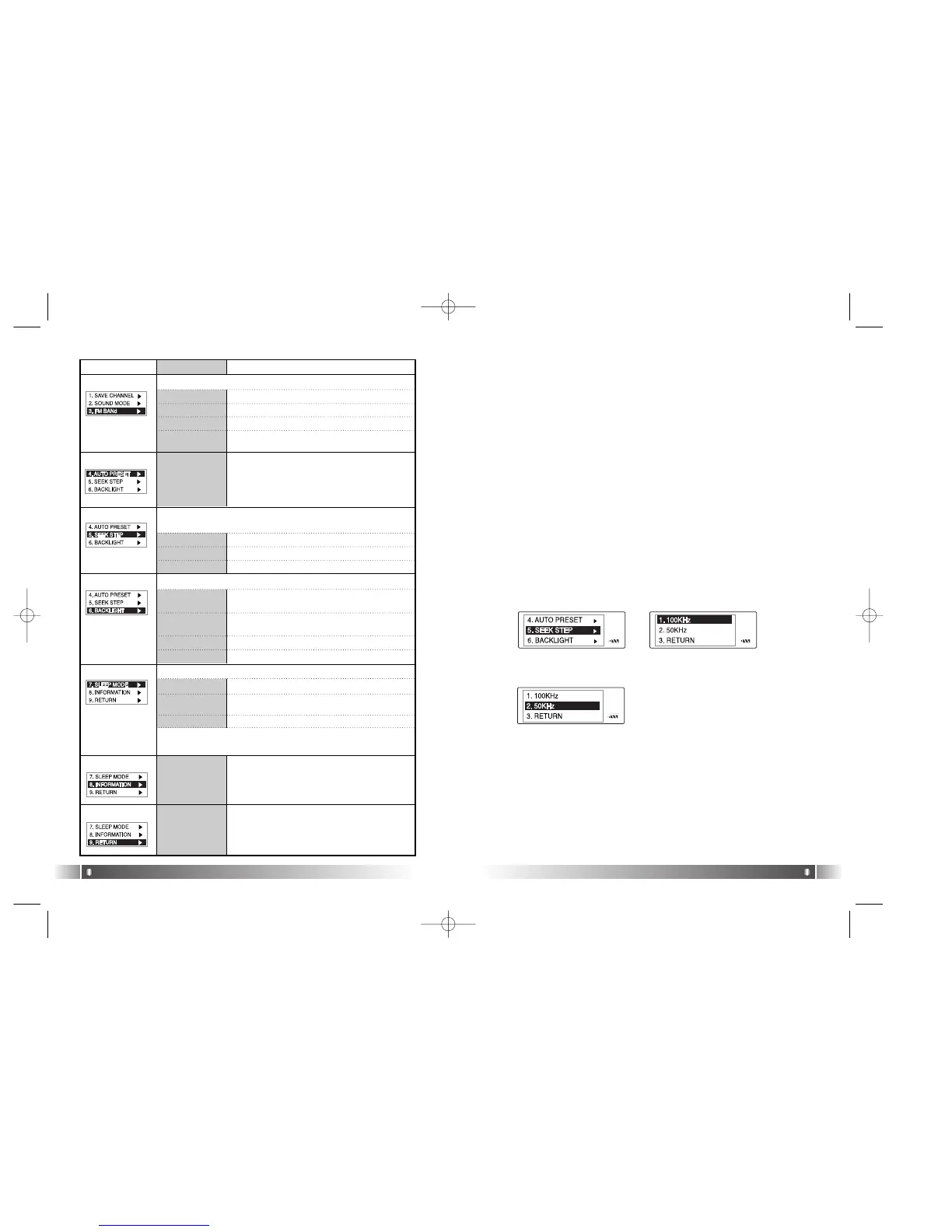
Menu Lower Item Detail Information
1. 100KHz Switch the FM Channel to the unit of 100KHz.
2. 50KHz
Switch the FM Channel to the unit of 50KHz.
You can save up maximum 20 stations
searched from the Frequency Range in dis-
regard of the existing Station
Display the Firmware Version, Internal
Total/Free Memory, External Total/Free
Memory information.
[FM BAND]
[AUTO PRESET]
[SEEK STEP]
Select the unit of frequency switch in the Channel Search
Mode using Joy Stick Key.
1. US/EU/KR/CN
Receiving Frequency Range of 87.5~108MHz.
2. JAPAN Receiving Frequency Range of 76~92MHz.
Select the FM Frequency range.
3. WORLD WIDE Receiving Frequency Range of 76~108MHz.
[BACKLIGHT]
[SLEEP MODE]
[INFORMATION]
1. DEFAULT
When the button is pressed, the Backlight
maintains for 3 sec.
2. USER
You can control the duration of Backlight at
the unit of 3 to 30 sec.
Control the duration of Backlight when the button is pressed.
1. OFF
Not use Sleep Mode.
2. USER
You can adjust the desired time of Auto Off
to 3 to 60 minutes while playing a file.
You can power off the device at the reserved time.
3. OFF
Not use the Backlight Function.
* The set point of Sleep Mode will be converted to OFF after
the power is turned off.
4. RETURN
Move to the Upper Item
3. RETURN
Move to the Upper Item
4. RETURN
Move to the Upper Item
3. RETURN
Move to the Upper Item
[RETURN]
Move to the Upper Item
[ Power Menu(FM) Setup]
1. Enter the Menu(FM) by pressing the Joy Stick Key for long.
2. Select a menu which to be changed by shifting the Joy Stick Key
right and left and press the Joy Stick Key.
3. Change the setup by shifting the Joy Stick Key (upward & downward)
and save the setup status by pressing the Joy Stick Key.
4. Move to the Upper Item by selecting the Return item.
* Press the Menu Button in the Menu(FM) shortly, and you will move
to the FM Mode.
Ex) Change the setup status of the SEEK STEP Menu
1. Enter the Menu(FM) by pressing the Joy Stick Key for long.
2. Select the SEEK STEP Menu by shifting the Joy Stick Key in the
Power Menu and enter the SEEK STEP Menu by pressing the Joy
Stick Key.
3. Move to the 50KHz Item by shifting the Joy Stick Key.
5. Move to the FM Mode by pressing the Return item.
4. Save the setup status by pressing the Joy Stick Key in the 50KHz
Item.
FL100-Eng-EU1 12/5/96 3:21 PM Page 28



 To Next Page