3. FM Mode
English
25
B. Power Menu Setup
- Enter the Power Menu by pressing the Joy Stick Key for long.
- Select a menu of which setup status to be changed by shifting the Joy
Stick Key downward and upward and press the Joy Stick Key.
- Change the setup status by shifting the Joy Stick Key upward and
downward, and save the setup status by pressing the Joy Stick Key.
- Select the Return item, and you move to the Upper List.
* Press the Menu Button in the Power Menu shortly, and the mode is
changed to the Playback Mode.
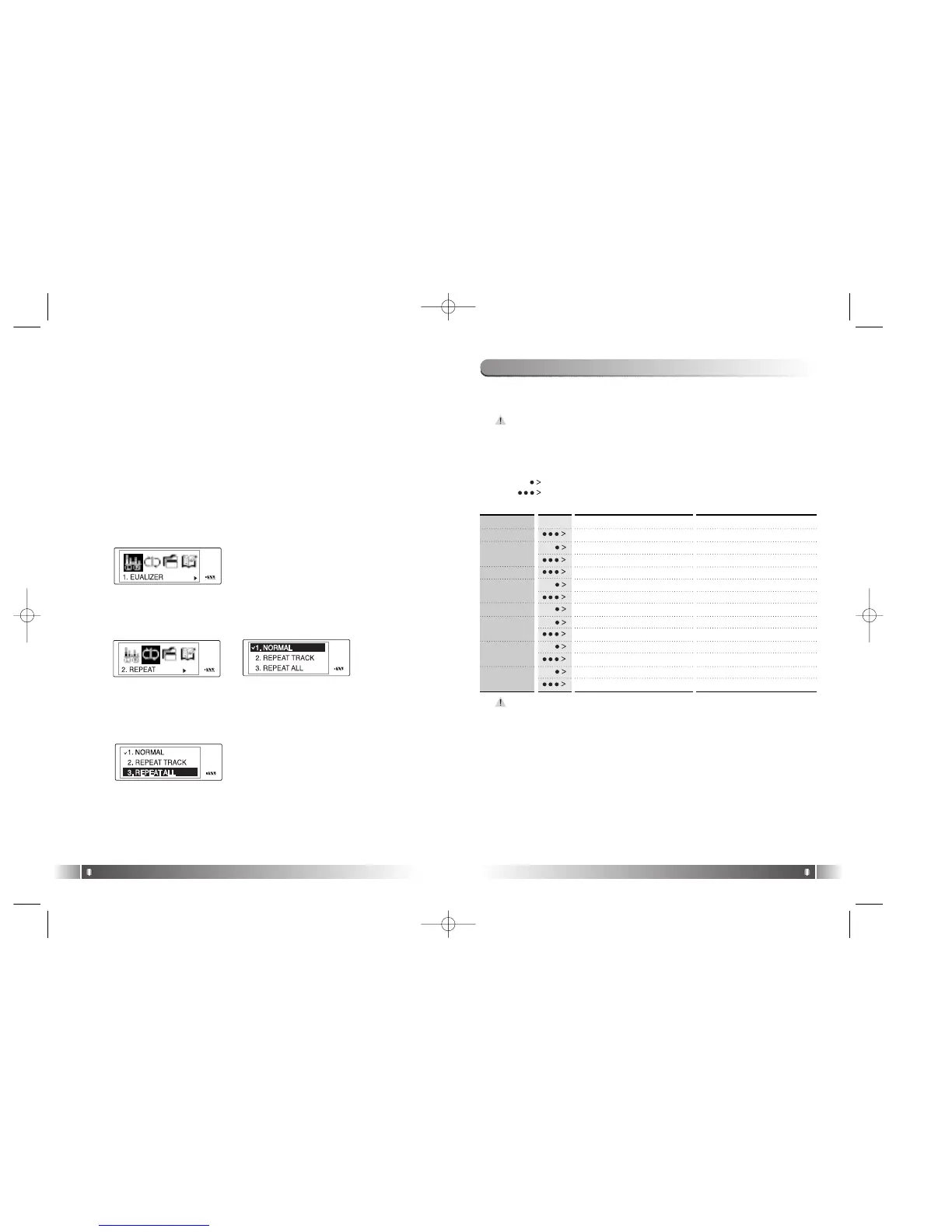
Ex) Change the Setup Status of the REPEAT Menu
English
24
1. Enter the Power Menu by pressing the Joy Stick Key for long.
2. Select the Repeat Menu by shifting the Joy Stick Key from the
Power Menu and enter the REPEAT Menu by pressing the Joy
Stick Key.
3.Move to the Repeat All using the Joy Stick Key. Save the setup
status by pressing the Joy Stick Key.
4. Move to the Playback using the Return item.
2) Basic Function
[Channel Search/High-speed Search]
- In case of shifting the Joy Stick Key to the direction of REW:
Channel decreases by 1 Step.
- In case of shifting the Joy Stick Key to the direction of FF:
Channel increases by 1 Step.
-
In case of pushing the Joy Stick Key to the direction of REW for long:
Auto Search for the Previous Frequency Band.
- In case of pushing the Joy Stick Key to the direction of FF for long:
Auto Search for the Next Frequency Band
1) Table of Button Behavior
* The table below is the list of Button Behavior of FL100 in the FM
Mode.
: It means to press the button shortly.
: It means to press the button for over one second.
Channel Search Mode Status Station Search Mode Status
Power OFF Power OFF
Channel Decrease by 1 Step Pervious Station
Auto Search for the Previous Channel
Station Decrease Continuously
Enter the Menu Enter the Menu
Channel Increase by 1 Step Next Station
Auto Search for the Next Channel
Station Increase Continuously
FM Record FM Record
Switch into the Station Search Mode S
witch into the Channel Search Mode
Switch into the Playback Mode
Switch into the Playback Mode
Turn Up the Volume Turn Up the Volume
Turn Up the Volume Continuously
Turn Up the Volume Continuously
Turn Down the Volume
Turn Down the Volume
Turn Down the Volume Continuously Turn Down the Volume Continuously
PLAY/PAUSE
REW
MODE
FF
RECORD
MENU
VOLUME +
VOLUME -
The initial Setting of the FM Mode is the Channel Search Mode.
- The receive sensitivity of FM mode can vary on the area.
- Earphone output Power in FM is smaller than that in the
Playback Mode.
FL100-Eng-EU1 12/5/96 3:21 PM Page 24



 To Next Page