English
23
English
22
When the button is pressed, the
Backlight maintains for 3 sec.
1. BACKLIGHT
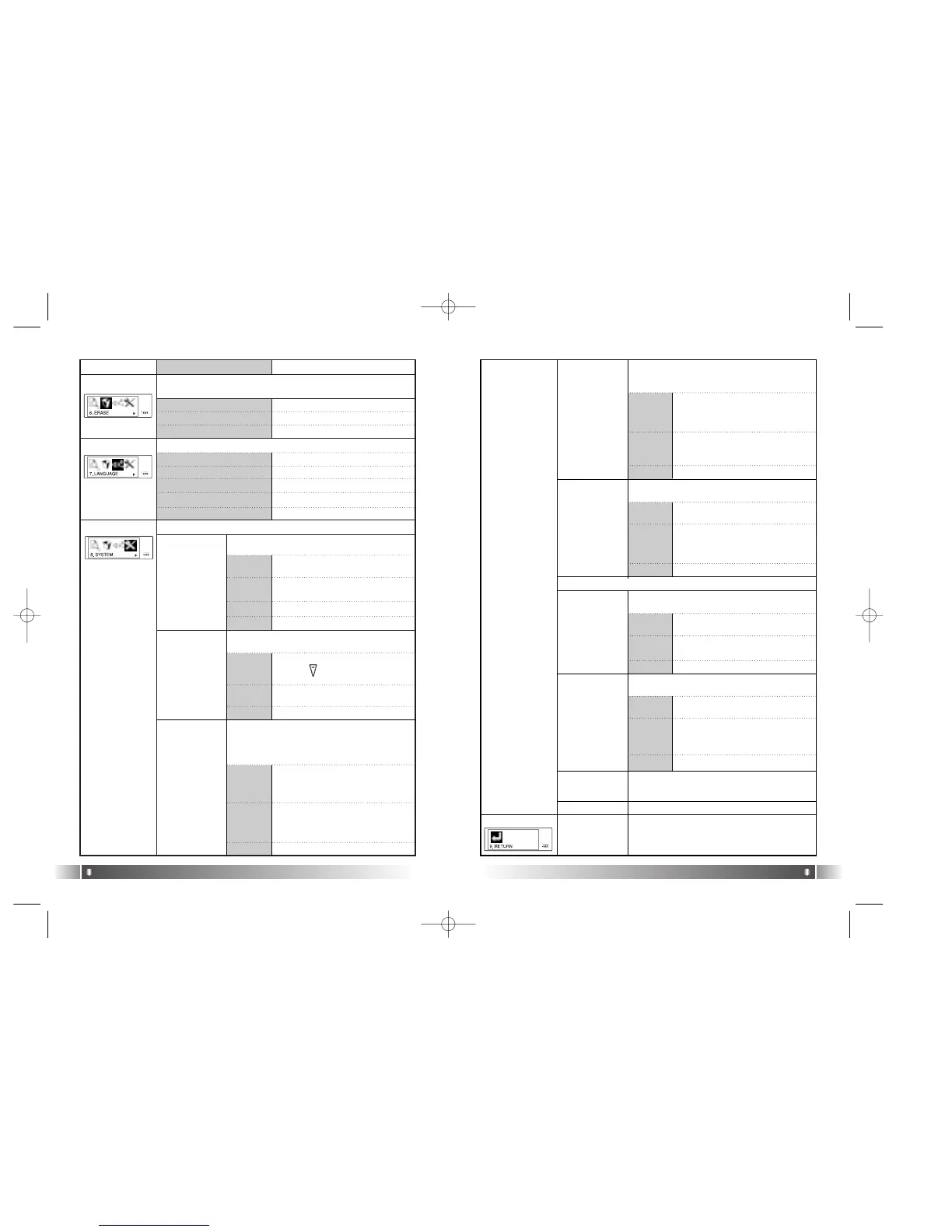
You can change the running status of FL100 from this menu.
[FILE ERASE]
[SYSTEM]
1.
DEFAULT
You can control the duration of
Backlight at the unit of 3 to 30 sec.
Not use the Backlight Function.
2. USER
3. OFF
Menu Lower Item Detail Information
[LANGUAGE]
You can delete a file stored in the Internal memory of the FL100.
1. ERASE ALL
Delete all Files Stored.
2. ERASE FILE Delete the File Selected.
1. ENGLISH
Display the Menu List in English
2. KOREAN
Display the Menu List in Korean.
3. JAPANESE
Display the Menu List in Japanese.
4. CHINESE
Display the Menu List in Chinese.
Control the duration of Backlight when the
button is pressed.
2. AUTO PLAY
After turning up the power, control the auto
play of music.
Play a file by pressing the Play
button ( ), after the power is
on.
1.
DISABLE
Play a music file right after the
power is on.
2.
ENABLE
3. PLAY
POSITION
You can select the Resume Function
remembers and plays the part played right
before the power was turned off.
When a file is played, it plays
from the beginning of the file
played at last before it was com-
pleted. (Resume Function used)
1. INITIAL
When a file is played, it remem-
bers and plays the part paused
before the power was turned off.
(Resume Function used)
2.
STOPPED
In case no button is pressed for 3
min. in the pause state, it will be
completed automatically.
4.
AUTO POWER
OFF
1.
DEFAULT
You can control time of Auto Off
at the unit of 3 to 30 minutes.
2. USER
You can set the function of Auto Power off
when no button is pressed for a certain
time in the pause state.
5. SLEEP MODE
You can power off the device at the
reserved time.
Not use Sleep Mode.
1.
OFF
You can adjust the desired time
of Auto Off to 3 to 60 minutes
while a file is played.
2.
USER
6. DISPLAY
TITLE
Select file information to be displayed on
the LCD while a file is played.
Display the ID3 Tag information
on the LCD while playing a file.
1. TAG
INFO
Display the file name on the LCD
while playing a file.
2. FILE
NAME
The set point of the Sleep Mode will be converted to OFF after the power turned off.
7. SCROL
WIDTH
Speed Control the file information displayed
on the LCD window.
File information scroll the 16
width on the LCD.
1.
DEFAULT
You can control the scroll
speed(16, 32, 48, 64, 80, 96, 112
and 128 width) of file information
on the LCD.
2. USER
8. INFORMA-
TION
Display the Firmware Version, Internal
Total/Free Memory, External Total/Free
Memory information.
Select the language to display the Menu Item of FL100
3.
RETURN
Move to the Upper List.
3. RETURN Move to the Upper Item
5. RETURN Move to the Upper Item
3.
RETURN
Move to the Upper Item
4.
RETURN
Move to the Upper Item
9. RETURN
Move to the Upper Item.
3.
RETURN
Move to the Upper Item
3.
RETURN
Move to the Upper Item.
3.
RETURN
Move to the Upper Item.
3.
RETURN
Move to the Upper Item.
[RETURN]
Move to the Upper Item.
FL100-Eng-EU1 12/5/96 3:21 PM Page 22



 To Next Page