3. Move to/Out of the Folder
[Move to the Folder]
- Move to a folder by shifting the Joy Stick Key up or down, and
press the Joy Stick Key.
[Move out of the Folder]
- If you press the Menu Button the folder shortly, you will move to
the upper folder.
4. Mark Replay
- If you press the Record button while a file is played, Mark Replay
function will be operated.
A. Press the Record button at the beginning of the interval which is
to be repeated. (Interval A is selected.)
B. Press the Record button at the end of the interval which is to be
repeated. (Interval B is selected.)
In order to cancel the Mark Replay function, press again the Record
button.
5. Navigation
- While you play music file, you can select the next music using the
Navigation Menu.
A. Press the Joy Stick Key for long to enter the Menu Mode.
B. Move to the NAVIGATION Menu by shifting the Joy Stick Key
and enter the NAVIGATION MENU by pressing the Joy Stick
Key
C. After selecting a music which to be played by Joy Stick Key and
press the ( ) button.
English
19
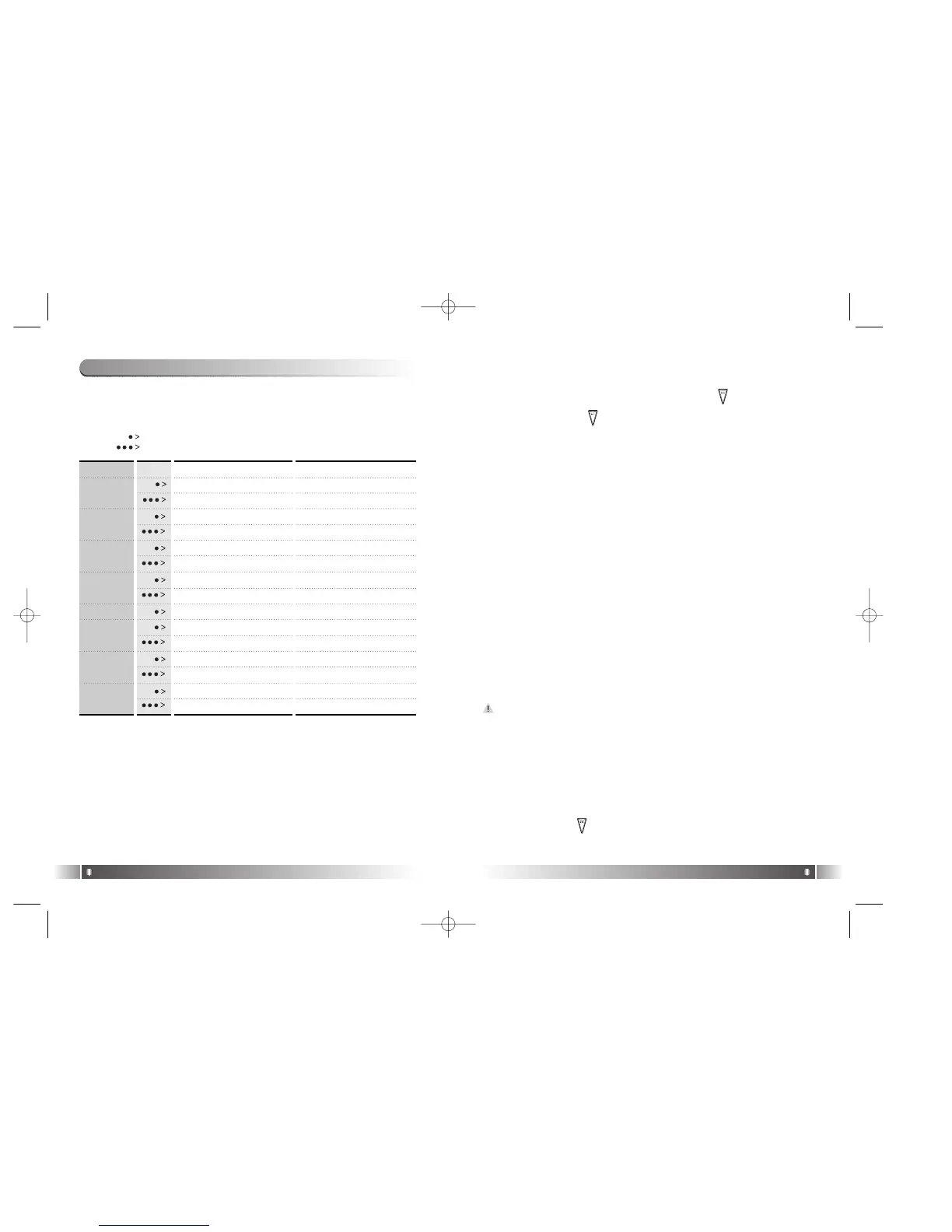
1) Table of Button Behavior
* The table below is the list of Button Behavior of FL100 in the
Playback Mode.
: It means to press the button shortly.
: It means to press the button for over one second.
English
18
Pause State Play State
Selected Music Playing Pause the Music Playing
Power OFF Power OFF
Move to the Previous Music Previous Music Playing
Search the Previous Music Continuously
Fast Rewind
Enter the Folder
Enter the Menu Enter the Menu
Move to the Next Music Playing the Next Music
Search the Next Music Continuously
Fast Forward
Voice Recording Mark Replay
Move to the upper folder Visualization Mode
Move to FM Mode Move to FM Mode
Turn Up the Volume Turn Up the Volume
Turn Up the Volume Continuously Turn Up the Volume Continuously
Turn Down the Volume Turn Down the Volume
Turn Down the Volume Continuously
Turn Down the Volume Continuously.
PLAY/PAUSE
REW
MODE
FF
RECORD
MENU
VOLUME +
VOLUME -
2) Basic Function
1. Play/Pause
- The music file will be played if you press the ( ) button in the
pause state.
- If you press the ( ) button in the play state, the file will be
paused.
2. REW/FF
- If you want to move to the previous music, Push up the Joy Stick
Key to the direction of REW.
- If you want to move to the next music, Push down the Joy Stick
Key to the direction of FF.
- Push up the Joy Stick Key for long to the direction of REW to oper-
ate Fast Rewind function.
- Push down the Joy Stick Key for long to the direction of FF to oper-
ate Fast Forward function.
2. Playback Mode
FL100-Eng-EU1 12/5/96 3:20 PM Page 18



 To Next Page