English
15
2) FM Mode
English
14
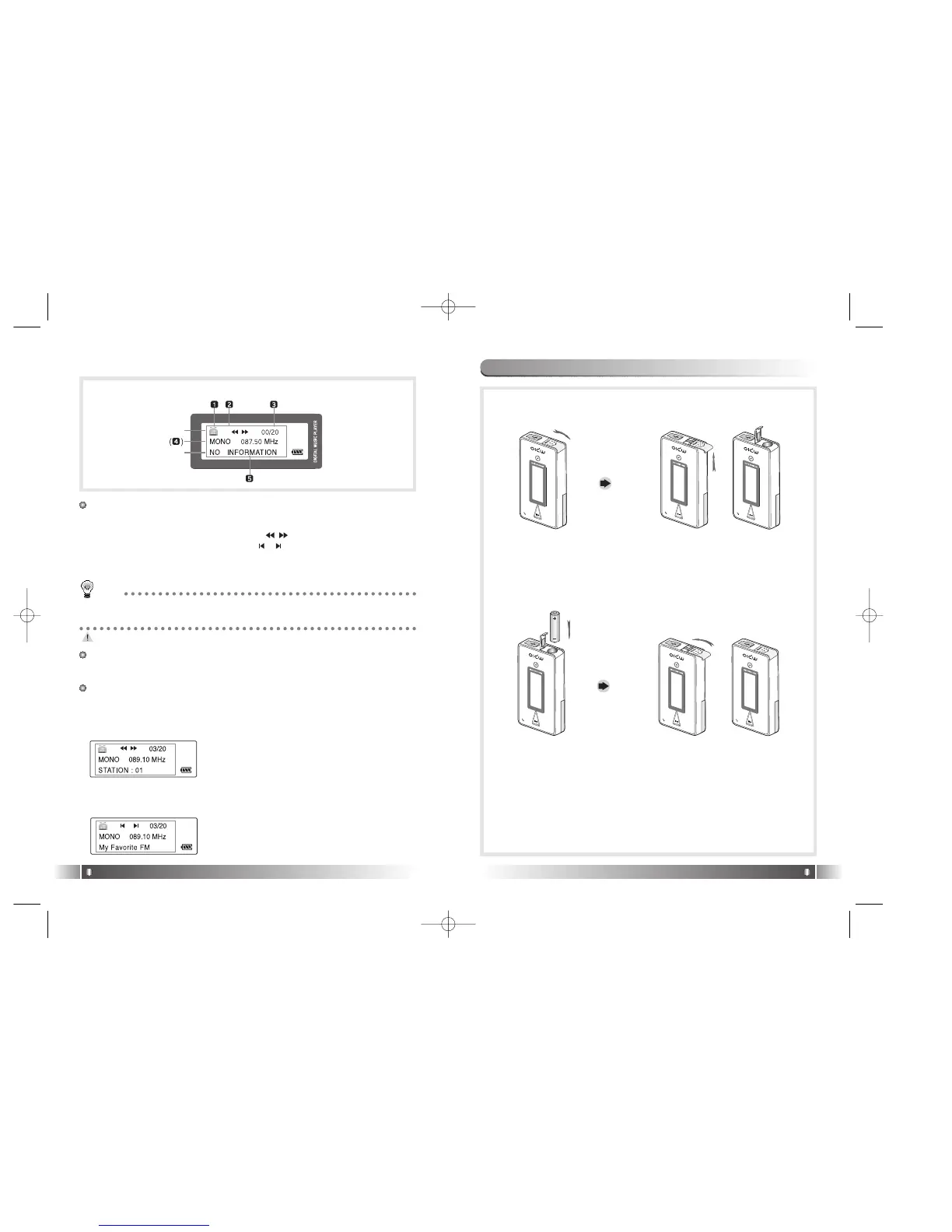
* The screen below is randomly made to explain LCD inforation.
1 Line
1. FM Icon: It displays the status of FM Mode.
2. Mode Icon
- In case of Channel Search Mode ( ) icon is displayed.
- In case of Station Search Mode ( ) icon is displayed.
* Number of Station receiving is displayed in the Station Mode Icon.
3. Numbers of stored station: It displays Number of Stations stored /
Number of Stations can be stored.
No station is stored, in the initial setup state.
2 Line
4. Sound Mode & Channel: It displays Sound Mode and receiving
Channel(Frequency).
3 Line
5. Detail Information
- In case the Channel receiving is stored in the Station, the Station
Number is displayed, in the Channel Search Mode.
TIP
[Station]
Station means the channel(frequency) is saved.
9. Battery Installation
1. Open the Battery Cover by pushing the button to the direction of
the arrow.
2. Insert an AAA Type
Alkaline Battery
(AAA Type Nickel
Hydrogen Battery)
while matching the
polarity.
3. After adjusting the groove,
close the battery cover by
pushing it forward.
1 Line
2 Line
3 Line
*The screen below is randomly made to explain LCD information.
* If the Channel receiving is not stored in the
Station, NO INFORMATION is displayed.
*
See FM Stations Editor Item(Page 42) of
MPIO Manager 2 to save the detailed infor-
mation of the Station.
- In case of Station Search Mode, the detail information of Station
receiving is displayed.
* In case station information is not stored, the
next station will be displayed.
FL100-Eng-EU1 12/5/96 3:20 PM Page 14



 To Next Page