POLI User’s Guide
10
3. Battery
Always fully charge the battery before using the POLI. Its Li-ion battery is charged by a
Micro-USB cable.
WARNING
To reduce the risk of ignition of hazardous atmospheres, recharge, remove or replace the
battery only in an area known to be non-hazardous!
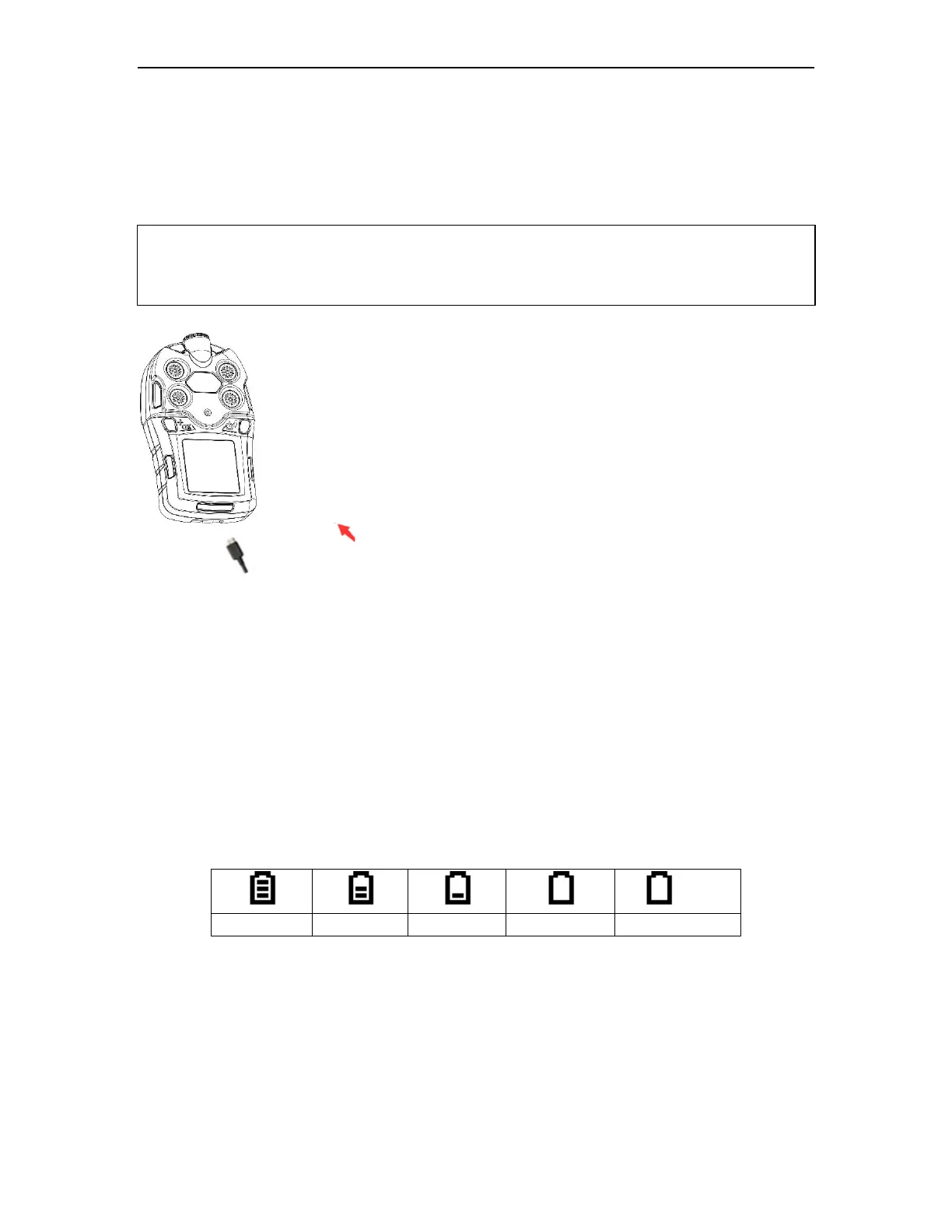
Plug the mini end of the Micro-USB cable into the charging port of
POLI, and the other end is connected to a USB power adaptor or the
USB port of computer. The screen will display a battery icon from
empty to full. When the battery icon is displayed full grid status
indicating the battery is fully charged.
3.1 Replacing A Battery
The Lithium-ion battery pack inside of the POLI is free of maintenance. In case of a
battery failure or end operating life, please contact mPower service department or
authorized distributors for a battery replacement.
3.2 Battery Status
The battery icon on the display shows how much charge is in the battery, and alerts you if
any charging problem.
When the battery’s charge falls below a preset voltage, the instrument warns you by
beeping once and flashing once every minute. The instrument automatically powers down
within 10 minutes, after which users shall recharge the battery.


 To Next Page