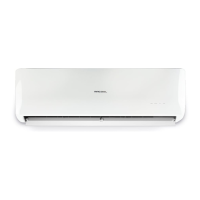
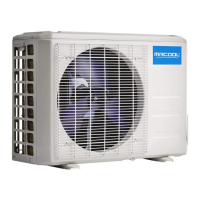
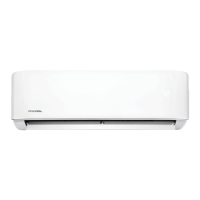
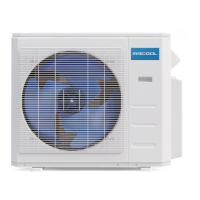
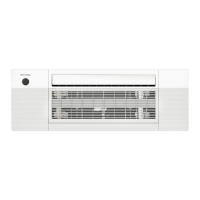
This document serves as a user manual for the MRCOOL Olympus Series, encompassing both Single (Hyper Heat & Energy Star) and Multi-Zone models. It provides essential information for installation, operation, and maintenance of the air conditioning units. The manual emphasizes that installation should be performed by an authorized technician, not an amateur, and advises users to read it carefully before installation and to keep it for future reference.
Function Description
The MRCOOL Olympus Series units are air conditioning systems designed for residential or commercial use, offering cooling, heating, and dehumidifying functionalities. These units operate as heat pumps, absorbing heat from outdoors and transferring it indoors during heating mode, and vice versa for cooling. The system is capable of automatic operation, selecting cooling, heating, or fan-only modes based on the set temperature and room temperature.
Key operational modes include:
- AUTO Operation: The unit automatically selects the appropriate mode (cooling, heating, or fan-only) to maintain the desired room temperature.
- COOLING Operation: The unit cools the indoor environment.
- HEATING Operation: The unit functions as a heat pump, transferring heat from outdoors to indoors.
- DRYING Operation: The unit dehumidifies by intermittently switching between cooling and fan-only operations, with the fan speed set to low.
- SLEEP Operation: This mode adjusts the temperature gradually (increasing during cooling, decreasing during heating) over the first two hours, then maintains the new temperature for five hours before switching off, promoting energy efficiency and comfort during sleep.
- FAN Mode: The unit operates only the fan, circulating air without heating or cooling.
The units are equipped with a digital display on the indoor unit's front panel, which shows the temperature setting, room temperature (in FAN mode), and various self-diagnostic codes. LED indicators provide visual cues for Turbo Mode, Defrost Mode, Run Mode, and Timer Mode.
Usage Features
The Olympus Series offers several features to enhance user experience and control:
- Remote Control: A dedicated infrared remote control (detailed in a separate "Remote Manual") allows users to adjust settings, select modes, and control various functions.
- Manual Operation: In case the remote control fails or for maintenance, a manual control button is accessible by opening the front panel. A single press initiates forced AUTO operation, while two presses within five seconds activate forced COOL operation.
- Airflow Directional Control:
- Vertical Airflow (Up/Down): The vertical louver can be adjusted using the remote control, moving in small increments or swinging continuously to direct airflow.
- Horizontal Airflow (Left/Right): The horizontal louver can be manually adjusted by moving the deflector rod to direct airflow side-to-side.
- Special Functions:
- Refrigerant Leakage Detection (optional): If refrigerant leakage is detected, the indoor unit will display an "EC" code or flash LEDs, depending on the model, alerting the user to a potential issue.
- Louver Angle Memory Function (optional): The horizontal louver remembers the last selected position within a safe operation angle. It defaults to a safe range if the last setting exceeded it or if Turbo mode is active, manual control is used, or after a power interruption.
- Self Clean Function: This feature helps prevent the growth of airborne bacteria by drying the indoor heat exchangers. Activated by a button on the remote, it runs a sequence of FAN, HEAT, and FAN modes at low speed before turning off. This function is available in COOL or DRY modes and is recommended after at least 30 minutes of operation in COOL mode.
- Optimal Operation (Power Interruption): In the event of a power outage, the unit will automatically restart and resume its previous operation once power is restored.
- WIFI Control Function: Units can be controlled via a smartphone app by connecting a wireless control module to the USB port located behind the front cover of the indoor unit.
- Mute Function (optional): Pressing the LED button on the remote turns off the LED display and silences the indoor unit's buzzer, creating a quieter environment.
Maintenance Features
Regular maintenance is crucial for the optimal performance and longevity of the MRCOOL Olympus Series units. The manual outlines several user-performable maintenance tasks:
- Cleaning the Unit: The indoor unit can be wiped with a soft, dry cloth. For dirtier surfaces, a cloth soaked in warm water can be used. Harsh cleaning agents, bleach, or abrasives should be avoided.
- Cleaning the Air Filter(s): Clogged air filters reduce efficiency, so cleaning is recommended every two weeks.
- Open the front panel by lifting both ends until it clicks and stays open.
- Use the filter tabs to lift and extract the filter.
- Unclip the small air freshening filter from the larger air filter (if applicable).
- Clean the large air filter with soapy water, rinse with fresh water, shake off excess water, and dry in a cool area.
- Re-clip the air freshening filter (if applicable) and re-install the large air filter by reversing the removal steps.
- Close the front panel, ensuring buckles are fully fit.
- Preparation for Extended Non-Operation: If the unit will not be used for a long period (e.g., between seasons):
- Clean the indoor unit and filters.
- Operate the unit in FAN-only mode for at least 8 hours to dry the interior.
- Turn off the unit and disconnect power at the circuit breaker.
- Remove batteries from the remote control.
- The outdoor unit requires professional maintenance for extended non-operation.
- Pre-Season Inspection: Before resuming operation after a long period of non-use:
- Check for damaged or disconnected wires.
- Clean the indoor unit and filters.
- Check for water and oil leaks.
- Check for blockages in airflow inlet and outlet.
Safety Precautions:
The manual includes a comprehensive section on safety precautions, distinguishing between WARNINGs (ignoring instructions may cause death or serious injury) and CAUTIONs (ignoring instructions may cause moderate injury or property damage). Users are advised to never modify the power cord, share electrical circuits, expose themselves directly to cool air for prolonged periods, insert objects into vents, or attempt self-repair. It also warns against placing combustible materials near the unit and emphasizes that installation and major repairs must be done by authorized technicians. Children should be supervised around the unit.
Troubleshooting:
A troubleshooting guide helps users identify and resolve common issues that may not indicate a malfunction, such as delayed operation after restart, fan speed changes, mist from the indoor unit, low volume sounds, dust discharges, and peculiar odors. It also provides diagnostic steps for problems like the unit not operating, poor cooling/heating performance, continuous indicator lamp flashing, and error codes. For persistent issues, users are instructed to contact a qualified service professional. Critical warnings are given for situations requiring immediate power-off and professional assistance, such as damaged cables, burning odors, abnormal sounds, frequent circuit breaker trips, or foreign objects in the unit.
The manual also lists Indoor Unit Error Display codes (E0-E5, EC, F1-F5, P0-P4) with their corresponding LED statuses (light, off, flash) and descriptions, aiding in diagnosing specific malfunctions.


 To Next Page

 General