Use
EVOLUTION 6000 Thermal Imaging Camera
15
US
3.4 User Interface and Operation (All Models)
The following features and functions are common to all camera
models. Additional User interface
and Operating instructions for the EVOLUTION 6000+ TIC can be found in chapter 3.5. and, for
the EVOLUTION 6000X TIC, in chapter 3.9.
Many features can be custom configured using the MSA Fire Service Utility.
The EVOLUTION 6000+ TIC and EVOLUTION 6000X TIC also include an on-screen configura-
tion feature that allows basic setup modifications to be made without a computer. See chapter 4
for details.
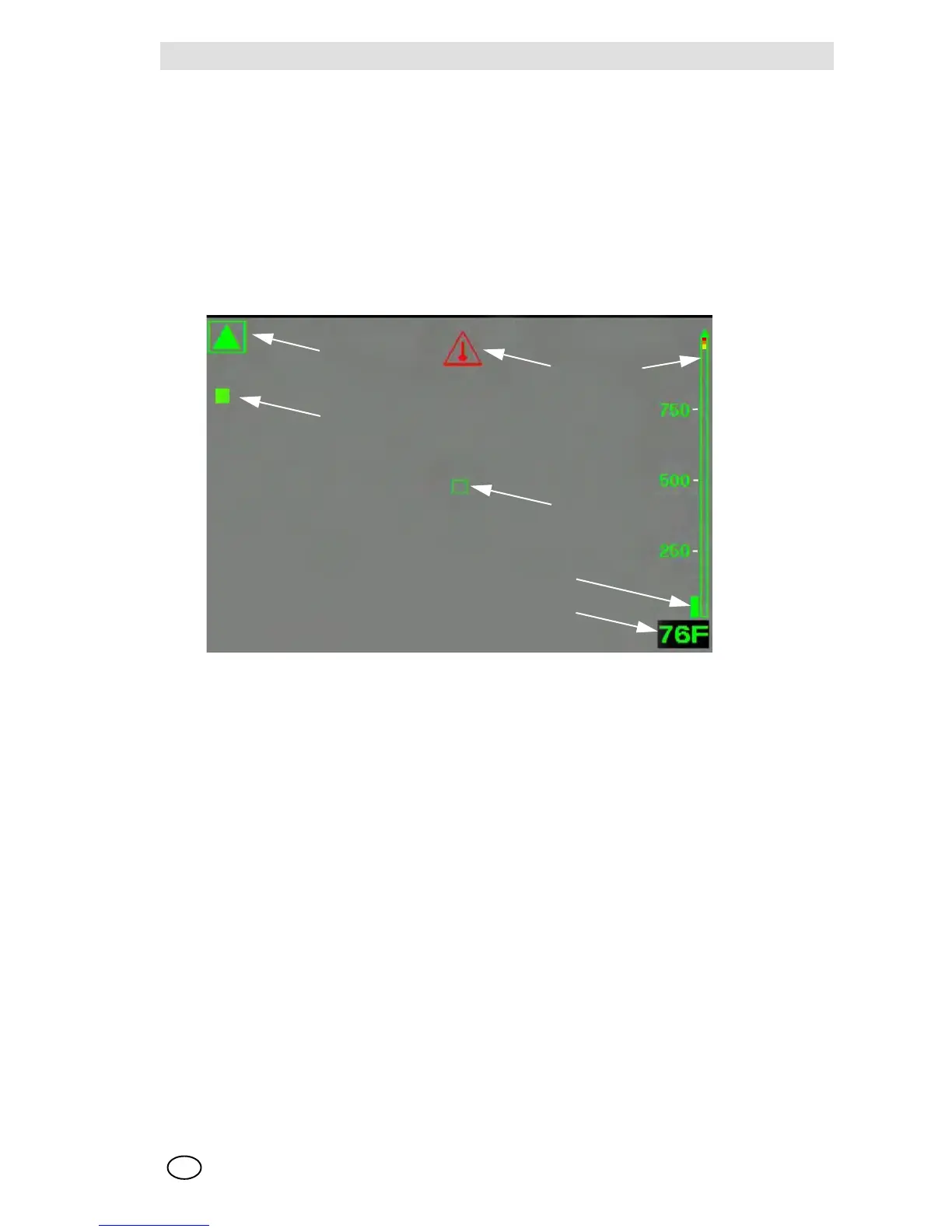
On-Screen Indicators (All Models)
Fig. 4 On-Screen indicators
1 Shutter indicator 5 Digital temperature target
2 Low sensitivity mode indicator 6 Temperature indicator bar
3 Internal over temperature indicator 7 Digital temperature indicator
4 Color reference bar



 To Next Page