EVOLUTION 6000 Thermal Imaging Camera
22
Use
MSA
US
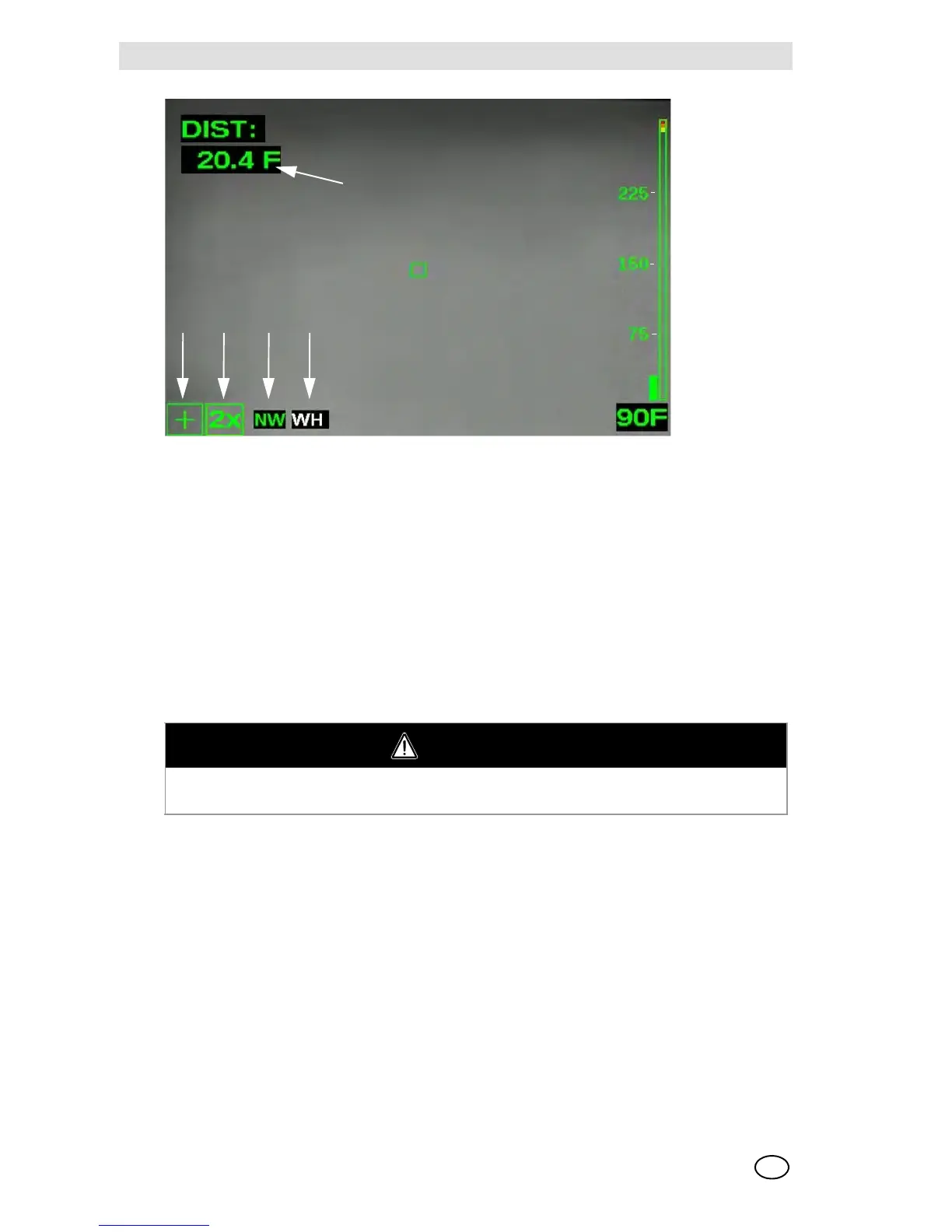
Fig. 8 Additional EVOLUTION 6000+ TIC and 6000 X TIC on-screen indicators
3.6 Accessing the NFPA Plus Features
Thermal imaging cameras compliant with NFPA 1801, Standard for Thermal Imaging Cameras in
the Fire Service, require a deliberate action to access all camera features beyond those described
as NFPA Basic functions.
Non-NFPA-compliant cameras (reference the approval label on the underside of the camera) do
not require a special sequence. All features are available at camera turn-ON.
Once the camera is turned ON, push and hold either the ZOOM or the PALETTE button for three
seconds until the Plus Mode Indicator appears on the screen ( Fig. 8).
- All Plus features are now available.
- All applicable indicators appear on screen.
To return to the Basic mode:
(1) Briefly push and release the ON/OFF button.
or
(2) Turn the camera OFF and back ON again.
The Plus mode indicator and any applicable feature indicators turn OFF.
1 Plus Mode indicator 4 Color Palette indicator (Plus Feature)
2 Zoom Level indicator (Plus Feature) 5 Range Finder
3 Compass (Plus Feature)
WARNING
Do not attempt to use NFPA Plus features without adequate training. Without proper training,
some features may lead to firefighter disorientation and unexpected camera operation.



 To Next Page