36
3103-1001 Rev. 0
"Reset Manual Time-out" - This push button resets the time-out timer back to 30 minutes. It is
intended for operator use when sensor maintenance is expected to take longer than 30 minutes.
NOTE: After the manual calibration mode is entered and 30 minutes has elapsed, the manual
calibration mode ends and a full auto standardization is triggered automatically if factory enabled.
If more than 30 minutes is needed to perform the sensor maintenance, press the “Reset Manual
Time-Out” button to reset the 30 minute timer.
"Auto Standardization" - This is an HMI navigation button which changes the screen to auto
standardization.
"Zero Cylinder Flow Detected" - This indicator shows that the gas cylinder flow was normal during
the last calibration. It switches to " Zero Cylinder Flow Not Detected " when the gas cylinder is
empty or any other zero gas flow failure condition exists.
"Span 1 Cylinder Flow Detected" - This indicator shows that the gas cylinder flow was normal
during the last calibration. It switches to " Span 1 Cylinder Flow Not Detected" when the gas
cylinder is empty or any other span 1 gas flow failure condition exists.
" Span 2 Cylinder Flow Detected " - This indicator shows that the gas cylinder flow was normal
during the last calibration. It switches to " Span 2 Cylinder Flow Not Detected " when the gas
cylinder is empty or any other span 2 gas flow failure condition exists.
"Overview" - This is an HMI navigation button which switches the screen back to the Overview
screen.
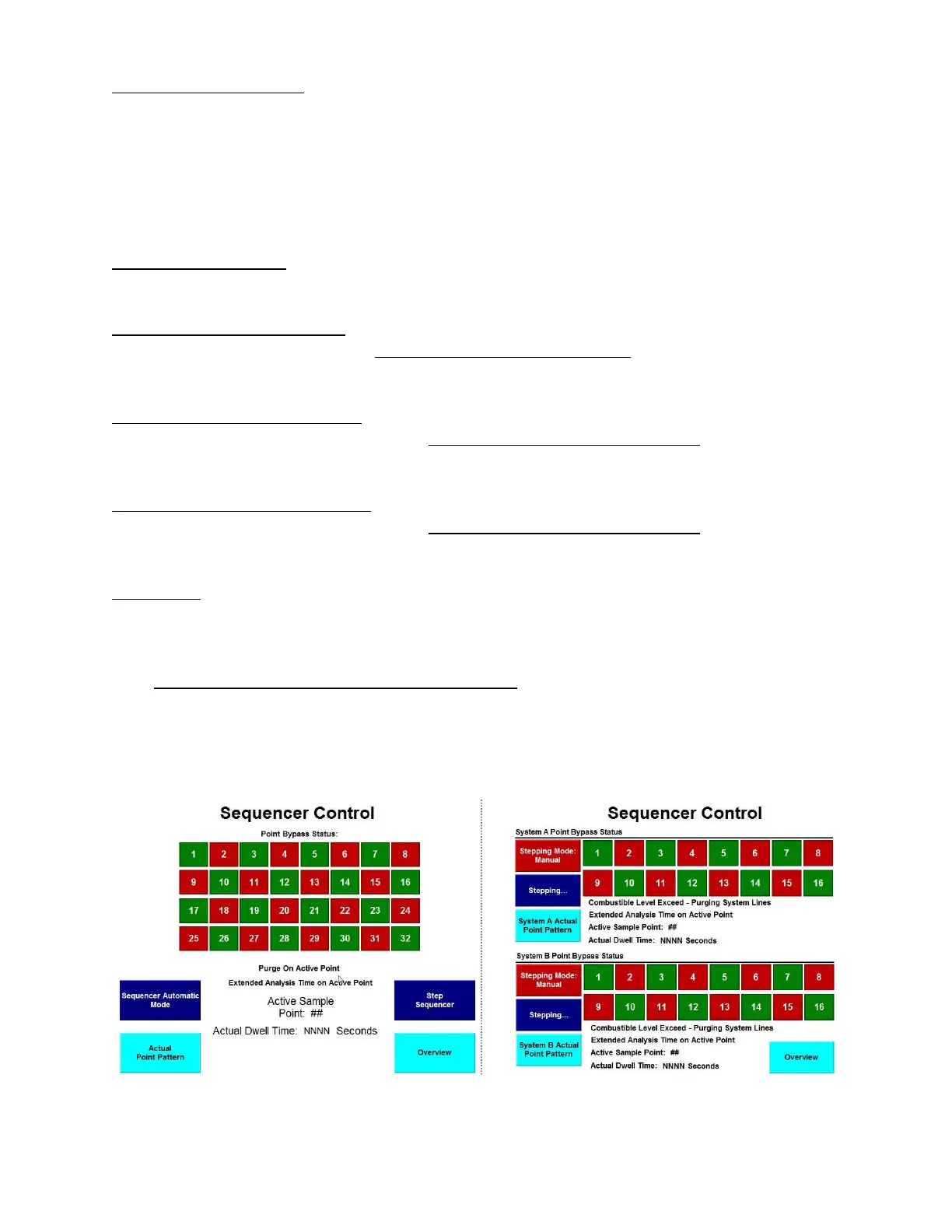
4.1.6 Sequencer Control (And Point Bypass Status)
The Sequencer Control screen allows the operator to control the sequencer and to see the point
bypass status currently in effect. This screen also allows the operator to get to the Actual Point
Pattern screen.
Figure 13: Sequencer Control Figure 14: Sequencer Control (Dual)



 To Next Page