3-22
Getting Started
+
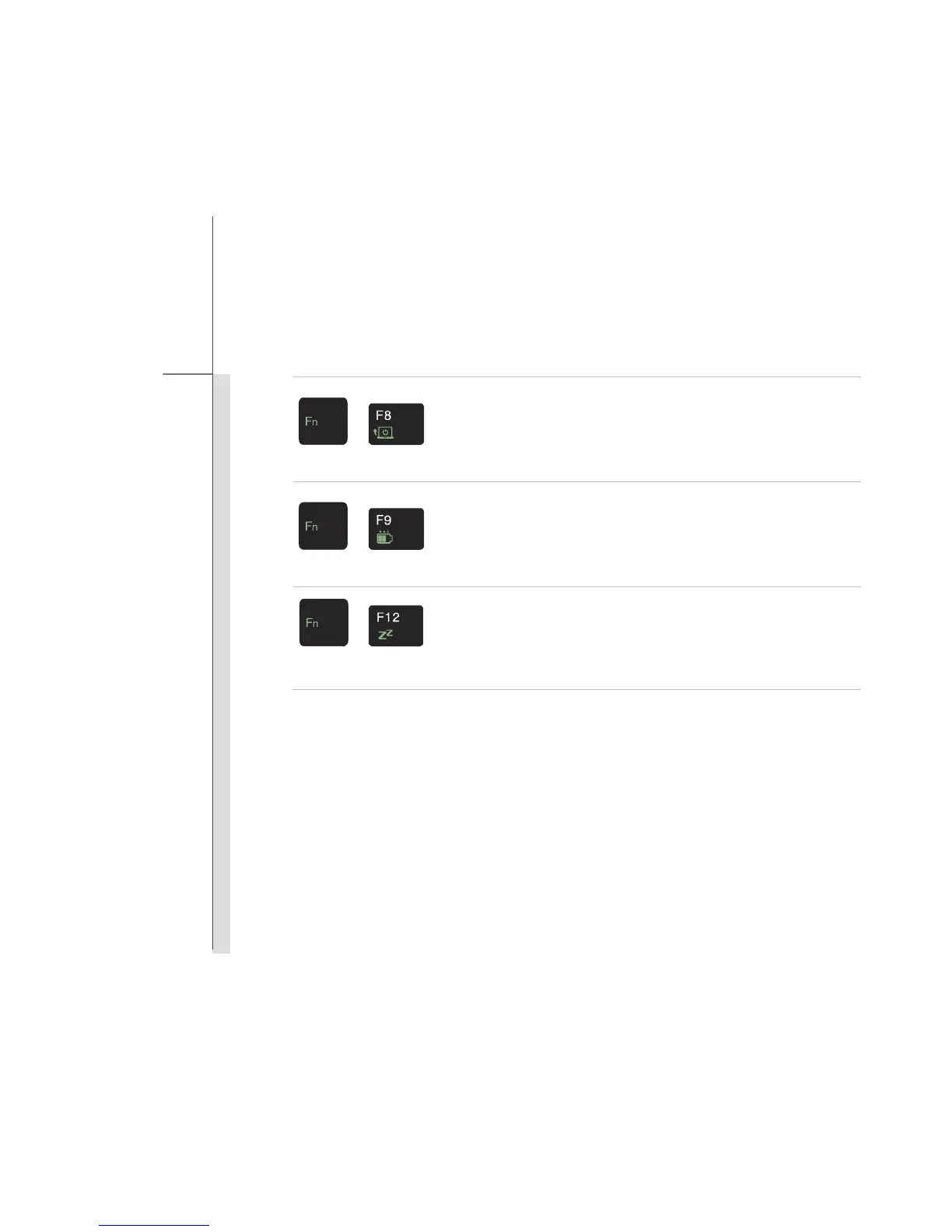
Seamless Boot-up
Press Fn once to bring Function Smart tool page. Then press F8
button to switch the Seamless Boot-up function on or off.
When this function is set to be On, open the lid cover will boot up
the notebook directly.
+
Power Witness
Press Fn once to bring Function Smart tool page. Then press F9
button to switch the Power Witness function on or off.
When this function is set to be On, the Battery Status LED shows
the battery capacity when the notebook is on or being charged.
+
Sleep
Press Fn once to bring Function Smart tool page. Then press F12
button to force the computer into sleep state (depending on the
system configuration).



 To Next Page